What should you look for?
First assess reflections where you plan to position the screen, then check the viewing angle from every playing position, followed by the gaming features that work with your equipment. High brightness and a high refresh rate won’t automatically answer the other questions.
| What to consider |
What to look for |
Who it matters to |
| Visibility near large windows |
Compare direct reflections and brightness separately; view the screen from the playing positions in daylight. |
If I play during the day and can see a window reflected in the screen, I want to know whether the action will remain easy to see. Around 36% of consumers in this buying survey put visibility in daylight near a window first. |
| Responsive controls |
Compare input lag in Game Mode and check that the TV, device and game support your preferred refresh rate and VRR. |
When responsive input matters most for my battles, I check the combination I actually use. PlayStation explains that 120Hz output depends on support from both the TV and the game. Around 29% of consumers prioritise responsiveness above all else. |
| Viewing from the sides |
Assess the viewing angle of the exact model from the seats furthest to the sides, and check its size and placement. |
If we’re sitting in different places to play together, I want to be able to follow the action from the side too. Around 21% of consumers put visibility from different seats first. |
| Energy use and aftercare |
Compare the energy label in kWh per 1,000 hours and check the terms for any installation services and additional cover. |
If I mainly want to consider energy use and what happens after purchase, I check the label and the seller’s terms. Around 14% of consumers name this as their main concern; ACM ConsuWijzer explains that statutory guarantee rights apply even without an additional warranty. |
Joybuy products
These models include OLED and Mini LED/QLED TVs with stated gaming features. Compare the model, connections and picture from the place where you play.
 No image available
LG OLED65C68LA 65-inch OLED evo AI C6 4K Smart TV
A 65-inch OLED model to consider for local gaming, where screen size and gaming features matter.
Stated features: native 120Hz, VRR up to 165Hz, ALLM, Game Optimizer, G-SYNC compatibility and FreeSync Premium. Check which features your equipment and games support.
View at Joybuy
 No image available
TCL 65T8D 65-inch QLED QD-Mini LED 4K TV
This 65-inch QD-Mini LED model is worth considering for a bright room; check reflections where you plan to put it.
Stated features: native 144Hz VRR, HDMI 2.1, ALLM and FreeSync Premium. Game Master, Dolby Vision and HDR10+ are also listed.
View at Joybuy
 No image available
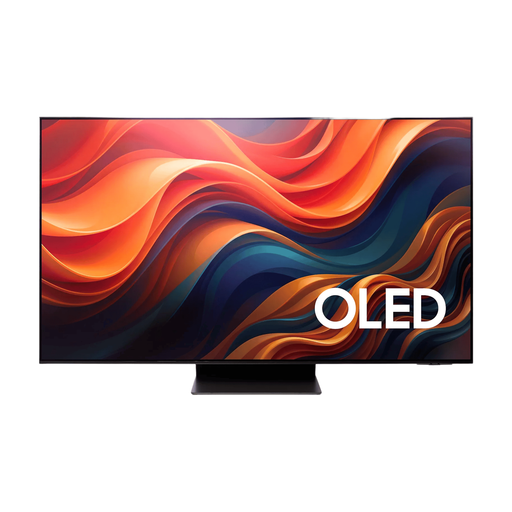
Samsung 65-inch S95H 4K OLED TV
A 65-inch OLED model to compare if both reflection handling and gaming features matter to you.
The product description lists an anti-reflective screen, four HDMI 2.1 ports, 165Hz, VRR, ALLM and FreeSync Premium Pro. The screen description can’t predict how windows will be reflected in your room.
View at Joybuy
 No image available
Hisense E7 PRO Series 43E7S PRO 43-inch QLED Gaming TV
The 43-inch size may be worth comparing if you’re looking for a smaller screen for local gaming; check that it suits your viewing distance and seating arrangement.
Stated features: native 144Hz, Game Mode and FreeSync Premium Pro. Dolby Vision and HDR10+ Gaming are also listed.
View at Joybuy
 No image available
TCL 75Q7C 75-inch 4K Mini LED Smart TV
This 75-inch Mini LED model is worth considering if a large screen suits your seating arrangement.
The product description lists Full Array Local Dimming and 3,000 cd/m²; these are stated features, not independent measurements. Also listed: 144Hz VRR, HDMI 2.1, ALLM and FreeSync Premium Pro.
View at Joybuy
Frequently asked questions
How do I set up a PS5 for fast-paced games?
On your PS5, go to Settings > Screen and Video > Video Output to check which signals the connected TV supports. Enable 120Hz Output or VRR only if the TV and the game in question support them. On a compatible TV, ALLM can automatically switch on a low-latency mode.
Can I assess a TV without darkening the room?
Yes. Check from each playing position whether a window appears as a recognisable reflection, and assess the picture in daylight. An anti-reflection claim alone can’t predict how a window will appear on screen.
In the Netherlands, are TVs always covered by a two-year warranty?
No. According to ACM ConsuWijzer, your statutory guarantee rights apply even if you haven’t bought additional cover. If a product is faulty despite being used normally, the seller is responsible for providing an appropriate solution at no cost. What you can reasonably expect in terms of lifespan depends on the product and the circumstances.
Can I return a TV bought online if the reflections are disappointing?
Online purchases generally come with a 14-day cooling-off period after delivery, subject to exceptions and conditions. ACM ConsuWijzer explains how this period works; check the terms for returning a large TV before you order.
How do I compare the energy use of TVs?
Compare the energy label for the exact model and check the consumption in kWh per 1,000 hours. The European Commission explains this unit of measurement for screens; your personal energy use also depends on how long you use the TV.


