
Family with a wide seating area
Plays quizzes from several seats beside and at an angle to the TV, and wants everyone to be able to follow the same screen.


For a family quiz with players spread across the sofa, the viewing angle from the seats at either end matters more than a high refresh rate. OLED generally offers a wider viewing angle than LCD, according to the Consumentenbond; viewing angles and contrast vary between LCD panel types and models. If you also play fast-paced console games, check the specific TV’s supported gaming features and connections too.
Plays quizzes from several seats beside and at an angle to the TV, and wants everyone to be able to follow the same screen.
Plays during the day and considers viewing angles and reflections together, rather than focusing only on brightness when sitting directly in front of the screen.
Also uses the TV for fast-paced games, so pays extra attention to gaming mode, refresh rate and connections.
Start by checking visibility from the seats at either end of the sofa and the lighting in the room. Then see whether the size and any gaming features suit your setup and devices.
| What to consider | What to look for | Who is this most important for? |
|---|---|---|
| Viewing from the side | Assess the picture from the seats at either end. OLED generally offers a wider viewing angle than LCD; with LCD, check the specific model and panel type rather than relying on a label such as QLED. | If players at the ends of the sofa need to follow questions and images, viewing angle comes first. Around 42% of consumers put the greatest emphasis on this. |
| Light and reflections | Check reflections from your usual seats and consider brightness and viewing angle together; a type designation won’t tell you how the screen performs in your room. | When playing quizzes during the day, I want to see the screen without light or reflections getting in the way of the questions. Around 25% of consumers give daylight visibility their highest priority. |
| Size and placement | Measure the viewing distance and the space available for the TV. The Consumentenbond gives roughly 2.4 times the screen diagonal as a general rule of thumb for viewing distance, not a mandatory minimum. | If you first need to work out what size screen will fit on your TV stand or wall, consider size and placement. Around 17% of consumers put practical fit first. |
| Connections and other games | Check which input your quiz device needs. If you also play fast-paced console games, check the gaming features and HDMI ports supported by each model. | If I play games as well as quizzes and response times and connections matter, I check those features on the specific TV. Around 16% of consumers put versatile gaming and connections top of their list. |
These labels don’t automatically mean an LCD TV will be easy to see from the side. According to RTINGS, IPS LCDs generally have a wider viewing angle than VA LCDs, while VA panels generally offer higher contrast.
Check the specific model from the seats at either end, even if the picture looks bright when viewed straight on.
High refresh rates and VRR are mainly relevant for games and devices that use those signals. They don’t make up for a viewing angle that works for every player.
First, work out how the quiz will be displayed on the TV and what other games you play. Then compare the gaming features of models that suit your seating arrangement.
ACM ConsuWijzer distinguishes between a commercial warranty and your statutory rights if a product doesn’t meet reasonable expectations. There isn’t automatically one fixed statutory warranty period that applies to every TV.
Read the terms of any additional insurance separately and check what extra cover it provides.
LG offers OLED ranges such as the C6, which may be worth considering if several players watch from different angles.
Samsung offers OLED and gaming TVs, including the 65-inch S95H, for anyone who also plays other games or has a bright room.
Philips offers OLED Ambilight TVs, such as the 55OLED760/12, for anyone who values Ambilight as well as watching together.
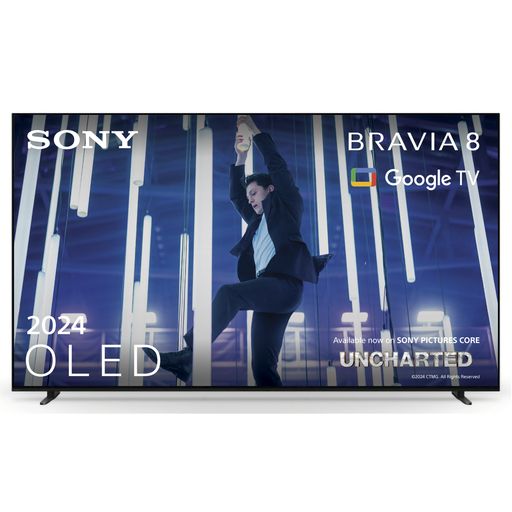
The BRAVIA 8 II K-55XR8M2 is an OLED model for watching together and using with a console.
These TVs have OLED screens and are suited to anyone who wants to view quiz questions from different seats. Also check which size and connections suit your room and devices.
 No image available
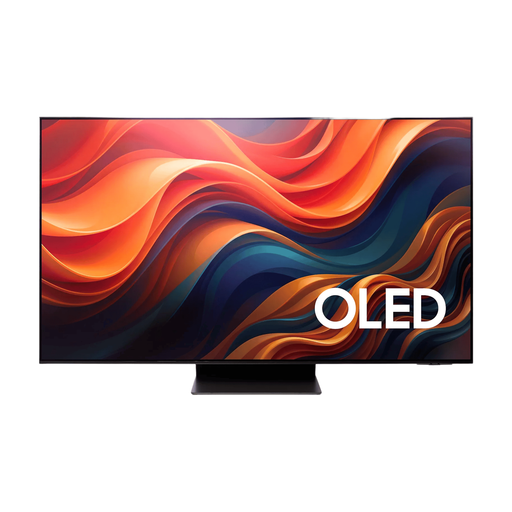
OLED is a screen technology worth comparing when players sit at an angle to the TV; the Consumentenbond notes that OLED generally offers a wider viewing angle.
65 inches, OLED and 4K.
 No image available
OLED is a screen technology worth comparing when players sit at an angle to the TV; the Consumentenbond notes that OLED generally offers a wider viewing angle.
55 inches, OLED and 4K. According to the product information, this version doesn’t include a table stand and is designed for wall mounting with the integrated wall bracket.
 No image available
OLED is a screen technology worth comparing when players sit at an angle to the TV; the Consumentenbond notes that OLED generally offers a wider viewing angle.
55 inches, QD OLED and 4K.
 No image available
OLED is a screen technology worth comparing when players sit at an angle to the TV; the Consumentenbond notes that OLED generally offers a wider viewing angle.
65 inches, OLED and 4K.
 No image available
OLED is a screen technology worth comparing when players sit at an angle to the TV; the Consumentenbond notes that OLED generally offers a wider viewing angle.
65 inches, 4K and OLED.
No, 120 Hz isn’t essential for playing a quiz. If you also use the TV for fast-paced console games, compare the gaming features and check that your device supports them.
Measure the viewing distance and the space available for the TV. The Consumentenbond gives roughly 2.4 times the screen diagonal as a general rule of thumb for viewing distance, not a mandatory minimum; also assess the picture from the seats at either end.
LG recommends switching off the TV, unplugging it and letting the screen cool before gently cleaning it with a soft microfibre cloth. Avoid harsh cleaners and, for other brands, follow the instructions for that specific TV.
No. According to ACM ConsuWijzer, statutory rights in the Netherlands depend on what you could reasonably expect from the product under normal use. The retailer is responsible for providing an appropriate solution if the product is faulty; there isn’t automatically one fixed warranty period for every TV.
The European Commission states that electronic displays, including televisions, use an energy label scale from A to G. Compare the label for the exact version; it includes information such as energy consumption for SDR and HDR.