What should you look for when buying?
LCD and QNED TVs
Best for a bright shared room or if you’re mainly looking for a suitable size.
Keep in mind QLED and QNED are types of LCD TV; the name alone doesn’t tell you whether the picture will remain clear when viewed from the side.
Mini LED LCD TVs
Best for anyone who also plays other games and wants to take gaming features into account.
Keep in mind mini LED doesn’t guarantee a wide viewing angle, so check the features of the specific model. TCL’s stated 144 Hz for the 55C7K isn’t necessary for quiz games.
OLED TVs
Best for households where people sit in different places and a wide viewing angle is a priority.
Keep in mind the Consumers’ Association says OLED TVs generally have a wider viewing angle; you should also take care with images that remain unchanged for a long time.
For quiz nights, start by considering the screen size, seating arrangement and how the game will appear on the TV. If you’re choosing a TV for quiz nights in a shared student house, these are usually the main things to consider:
| What to consider |
What should you check? |
Who does this matter to most? |
| Visibility from different seats |
Compare the viewing angle of the exact model with your seating arrangement; don’t choose based on the panel name alone. |
When we’re spread around the room, I want to be able to read the questions from the side. Around 27% of consumers give viewing angle top priority. |
| Size and positioning |
Measure the viewing distance and check the screen size and the TV’s dimensions, including its stand. |
In a compact living room, I want a screen that fits on the TV unit and is easy to read from our seats. Around 27% of consumers prioritise size and positioning. |
| Getting the quiz onto the TV |
Check what device the game runs on, what video signal the host uses and which connection you’ll need. |
If we play a quiz using a computer or console, I want to know in advance how it sends the picture to the TV. Around 20% of consumers put a working connection to the quiz host first. |
| Sharing the cost |
Agree on a budget together and compare the energy labels of the TVs you’re considering. |
When we buy together, I want to be able to weigh up the cost with my housemates. Around 13% of consumers give shared costs top priority. |
| Playing other games |
For those games, check the model’s game mode, required connections and supported refresh rate. |
If we also play other console or PC games, I want to match the features to those games and our gaming device. Around 13% of consumers prioritise additional gaming use. |
TVs at Joybuy
These TVs from Joybuy offer a range of screen sizes and LCD and OLED options to compare for quizzes played using a connected host device, as well as any other gaming use.
 No image available
LG OLED55C68LA 55-inch OLED Evo AI C6 4K Smart TV
A 55-inch OLED TV to compare if you’re looking for a smaller size and considering OLED screen technology.
The product name lists 4K, 120 Hz native and VRR up to 165 Hz.
View at Joybuy
 No image available
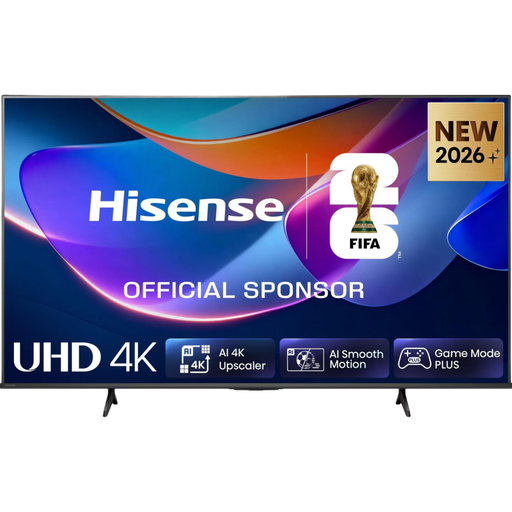
Hisense 65A6S 65-inch 4K LED Smart TV
A 65-inch LCD option to assess alongside the viewing distance and the space available in your living room.
The product name lists 4K and 60 Hz.
View at Joybuy
 No image available
Samsung S85F Series GQ55S85FAU 55-inch OLED 4K
A 55-inch OLED model to compare if you’re considering a more compact screen size.
The product name lists an OLED screen and 4K.
View at Joybuy
 No image available
TCL 55T8C 55-inch 4K QLED Smart TV
A 55-inch LCD option to compare with your viewing distance and, if you also play other games, the gaming features you need.
The product name lists 4K and 144 Hz.
View at Joybuy
 No image available
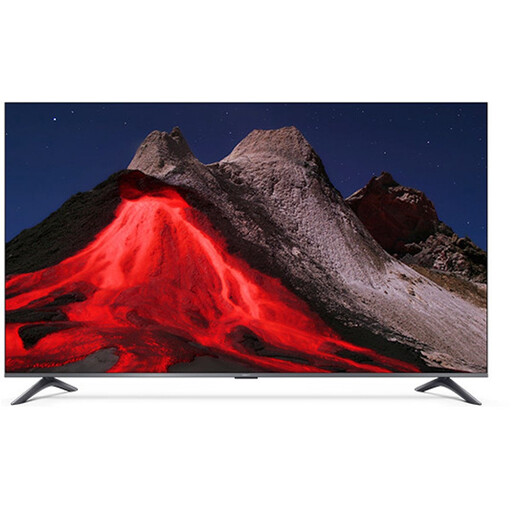
Xiaomi TV A Pro 2026 65-inch 4K QLED Google TV
A 65-inch LCD option to weigh up against the space available on your TV unit and the distance to your seats.
The product name lists 4K and Google TV.
View at Joybuy
Frequently asked questions
Can I install a phone quiz directly on any smart TV?
No, don’t assume you can just because it’s called a smart TV. With Jackbox, the game runs on a suitable host device and players use their phone’s browser as a controller. For your own quiz, check what device the game runs on and how the host sends the picture to the TV.
How do I choose the right TV size for our room?
Measure the distance from your usual seats to the TV and check the dimensions of the set, including its stand. The Consumers’ Association recommends dividing the distance by 2.4 as a starting point for the screen diagonal in centimetres; compare nearby sizes too.
What should I bear in mind if quiz screens stay on an OLED TV for a long time?
Don’t leave a static screen on for longer than necessary, and follow the care instructions for your chosen TV. An older test by the Consumers’ Association found image retention after fixed elements had been displayed for an exceptionally long time, but it doesn’t provide a fixed safe time limit or a prediction for current models.
What are my rights when buying a TV online in the Netherlands?
Online purchases generally come with a statutory 14-day cooling-off period after delivery, subject to applicable exceptions. You may also have legal rights against the retailer if a product doesn’t meet expectations; these are separate from any shorter manufacturer’s warranty. Check the terms that apply to your purchase.
Does the energy label matter when choosing a TV?
Yes, you can use the EU energy label to compare the stated energy consumption of specific models. According to Your Europe, the label runs from A to G.


