
Housemates who play together
You want to follow the action and score from different seats. Measure the space and check the dimensions of the model you’re considering.


First, choose a screen size that’s easy to see from the seating areas and fits safely in the space. Then compare the gaming mode and connections with the console and games you use. 120Hz output and VRR are only relevant if both the TV and the gaming source support them. OLED needs extra care when displaying static images for long periods, while you should check the features of Mini LED and LCD models against the exact model number.
You want to follow the action and score from different seats. Measure the space and check the dimensions of the model you’re considering.
You want to check that the gaming mode, refresh rate and connections work with your console and games. PlayStation Support states that 120Hz output only works with a TV and games that support it.
You want to agree how the TV will be used and who will own it, as well as compare models’ energy consumption. Energielabel.nl lists consumption per 1,000 hours and provides information for HDR.
A good choice when: contrast and gaming features are high on your list, and housemates take care not to leave menus or scoreboards on screen for long periods. LG Netherlands lists 4K gaming at up to 144 Hz for the OLED55B68LA.
Worth noting: a stated refresh rate doesn’t guarantee that a game will reach that frame rate. Repeated static images displayed for long periods can cause image retention on OLED screens; Sony Netherlands mentions this in its advice on picture problems.
A good choice when: you want to compare an LCD option with a stated high refresh rate. TCL Netherlands lists a native refresh rate of 144 Hz for the C7K series.
Worth noting: check the size and features of the exact model; claims about a series don’t automatically apply to every version. Don’t infer viewing angles or input lag from the panel name alone.
A good choice when: a TV with gaming mode is all you need and 120Hz gaming isn’t essential.
Worth noting: an HDMI 2.1 or VRR listing on its own doesn’t prove that the TV supports 4K/120Hz output. Check the supported combination of resolution, refresh rate and input on the exact model.
Start by checking the seating and the space available. Then find out what output your console and games actually support.
| What to consider | What to look for when buying | Who this matters most to |
|---|---|---|
| Visibility from different seats | Measure the available width and check the screen and stand dimensions of the exact model. | If we play together, I want to see the action and score from different seats; around 25% of consumers give room-wide visibility top priority. |
| Responsiveness and gaming compatibility | Check the gaming mode, supported resolution and refresh rate, VRR, and the right HDMI input for your console and game. | If I play fast-paced sports games, I want to know which features my console and games really support; around 25% of consumers put compatible gaming responsiveness first. |
| Shared running costs | Compare the energy label in kWh per 1,000 hours on the same SDR or HDR basis, and agree who will own the TV. | If we’re paying for and using the TV together, I want to discuss energy consumption and ownership in advance; around 19% of consumers give shared costs top priority. Energielabel.nl lists consumption per 1,000 hours and separate HDR information. |
| Safe placement | Check the furniture’s width, the stand, the TV’s weight and the installation instructions for the exact model. | If the TV needs to fit in a shared room, I want to know first whether the chosen setup will be safe and practical; around 19% of consumers give placement top priority. |
| Everyday use | Check that the smart TV platform has the apps you want; with OLED, don’t leave the same image on screen for unnecessarily long periods. | If housemates also use the TV for other kinds of viewing, I want to take ease of use and care into account; around 12% of consumers give everyday use top priority. |
The output you can achieve also depends on the gaming source, the game and the video settings you choose.
Check which gaming modes your console and games support, then check the specifications of the TV input you’ll use.
The screen’s diagonal measurement doesn’t tell you whether the stand will fit on your furniture or whether the TV is suitable for wall mounting.
Measure before you buy and follow the installation instructions for the exact model.
Wall mounting may require a suitable bracket or installation service; check before deciding on your setup.
Repeated static images displayed for long periods can cause image retention on OLED screens. Sony Netherlands highlights this risk in its advice on picture problems.
Don’t leave static images on screen unnecessarily, and follow the manufacturer’s care instructions.
In the Netherlands, statutory rights exist alongside commercial guarantees, and there’s no fixed statutory time limit. ACM ConsuWijzer explains the difference.
Keep your proof of purchase and contact the retailer if something goes wrong; consider your statutory rights separately from any additional guarantee.
The OLED55B68LA is worth considering if OLED, contrast and stated gaming features are on your wish list. LG Netherlands lists 4K gaming at up to 144 Hz for this model.
The C7K is a QD Mini LED option to compare; the Dutch model specifications consulted are for the 65C7K.
The QE55QN90FATXXN is a 55-inch Mini LED model worth comparing if screen size and Samsung’s anti-reflection claim matter to you.
According to Philips, the 55PML9059/12 combines Mini LED, Ambilight and Titan OS, making it an option if you also want to consider usability and other types of viewing.
These Joybuy TVs include features such as screen size, resolution and refresh rate in their product names. Compare them with the space available and the output supported by your console and games.
 Image unavailable
The 50-inch version is an option to consider alongside your seating and the space available.
Size: 50 inches. Picture: 4K Mini LED, 144Hz. Smart TV.
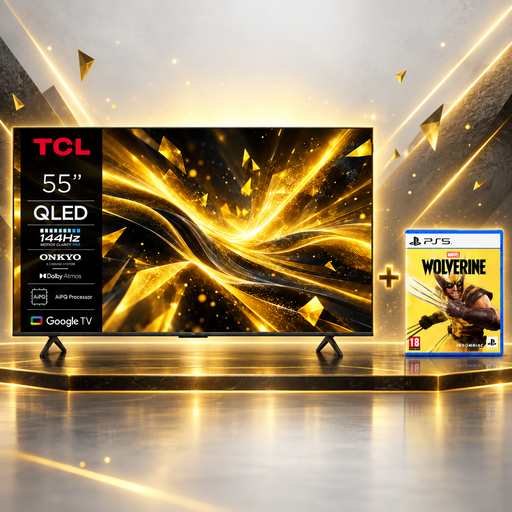 Image unavailable
This 55-inch TV and game bundle is worth considering if you want to assess the screen size and bundle together.
Size: 55 inches. Picture: 4K QLED, 144Hz. Bundle: Marvel’s Wolverine PS5 game.
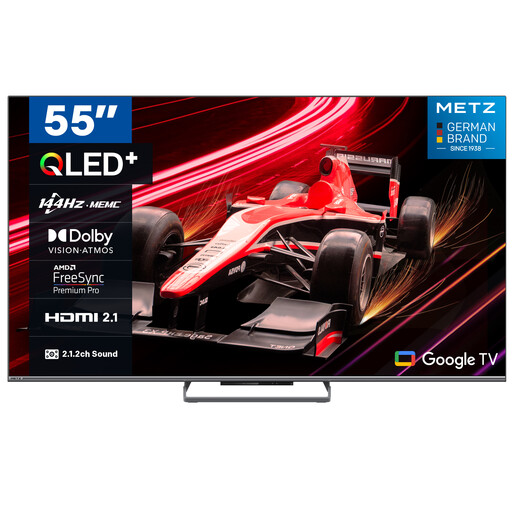 Image unavailable
This 55-inch version is worth comparing if housemates also want to consider the smart TV platform.
Size: 55 inches. Picture: 4K QLED, 144Hz. Platform: Google TV.
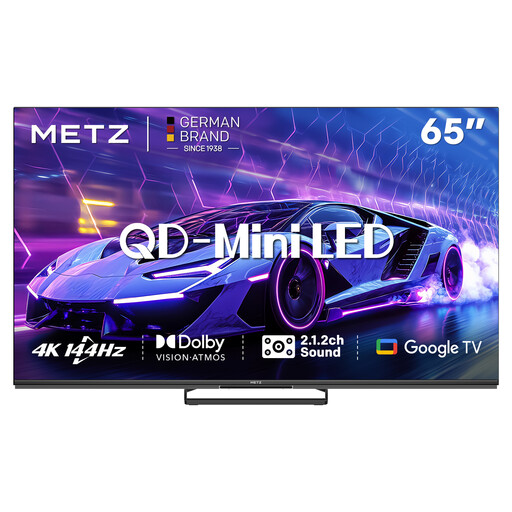 Image unavailable
The 65-inch size calls for extra attention to the available width and seating in the room.
Size: 65 inches. Picture: 4K QD Mini LED, 144Hz. Platform: Google TV.
 Image unavailable
This 65-inch version is an option if the screen size suits the room and shared seating area.
Size: 65 inches. Picture: 4K QLED, 144Hz. Platform: Google TV.
No. First, check what output your console and games support. With a PS5, 120Hz output and VRR depend on support from both the TV and the game; a TV specification alone doesn’t mean a particular game will use these features. PlayStation Support explains the requirements for 120Hz output.
Measure the furniture and consider the seating before choosing a size. Check the stand, weight and mounting specifications for the exact model, and follow the installation instructions. Consider wall mounting separately from placing the TV on furniture.
Compare the labels for the exact models in kWh per 1,000 hours, using the same SDR or HDR basis. Energielabel.nl also provides HDR information; actual consumption will depend in part on how many hours you use the TV and your settings.
For a standard online purchase, there’s generally a statutory 14-day cooling-off period from the date of delivery; exceptions may apply. This is separate from your statutory rights if a product is faulty: ACM ConsuWijzer states that statutory warranty has no fixed time limit and exists alongside commercial guarantees.
It depends on the work involved. The Dutch government gives repairable drill holes as an example of a change that can be made without permission, while renovation requires permission. Also check separately that the bracket and wall are suitable for safe mounting.