Which factors matter most?
When you’re playing sports games from a considerable distance, start by considering the TV’s size and where it will go. Then factor in controls, the room’s lighting and your gaming habits.
| Factor |
What to check before buying |
Who is this important for? |
| Readable gameplay from a distance |
Measure the distance between your eyes and the screen, and check that your preferred TV will physically fit in the available space. |
If my sofa is a long way from the TV, I want to be able to follow the score and players without choosing a screen that won’t fit in the room. Around 33% of consumers prioritise readability from a distance. |
| Quick response and smooth motion |
Compare input lag measurements at the resolution and refresh rate you use; also check the relevant input and game mode. |
I want the controls to feel responsive and the action to stay clear in a fast-paced game. Around 27% of consumers prioritise response time. |
| Visibility in a bright room |
Check tests of reflection handling and brightness, and consider the windows and lights in your room. |
If I play during the day, I want to see the picture clearly without having to darken the room every time. Around 20% of consumers put visibility in ambient light first. |
| Picture quality from different seats |
Consider the seats at the edges of the room and compare viewing-angle tests for the specific model. |
When we play with other people, I want the picture to remain usable from a seat off to the side. Around 7% of consumers give viewing angle top priority. |
| Long sessions and a fixed HUD |
Compare the energy label and energy consumption per 1,000 hours for the specific model; if you play the same game for long periods, also consider OLED’s potential issue with fixed on-screen elements. |
If I often play the same game for a long time, I want to factor in fixed interface elements and electricity use when making my choice. Around 13% of consumers prioritise long-term use or running costs. |
Large gaming TVs on Joybuy
Here you’ll find large 85 and 86-inch TVs to compare with your measured viewing distance and available space. For fast-paced sports games, also check the specifications of the particular model and its connection to your gaming device.
 No image available
TCL T8D 85-inch 4K QD-Mini LED Smart TV
Compare the 85-inch size with your measured viewing distance and check that the screen will fit in your room.
4K; 144 Hz; VRR; FreeSync Premium; HDMI 2.1.
Joybuy
 No image available
TCL 85Q7D PRO 85-inch 4K SQD-Mini LED TV
Check whether the 85-inch screen suits your viewing distance and the space where you plan to put the TV.
4K; 144 Hz; anti-reflection screen.
Joybuy
 No image available
METZ 86MQE8000Z 86-inch QLED Google TV
Compare the 86-inch screen size with your viewing distance and the space available for installation.
4K; 144 Hz; HDMI 2.1; FreeSync Premium.
Joybuy
 No image available
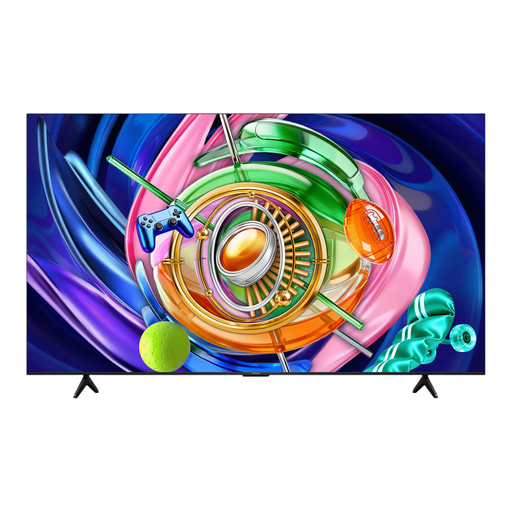
iFFALCON 85U85A 85-inch 4K Mini-LED TV
Compare the 85-inch screen size with the distance to your seat and check that you have somewhere suitable to put the TV.
4K; 144 Hz.
Joybuy
 No image available
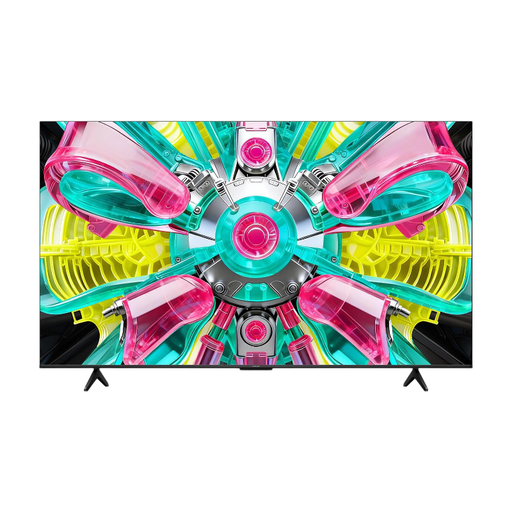
iFFALCON 85U75A 85-inch 4K QLED TV
Compare the 85-inch screen size with your viewing distance and the width available for the TV.
4K; 144 Hz.
Joybuy
Frequently asked questions
Is 77 inches big enough if my sofa is a long way from the TV?
That depends on your viewing distance and the space available for the TV. Measure from your eyes to the screen, then check that the preferred screen size will also fit in terms of width and height; an example size isn’t a universal recommendation.
How should I set up my TV for fast-paced sports games?
Start with game mode and check which resolution, refresh rate and, where relevant, VRR are actually active on both the TV and your gaming device. The actual input lag depends on the model, signal and settings, so compare measurements taken under the same conditions.
What should I consider if I play the same sports game for a long time?
With OLED, using the same fixed HUD for long periods is a potential burn-in concern. RTINGS.com describes the risk under demanding conditions with static on-screen elements; these conditions aren’t the same as varied everyday use. Also compare the specific TV’s energy consumption per 1,000 hours.
Can I still get help with a faulty TV in the Netherlands after two years?
Possibly, depending on what you could reasonably expect from the product. According to ACM ConsuWijzer, statutory rights apply alongside a manufacturer’s or seller’s warranty. Report the fault to the seller; the outcome depends on the circumstances.
Can I return a TV bought online in the Netherlands?
According to ACM ConsuWijzer, if you buy a new television from an online shop, you generally have a statutory cooling-off period of up to and including 14 days after delivery. Conditions and exceptions apply to using and returning the TV, so check the relevant information before ordering.


