
Players with limited space for a TV
You’re sharing one screen, but the TV also needs to fit in a narrow living room. Measure the available width and viewing distance before choosing a screen size.


Start by considering the available width, viewing distance and where both players will sit: a bigger screen isn’t automatically more comfortable at close range. RTINGS discusses the importance of viewing distance and angle, so assess the picture from both seats and consider reflections in your room. Only opt for 120Hz or VRR if your console, game and the input you’re using support these features; PlayStation links 120Hz output to a compatible TV and game.
You’re sharing one screen, but the TV also needs to fit in a narrow living room. Measure the available width and viewing distance before choosing a screen size.
You’ll be watching from different positions, so assess the picture from both seats, not just from directly in front of the TV.
You want responsive controls, but first check which output your console and the specific racing game actually support.
Choose this option if: space is limited and you can assess a 42-inch model in your actual set-up.
Bear in mind: with split-screen, each player gets a smaller part of the screen. Also check for reflections and persistent on-screen game elements.
Choose this option if: there’s room for a larger TV and both players will be sitting fairly square-on to the screen.
Bear in mind: measure your whole set-up and view the screen from both seats; the viewing angle can affect the picture away from the centre.
The percentages below show each consumer’s main purchasing priority when choosing a TV for split-screen racing in a narrow living room.
| What to consider | What should you check? | Who is this important to? |
|---|---|---|
| Screen size and readability | Measure the viewing distance and available space, and check the TV’s external dimensions, including the stand. | When I share one screen with another player, I want both race views to remain easy to read from our seats; around 33% of consumers prioritise screen size and readability. |
| Viewing angle and seating | View the exact model from both seats and consider the light in the room. RTINGS explains why viewing angle matters when people aren’t sitting directly in front of the TV. | When we sit side by side, I want the picture to be clear from both seats; around 27% of consumers put viewing angle first. |
| Response time and gaming features | Check input lag in Game Mode and whether your console, specific game and TV input support the features you want. PlayStation describes 120Hz output for compatible TVs and games. | When I’m steering, I want my equipment to support the response I’m looking for; around 20% of consumers prioritise response time and suitable gaming features. |
| Energy use and purchase protection | Compare the EU energy label on the same SDR or HDR basis and check what additional cover offers alongside your statutory rights. | I also want to factor in energy use and purchase protection; around 20% of consumers prioritise running costs and purchase protection. |
The diagonal won’t tell you whether the whole TV, including its stand, will fit in the intended space, or how large the shared picture will look from your seats.
Measure the available space and viewing distance, and check the external dimensions and stand of the exact model.
A TV that doesn’t fit may mean you need to rearrange or move things.
The stated panel refresh rate doesn’t automatically determine the frame rate of a specific racing game in split-screen mode.
Check what your console and the game you’re using can do before making a higher refresh rate the deciding factor.
You could pay for features that your racing game doesn’t use.
With two seats, one player may be viewing the screen at an angle and see a different picture as a result.
Compare the exact model from both usual playing positions and consider the light in the room.
An extended warranty contract is separate from your statutory rights. The Dutch government states that the Netherlands has no fixed statutory guarantee period.
Read what an additional contract actually covers and check who the seller is.
Additional cover may cost extra without replacing your statutory rights.
The LG OLED42C67LA is a 42-inch OLED model worth comparing if you have limited width available for your TV.
The Philips 42OLED810/12 is a 42-inch OLED model with Ambilight, offering a compact option to compare with other screen sizes.
The TCL 50C7K is a 50-inch QD Mini LED model to consider if a larger screen fits in your living room.
This selection includes TVs from 42 to 50 inches, so you can weigh up the available space against how easy shared race views are to read. The gaming features listed are only relevant if your console, game and the input you’re using support them.
 No image available
A 42-inch model to compare if space for your TV is limited.
Listed features: ALLM, VRR, AMD FreeSync and HDMI 2.1; check they’re compatible with your equipment.
 No image available
A 43-inch option to compare with smaller and larger screen sizes.
The product information lists 120Hz, ALLM, VRR and HDMI 2.1; check whether your console and game support them.
 No image available
A 48-inch screen to compare if you have room for the extra width.
Listed features: 120Hz native, VRR up to 165Hz, ALLM and HDMI 2.1. Check which features your console and game use.
 No image available
A 50-inch option to consider after measuring the available space.
Listed features: 144Hz, HDMI 2.1, ALLM and VRR; the game and connected equipment determine which output is possible.
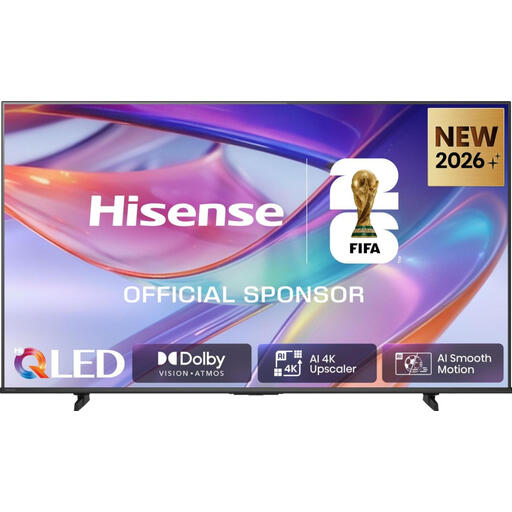 No image available
A 50-inch model to compare if a larger screen fits in your living room.
The product information lists 120Hz, Game Mode, ALLM, VRR and HDMI 2.1; check they’re compatible with your equipment.
No, not automatically. PlayStation says 120Hz output is intended for TVs and games that support it; a panel specification alone doesn’t determine the frame rate of a split-screen race.
Go to Settings > Screen and Video > Video Output to check what the connected TV supports. PlayStation says that, with a compatible TV, ALLM can automatically select low-latency mode; also check the settings for the TV input you’re using.
It depends on the game and system. Nintendo says Mario Kart 8 Deluxe supports up to four players on a split screen in TV or tabletop mode. The Gran Turismo 7 manual lists up to four players, or up to two on PS4, with a separate controller for each player.
The European Commission recommends comparing the energy use shown on the EU energy label in kWh per 1000 hours, using the same SDR or HDR basis for both TVs. To estimate your own costs, you’ll also need your typical hours of use and electricity tariff.
Statutory rights are separate from a manufacturer’s warranty or an additional contract. The Dutch government says the Netherlands has no fixed statutory guarantee period; if there’s a problem, contact the seller.