
Racers in a bright living room
If you often play in daylight, you’ll need to consider both screen brightness and reflections from windows and lamps. RTINGS points out that reflection handling matters when using a TV in a bright room.


Choose a TV based on the light in your room and where you sit. For a bright living room, compare both brightness and how well the screen handles reflections. For split-screen gaming, check how the picture looks from the seats at either end of the sofa, too. Mini LED and OLED each have their pros and cons; also check whether your console or PC and the game itself support 120 Hz or VRR.
If you often play in daylight, you’ll need to consider both screen brightness and reflections from windows and lamps. RTINGS points out that reflection handling matters when using a TV in a bright room.
With split-screen gaming, you’ll want the racing action to look clear from seats at an angle, too. RTINGS notes that wide viewing angles are important when people are sitting across the room.
If you want a responsive picture, check which refresh rates and VRR your equipment and game actually support. PlayStation explains 120 Hz output for compatible PS5 games and TVs.
Start with the light in the room and where you’ll be sitting. Then check the screen size, gaming mode and what your console or PC can run with the game.
| What to consider | What to look for | Who should prioritise this? |
|---|---|---|
| Visibility in daylight | Compare the brightness and reflection handling of the specific model. Consider where windows and lamps are in relation to the TV. | If I play during the day and can’t easily move light sources, I want to know whether reflections will get in the way. Around 36% of consumers prioritise visibility in daylight. |
| A clear view for every player | Measure your viewing distance and available space, and check viewing-angle tests from the seats at either end of the sofa. | If we’re playing with several people on the sofa, I want those at the sides to see their part of the screen clearly, too. Around 29% of consumers prioritise this. |
| Responsive picture | Compare input lag at the resolution and refresh rate you’ll use. Check the gaming mode, HDMI input and output settings. | If responsive controls matter to me, I want to know what my particular combination of game and equipment supports. Around 21% of consumers put responsiveness first. |
| Running costs and lifespan | Compare the energy label for the exact model and consider whether you’ll use the same fixed game interface for long periods. | If I often play the same racing game for a long time, I want to factor energy use and static on-screen elements into my choice. Around 14% of consumers prioritise running costs and lifespan. |
The highest refresh rate may depend on having a compatible PC, game and connection. That doesn’t mean a split-screen game will automatically run at 120 fps or higher.
Before choosing a TV for its high refresh rate, check the game, console or PC, HDMI input and supported output.
Brightness and reflection handling are different things; light sources may still be visible on a bright screen. RTINGS assesses both when reviewing TVs for bright rooms.
Compare both features for the exact model and consider where windows and lamps are in relation to the screen.
With split-screen gaming, each player gets part of the screen. Colour and brightness may also change when viewed from an angle, as the Consumers’ Association and RTINGS explain.
Measure your setup and viewing distance, and compare viewing-angle information for the specific model.
Your statutory rights apply if a product doesn’t meet what you could reasonably expect, and are separate from any commercial warranty offered by the seller or manufacturer. ACM ConsuWijzer explains the difference.
Check the cover of any additional warranty product separately. If there’s a fault, contact the seller about your statutory rights.
The BRAVIA 9 II is one model to consider when comparing TVs for a bright living room.
The OLED55C5ELB is an OLED model available in the Netherlands to compare if players will be spread across the sofa.
Neo QLED models are worth comparing if you’re considering an LCD screen with Mini LED.
The 55MLED920/12 is a QD Mini LED model with Ambilight and VRR up to 144 Hz, according to Philips.
The Dutch range includes QLED and Mini LED models in a variety of sizes.
These models offer different screen types and sizes to weigh up against the light in your room, viewing distance and gaming equipment. Check which refresh rates are actually supported for each game and input.
 No image available
An OLED option to compare if several players will be spread across the sofa; check the viewing angle of the exact model.
OLED.
Image retention is worth considering if you use the same fixed game interface for very long periods.
 No image available
Compare this 55-inch model with your living room’s viewing distance and light levels; check how clearly you can see the screen from the seats at either end of the sofa.
QD-OLED, 55 inch, 2026.
Image retention is worth considering if you use the same fixed game interface for very long periods.
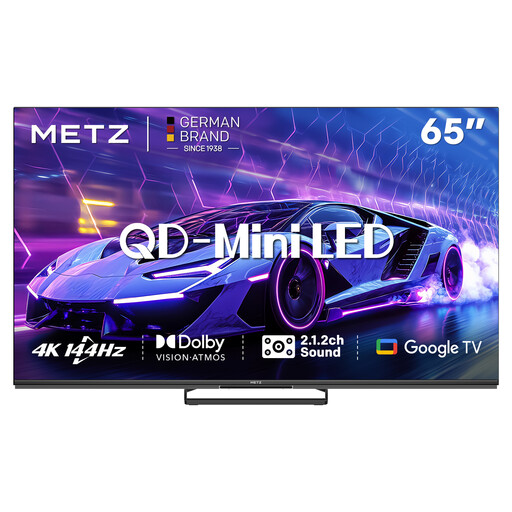 No image available
A 65-inch Mini LED option to compare with your viewing distance and available space; check reflections and the picture from seats at either end of the sofa on this model.
QD Mini LED, 65 inch, 144 Hz, 4K HDR 10+.
The stated refresh rate doesn’t mean every console or split-screen game supports that output.
 No image available
A 55-inch model to weigh up against your viewing distance and available space; check what your game and equipment support.
55 inch, 4K, QLED, 144 Hz.
The advertised refresh rate doesn’t guarantee that a split-screen game can output at that rate.
 No image available
A 75-inch model to compare if your viewing distance and room have space for a large screen; check the picture from seats at either end of the sofa, too.
75 inch, 4K, Mini LED, 144 Hz.
The stated refresh rate depends on support from the connected equipment and game.
No. The game and connected equipment must support that output. On a PS5, check the 120 Hz output settings and the details for the connected HDMI device. For other consoles and games, don’t assume the same support without checking.
It depends on the game. For Mario Kart 8 Deluxe, updated for Switch 2 in September 2026, Nintendo states that each player needs one compatible controller in local multiplayer mode. Check the requirements for your game and console separately.
Handle the screen coating carefully and follow the manual for your chosen model. LG recommends avoiding harsh chemicals and abrasive cleaners on its TV screens.
According to ACM ConsuWijzer, when you buy a new TV online from a business, you’ll generally have a statutory cooling-off period of up to 14 days after delivery. The seller is also responsible for your statutory guarantee if, under normal use, the product doesn’t meet what you could reasonably expect. This isn’t automatically limited to a stated two-year manufacturer’s warranty.
Electronic displays, including televisions, use the EU energy label, with ratings from A to G. Compare the label for the exact model and check the separately listed information for HDR use, too.