
Housemates sitting in different places
If you watch together from a sofa, separate chairs or a seat off to the side, everyone needs to be able to follow the clues. The Consumers’ Association points out that viewing angles vary between TVs.


Start with a size that suits the furthest seat, and check the picture from the side too. The Consumers’ Association recommends a viewing distance of around 2.4 times the screen diagonal, but this is a guideline, not a fixed rule. Only prioritise a higher refresh rate and gaming features if your gaming device and games support them. Also compare reflections, connections and power consumption.
If you watch together from a sofa, separate chairs or a seat off to the side, everyone needs to be able to follow the clues. The Consumers’ Association points out that viewing angles vary between TVs.
If you’re sharing the cost of buying and using the TV, you can weigh up screen size and features against the EU energy label. The European Commission uses a scale from A to G for TVs.
If you play during the day or with the lights on, it’s worth checking reflections and the brightness of the specific model in your own room. The Consumers’ Association lists brightness and viewing angle among the things to consider when comparing TVs.
First, measure the viewing distance and the space available. Then compare the connections and picture features that suit your room and gaming device.
| What to consider | What should you check? | Who is this important for? |
|---|---|---|
| Picture quality from every seat | Measure the viewing distance and the space available for the furniture. The Consumers’ Association recommends around 2.4 times the screen diagonal as a guideline; also check the picture from seats at the side. | If we play together from the sofa and a chair at the side, I want to be able to read clues from all those places. Around 33% of consumers prioritise a clear view from multiple seats. |
| Shared purchase and use | Agree on a shared budget and compare the EU energy label and stated consumption on a like-for-like basis. The label runs from A to G; the letter alone doesn’t tell you how much you’ll personally spend on electricity. | When we share the costs, I don’t want to pay for features we won’t use, and I want to be able to compare energy use. Around 27% of consumers prioritise shared costs. |
| Connections and gaming features | Check which output your gaming device and games support, and whether the TV features you need are available on the relevant HDMI input. | If we connect the TV to the devices we already own, I want the features we choose to work with them in practice. Around 20% of consumers prioritise compatibility with their gaming device. |
| Visibility in daylight and under lights | Look at windows and lights opposite the screen, and assess reflections and the specific model’s brightness in the room. | If we mainly play during the day, I want to see the details without light sources getting in the way. Around 20% of consumers prioritise visibility in a lit room. |
A higher refresh rate won’t automatically make a difference if your gaming device or the game you’re playing doesn’t support that output. PlayStation says that 120Hz output on PS5 depends on support from both the TV and the game.
First check what your device and games support, then compare the TV’s HDMI connections and game mode.
When you’re solving puzzles together, players sitting to the side may find it harder to see the clues. Viewing angles vary by model.
Measure the distance from the different seats and assess a TV you’re considering from the seats furthest to the sides too.
The Consumers’ Association describes image retention on OLED TVs, but the test it cites covers older models and doesn’t establish the risk for a specific current TV.
Take the way you’ll use the TV into account and follow the care instructions for the model you choose.
According to ACM ConsuWijzer, your statutory guarantee in the Netherlands depends on what you could reasonably expect from the product with normal use. It isn’t the same as a fixed manufacturer’s warranty period.
Check exactly what any additional cover offers on top of your rights against the retailer.
LG offers models in a range of sizes and display technologies, including the 55QNED86B6B and OLED42C5ELB.
According to Sony, the Sony BRAVIA 8 K55XR80PAEP is a 55-inch 4K OLED TV with Google TV.
The TCL P8K range includes a 55-inch version; TCL lists a native 144Hz panel for the range.
For the 55U72NQ in the Netherlands, Hisense lists a 55-inch Mini LED screen and 144Hz Game Mode Pro.
Samsung lists the QE55S90HAEXXN as a 55-inch S90H OLED TV.
This Joybuy selection includes 42-, 50- and 55-inch OLED and Mini LED TVs. Compare the size with your viewing distance, and check that the gaming features listed are compatible with your device and games.
 No image available
The 42-inch size may be a good fit if it suits your measured viewing distance and the space available. Check the picture from the seats at the side too.
4K OLED; HDMI 2.1, ALLM and VRR are listed in the product description.
 No image available
Compare the 50-inch size with your viewing distance and available furniture space before choosing this model for a shared setup.
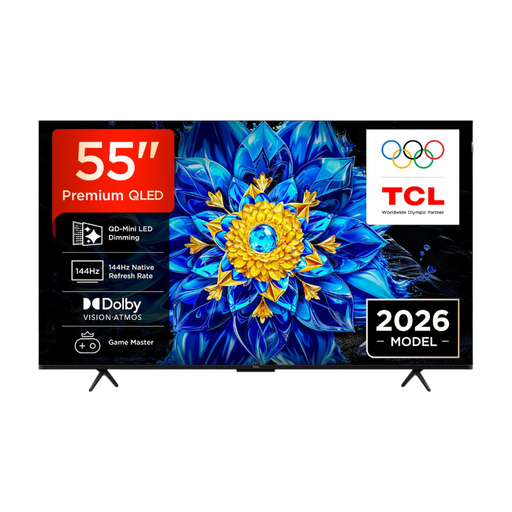
4K Mini LED and 144Hz; the product information also lists HDMI 2.1, ALLM and AMD FreeSync Premium Pro. Check which features your device and games support.
 No image available
Consider the 55-inch size if it suits the measured viewing distance and the space in your shared room.
The product information lists native 144Hz, VRR, ALLM and HDMI 2.1. A higher refresh rate is only relevant if the devices and games you use support it.
 No image available
Compare the 55-inch size with the distance from the furthest seat, and check the picture from the side.
4K OLED; the product description lists four HDMI connections, including for games consoles.
 No image available
The listed anti-reflection treatment may be useful in a bright room; check reflections in your own setup too.
The product information lists native 100Hz, Game Mode, VRR, four HDMI 2.1 connections and FreeSync. Check whether your gaming device can make use of these features.
Not necessarily. A higher refresh rate is mainly relevant if both your gaming device and the games you play support 120Hz output. PlayStation says this output depends on support from the TV and the game; check the relevant TV input too.
Measure the distance from the different seats, along with the space available for the TV and its stand. The Consumers’ Association uses around 2.4 times the screen diagonal as a guideline for viewing distance; also compare the picture from seats at the side.
Check which bracket is compatible with the exact model and follow the installation instructions. For the relevant BRAVIA models, Sony recommends installation by a Sony dealer or approved contractor. This is manufacturer advice for specific models, not a general legal requirement. If you’re drilling in a shared or rented home, agree it with everyone concerned.
Compare the EU energy label and consumption information for TVs that are a suitable size for your room. The European Commission uses a scale from A to G for electronic displays; don’t use the label rating alone to estimate your personal annual cost.
According to ACM ConsuWijzer, if a TV develops a fault sooner than you could reasonably expect with normal use, the retailer must put it right free of charge under the statutory guarantee. In the Netherlands, there is no fixed standard two-year period. For a new TV bought online, you generally have a statutory 14-day cooling-off period from delivery.