What should you look for in a TV for party mini-games?
First, check whether everyone can see the game text from where they’re sitting. Then compare viewing angles, responsiveness, connections and how the screen is used over time.
OLED TV
Best suited to: groups sitting in different parts of the room, where visibility from an angle is important; LG Netherlands describes OLED as offering wide viewing angles.
Worth noting: Sony warns that prolonged or repeated static images can cause permanent image retention; bear this in mind if menus or scoreboards will stay on screen for a long time.
Mini LED LCD TV
Best suited to: anyone considering an LCD option; TCL Netherlands and Philips TV feature specific 65-inch Mini LED models.
Worth noting: the Mini LED label doesn’t guarantee good visibility from every seat; assess the exact model and seating positions.
| What to consider |
What should you check? |
Who should consider this? |
| Visibility for the group |
Check the screen size and whether text is readable from the furthest seat; also consider sightlines. |
When I play with a large group, I want everyone to be able to read instructions and scores, even at the back of the room. Around 36% of consumers prioritise readability for everyone. |
| Side-on visibility |
View the exact screen from the seats at the sides of the room, paying attention to colour, contrast and reflections. |
When players are sitting at an angle to the TV, I want them to be able to follow the game from those seats. Around 29% of consumers give side-on visibility top priority. |
| Gaming responsiveness and connections |
Check the gaming mode, the HDMI connections you need and the output of your console or other gaming device. |
If I use several gaming devices or play games that need quick reactions, I want suitable connections and a useful gaming mode. Around 21% of consumers prioritise gaming responsiveness and connectivity. |
| Running costs and screen care |
Compare the details on the EU energy label and check the guidance on static images for the exact model. |
When using a TV for long periods, I want to keep an eye on power consumption and know how to deal with static menus. Around 14% of consumers consider running costs and screen care the most important factors. |
Joybuy TVs for group games
This selection includes TVs from 65 to 86 inches. Compare the connections and gaming features listed for each model, and check that the screen size suits the viewing distance and sightlines in your room.
 No image available
LG 65QNED93B6A 65-inch QNED Evo Mini LED 4K Smart TV
The 65-inch size is worth considering when people will be watching from different distances.
4K; HDMI 2.1; 120 Hz; VRR up to 144 Hz; ALLM and Game Optimizer are listed for this model.
View at Joybuy
 No image available
TCL 65T8D 65-inch QLED QD-Mini LED TV
The 65-inch screen may suit a group setup; check that text is readable from the furthest seat.
4K; 144 Hz VRR; HDMI 2.1; ALLM and Game Master are listed for this model.
View at Joybuy
 No image available
TCL 75T8D 75-inch QLED QD-Mini LED TV
The 75-inch size gives you a larger screen option; measure the available space and check the sightlines first.
4K; 144 Hz VRR; HDMI 2.1; ALLM and Game Master are listed for this model.
View at Joybuy
 No image available
METZ 86MQE8000Z 86-inch QLED Google TV
The 86-inch screen is a very large option; check that you have enough space and the right viewing distance.
144 Hz; HDMI 2.1; 4K HDR10+; FreeSync Premium.
View at Joybuy
 No image available
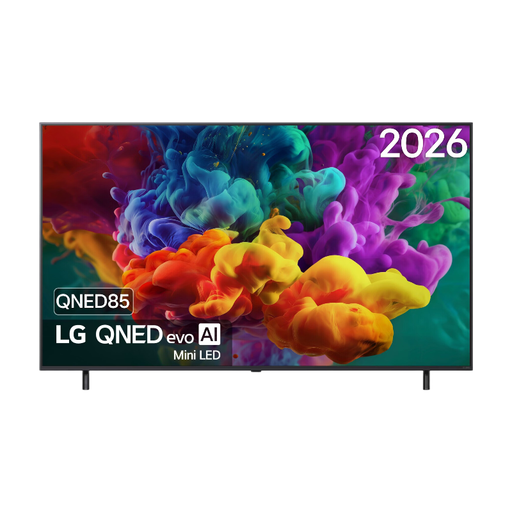
LG 65QNED83B6A 65-inch QNED Evo Mini LED 4K Smart TV
The 65-inch size can be a starting point for a group; check readability from the distance to the furthest seat.
4K; 120 Hz; VRR up to 144 Hz; HDMI 2.1; ALLM and AMD FreeSync Premium are listed for this model.
View at Joybuy
Frequently asked questions
Do I need a 144 Hz TV for party mini-games?
Not necessarily: first check your gaming device’s output, the gaming mode and what the group can see from their seats. Nintendo lists settings including 720p and 1080p for TV output from the original Switch; a higher stated panel refresh rate doesn’t change those settings.
Can I connect a Nintendo Switch Lite to a TV?
No, Nintendo Switch Lite doesn’t support TV mode. For a Switch model that does support TV mode, Nintendo describes connecting it via the dock, power supply and HDMI; then select the correct HDMI input on the TV.
How can I reduce the risk from game menus staying on an OLED screen for a long time?
Avoid leaving the same static image on screen for longer than necessary or repeatedly, and follow the screen care instructions for your chosen model. Sony warns that prolonged or repeated static images can cause permanent image retention on OLED; this is a risk, not a prediction for any individual TV.
How do I compare TV power consumption?
Compare the details on the EU energy labels for the exact models, and keep SDR and HDR consumption separate. The European Commission gives consumption in kWh per 1000 hours; your own hours of use and electricity tariff determine how that figure applies to you.
What are my rights when I buy a TV online in the Netherlands?
According to ACM ConsuWijzer, when you buy a TV online, you generally have a statutory cancellation period of up to 14 days after delivery. You also have statutory rights to a product that meets what you could reasonably expect with normal use; if a product is faulty, the retailer is responsible for providing an appropriate solution. A commercial warranty or paid service plan doesn’t replace these rights.


