What should you look for when buying?
First, measure the distance from the furthest playing position. Then check the viewing angle, the connection for your console, and whether the size and energy use are right for the room.
| What to consider |
What should you check? |
Who will find this most important? |
| Readability from a distance |
Compare the screen diagonal with your measured viewing distance, and check the width including the stand. |
I want to see game tiles and text from the furthest playing position; around 36% of consumers prioritise readability from a distance above all else. |
| Viewing from the side |
Assess the viewing angle and reflections from the furthest seats, in similar room lighting. |
When players are spread around the room, I want to follow the game clearly even from an angle; around 29% of consumers prioritise visibility from different seats. |
| Gaming responsiveness |
Check that gaming mode or ALLM works on your chosen model and with the HDMI port you’re using. Also check whether your console and game can make use of the stated refresh rate. |
If you want an immediate response to controller inputs, focus on gaming mode and connectivity; around 21% of consumers put gaming responsiveness first. |
| Space and running costs |
Measure the available width and depth, including the stand. For specific models, compare the EU energy label and the stated SDR and HDR information. |
If room size or electricity use is a major factor, I want to weigh up the screen size and running costs; around 14% of consumers prioritise space and running costs above all else. |
TVs at Joybuy
This selection features large 85- or 86-inch TVs with gaming features. Compare the size with the distance to the furthest playing position, and check which features your console and games can use.
 No image available
TCL T8D 85-inch 4K QD-Mini LED Smart TV
The 85-inch size is an option to compare with the distance from the furthest playing position.
The product name lists 4K, 144 Hz, FreeSync Premium, VRR and HDMI 2.1.
View at Joybuy
 No image available
TCL 85Q7D PRO 85-inch 4K SQD-Mini LED TV
The 85-inch screen size is worth comparing with your viewing distance and the space where the TV will go.
The product name lists 144 Hz, Dolby Vision IQ and Google TV. Check that the connections and features you need are compatible with your console.
View at Joybuy
 No image available
METZ 86MQE8000Z 86-inch QLED Google TV
Weigh up the 86-inch size against the available space and the distance from the furthest playing position.
The product name lists 4K, 144 Hz, HDMI 2.1 and FreeSync Premium.
View at Joybuy
 No image available
iFFALCON 85U75A 85-inch 4K QLED Smart TV
Compare the 85-inch screen with your measured viewing distance and check that the TV will fit in the intended spot.
The product name lists 144 Hz. The description mentions VRR and Game Accelerator; check that these features work with your console and games.
View at Joybuy
 No image available
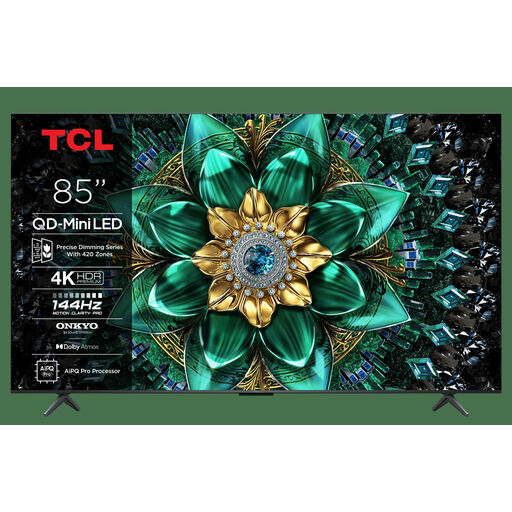
TCL 85Q6C 85-inch QD-Mini LED TV
The 85-inch screen is a large-format option to compare with your viewing distance and available space.
The product name lists 4K and Game Master; it also lists 144 Hz.
View at Joybuy
Frequently asked questions
How do you choose an initial screen size when the group is sitting a long way away?
Measure from the eyes of the furthest regular player to the TV. The Dutch Consumers’ Association uses the viewing distance in centimetres divided by 2.4 as a starting point for the diagonal in centimetres. Compare nearby screen sizes, and also check whether text in the games you play is easy to read.
How do you connect a Nintendo Switch to a TV for party games?
Nintendo says to connect the dock’s HDMI output to an HDMI port on the TV, then select that input. The Nintendo Switch Lite doesn’t support TV mode. For Switch 2, Nintendo specifies a Switch 2 dock and an Ultra High Speed HDMI cable; follow the connection requirements for your particular system.
Should you set up gaming mode after connecting the console?
Check the manual for the exact TV model. For supported models, LG describes connecting a console via HDMI and setting the input; Game Optimizer or ALLM isn’t available on every model, and may limit some picture settings.
What does the energy label tell you about running costs?
EU energy labelling rules apply to televisions within their scope. The label shows information including the energy class and details for SDR and HDR. Compare the information for specific models; your personal electricity costs also depend on how long you use the TV and your electricity tariff.
Are you always entitled to exactly two years’ statutory cover in the Netherlands?
No. According to the Dutch government, there’s no fixed statutory guarantee period in the Netherlands: you’re entitled to a product that works as it should, and the retailer is your point of contact if it’s faulty. A manufacturer’s guarantee or paid extended cover is in addition to these statutory rights.


