
Players sitting around the table
If you play from different seats, consider the viewing angle and check that everyone can follow the picture clearly. Philips describes viewing from an angle as an advantage of the 55OLED850/12.


Start by choosing a TV that everyone can see clearly from their seat and that suits the light in your kitchen-diner. OLED is worth considering if viewing from different angles is a priority; LCD, including mini-LED, may be a good option in bright daylight, but remember to check for reflections too. Only choose 120 Hz, VRR or ALLM once you’ve checked what your console, game and the relevant HDMI input support.
If you play from different seats, consider the viewing angle and check that everyone can follow the picture clearly. Philips describes viewing from an angle as an advantage of the 55OLED850/12.
If you play during the day, assess the brightness and reflections where you plan to put the TV. Consumentenbond describes LCD TVs as often being very bright, but that alone doesn’t tell you whether reflections will be distracting in your kitchen-diner.
Check that your console, game, TV and the input you’re using all support the picture rate and gaming mode you want. PlayStation and Nintendo explain that some features depend on the TV, game or software title.
A good fit for Players who watch from different seats and place a high priority on the viewing angle.
Keep in mind An OLED specification doesn’t guarantee that reflections will disappear where you play. Assess the screen in your usual lighting.
A good fit for A type worth exploring if you mainly play during the day; according to Consumentenbond, LCD TVs can often produce a lot of light.
Keep in mind Brightness alone doesn’t determine whether the viewing angle and reflections will be comfortable from every seat.
| What to consider | What should you check? | Who is this most important for? |
|---|---|---|
| Viewing angle and sightline | View the same game from the different seats and check the screen’s position too. | If I’m playing with others around the table, I want everyone to be able to follow the picture. Around 29% of consumers prioritise a clear view from different seats. |
| Daylight and reflections | Assess the screen in your usual lighting and look out for reflections from windows or lamps. | When playing during the day, I want to see the picture without distracting reflections. Around 29% of consumers give visibility in daylight top priority. |
| Console and gaming features | Check whether your console and game support 120 Hz, VRR or ALLM on each HDMI input. | If I play fast-paced platform games, I want to know which features my own console and games actually use. Around 24% of consumers prioritise console responsiveness and compatibility. |
| Size and energy use | Measure the available space and compare the energy label, including the SDR and HDR information, for TVs of a suitable size. | For a TV by the dining table, I want to know in advance whether it will fit the space and be able to factor in its energy use. Around 18% of consumers start by considering placement and running costs. |
A TV feature won’t automatically make a difference if your console or game doesn’t support the relevant output. Nintendo says features can vary between Switch 2 games and that 4K output is limited to a maximum of 60 fps.
Before choosing a refresh rate, check your console’s output and whether the games you play support it.
A screen that looks good from one spot may look different from another seat; brightness alone won’t automatically solve reflections.
Check a familiar game from every playing position, using the lighting you normally have. Consumentenbond recommends assessing picture settings at home in your usual room lighting.
In the Netherlands, the legal guarantee is separate from the manufacturer’s warranty. According to ACM ConsuWijzer, the seller is responsible if a product doesn’t meet what you could reasonably expect under normal use.
Check any additional warranty terms separately and ask the seller how they relate to your legal rights.
LG presents its OLED B6 range in the Netherlands as an OLED option; for the OLED55B68LA, LG lists 4K and a refresh rate of up to 144 Hz.
The 55-inch QN90F is a mini-LED model worth considering if you’re looking for a TV for a bright room.
The 55-inch BRAVIA 5 K-55XR5 is an LCD TV with mini-LED backlighting and a stated screen refresh rate of 120 Hz.
According to Philips, the Philips 55OLED850/12 combines OLED, Ambilight and a stated refresh rate of 144 Hz.
These Joybuy TVs include OLED, LCD and mini-LED options for co-op gaming in the kitchen-diner. Compare their sizes and listed gaming features with your seating positions, console and games.
 No image available
An OLED option to compare if you watch from several seats; check the viewing angle and reflections in your own setup.
The product information lists a native 120 Hz panel, VRR up to 165 Hz, ALLM and Game Optimizer. Check that your console and games support these features.
 No image available
A 50-inch mini-LED option if you want to choose a size that suits the space available; assess the screen in your kitchen-diner’s lighting too.
The product information lists 144 Hz, HDMI 2.1, ALLM and AMD FreeSync Premium Pro. Check your console’s support and the input you’ll use.
 No image available
A 55-inch 4K option to compare with the available space and viewing distances around the table.
The product information lists 144 Hz, HDMI 2.1, ALLM, VRR and Game Master. Check which features your console and games support.
 No image available
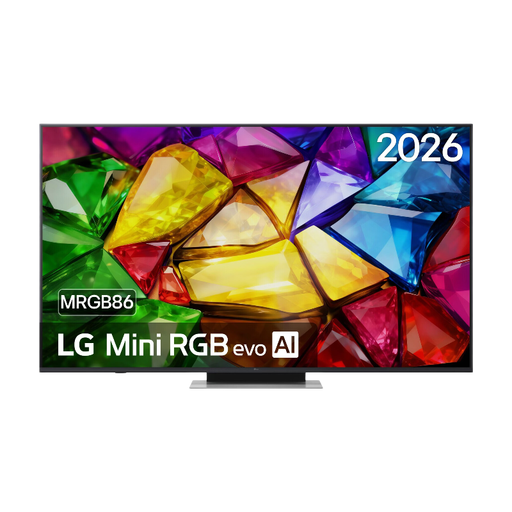
Check that the 65-inch size will fit your available wall or furniture space, as well as the seating positions in your kitchen-diner.
The product information lists 4K, native 120 Hz, 4K 120 fps via HDMI, ALLM and VRR up to 144 Hz. Check compatibility for each console and input.
 No image available
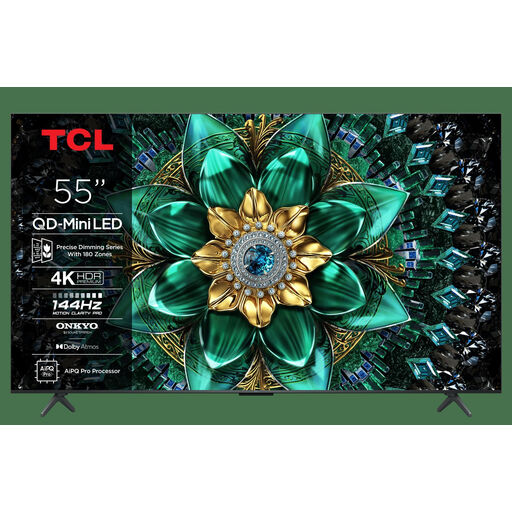
A 55-inch mini-LED option to compare with OLED when considering size, seating positions and natural light.
The product name lists 144 Hz, HDMI 2.1, Game Master, ALLM and AMD FreeSync Premium Pro. Check that they’re compatible with your console and games.
No, it depends on the output supported by your console and game. PlayStation describes 120 Hz output for TVs and games that support it; Nintendo says features vary between Switch 2 games and that 4K output is limited to a maximum of 60 fps.
View a familiar game from every playing position, using the lighting you normally have. Consumentenbond recommends assessing picture settings at home in your usual room lighting.
LG recommends using a dry, soft microfibre cloth and advises against rough paper because it could scratch the screen. Follow the cleaning instructions for your exact TV model too.
The EU energy label includes information about efficiency in SDR and HDR; compare TVs that are a similar size and have similar uses. In the Netherlands, the legal guarantee is separate from the manufacturer’s warranty: according to ACM ConsuWijzer, the seller is your point of contact if a TV doesn’t meet what you could reasonably expect under normal use.