
Co-op players sitting close to the screen
You share one TV at close range and want game text and both play areas to remain easy to see, without choosing a screen that is too large for the room.


Start by measuring the distance from both seats and the space available. Then choose a screen size and panel that remain comfortable to view from the seat off-centre. Only then compare gaming features with your console and the specific games you play: a TV specification of 144 or 165 Hz does not mean every co-op game will reach that frame rate.
You share one TV at close range and want game text and both play areas to remain easy to see, without choosing a screen that is too large for the room.
You are not both sitting directly in front of the centre, so the viewing experience from the side seat also matters when choosing and positioning your TV.
You want to know whether your console and the games you play will actually benefit from VRR, 120Hz output or a more expensive panel.
Best for: short viewing distances and players sitting at an angle to each other; also measure the space available for the TV.
Trade-off: According to the Consumentenbond, OLED TVs can generally offer wider viewing angles and deeper blacks than LCD TVs. A high maximum refresh rate only helps if the source, connection and game support that output.
Best for: anyone comparing compact models and taking brightness into account; check the exact model from the side seat, too.
Trade-off: According to the Consumentenbond, QLED TVs can often produce higher brightness, while OLED TVs generally have wider viewing angles. The panel name alone does not tell you how a particular model will look from your seats.
Best for: a greater viewing distance and enough width for the larger screen.
Trade-off: A stated refresh rate does not, by itself, tell you the frame rate of a co-op game; check the TV’s actual external dimensions and how it will be positioned, too.
First measure the space and seating positions. Then assess the picture from both seats, and finally check which gaming features your equipment can actually use.
| What to consider | What should you look for? | Who should take this into account? |
|---|---|---|
| Screen size and space | Measure the viewing distance and the available width and height, including the stand. The Consumentenbond suggests dividing the viewing distance by 2.4 as a starting point for the diagonal in centimetres, not as a required screen size. | If you sit close to the screen or have a narrow TV unit, you’ll want a size that suits both. Around 36% of consideration goes to consumers who prioritise screen size and space for positioning. |
| Visibility from both seats | Compare the viewing angle of the exact model and assess the picture from the intended seating positions. Don’t rely on the panel name alone. | If one player is sitting at an angle to the screen, you’ll want both play areas to remain easy to follow. Around 29% of consideration goes to consumers who prioritise visibility from the side seat. |
| Gaming features and compatibility | Check whether your console and game support VRR or high refresh rates, and whether the right HDMI connection and settings are available. PlayStation limits 120Hz output to compatible TVs and games. | If you only want to pay extra for features your own equipment can use, check support for each game. Around 21% of consideration goes to consumers who prioritise gaming features suited to their needs. |
| Running costs and support | Compare the EU energy label for the exact version, including information about HDR use. Read any additional warranty terms separately from your statutory rights. | If you also want to factor in energy use and support, the label and warranty terms are relevant. Around 14% of consideration goes to consumers who prioritise running costs and support. |
The TV might look as though it will fit on paper, but with the stand it could be too wide or too tall for the space where you want to put it.
From eye level on the sofa, measure both the viewing distance and the available width and height. Check the external dimensions of the exact version.
You could otherwise pay extra for a feature that your particular console and games cannot use.
Brightness and viewing angle matter differently when one player is sitting at an angle and light is falling on the screen. The Consumentenbond describes differences between OLED and QLED, but that does not automatically make either one better in every respect.
Compare the specific model from both seats and take the light in the room into account.
An additional warranty product is separate from the statutory rights you have against the seller. ACM ConsuWijzer points out that, with normal use, a product must meet what you could reasonably expect.
Read what an additional product covers and assess your statutory warranty separately.
The OLED42C68LA is a 42-inch OLED model to compare if you have a short viewing distance and seats side by side.
The 43PUS9000/12 is a compact QLED TV with Ambilight to include in your comparison.
The QE43QN90FATXXN is a 43-inch mini-LED LCD model to compare with compact OLED and other LCD TVs.
The 55C6K is a larger QD mini-LED option if your measured viewing distance and available space allow for it.
These Joybuy models include compact TVs for short viewing distances and larger models that will only fit if your measurements allow for them.
 No image available
A compact option to compare if you have a short viewing distance and seats side by side; assess the viewing angle in your own setup.
42 inches, 4K, OLED and HDMI 2.1.
The product description lists ALLM, VRR and Game Mode; check whether your console and games support these features.
 No image available
Compare this larger screen only if the viewing distance and available space are suitable for a 50-inch TV.
50 inches, 4K and Mini LED; the product description lists 144 Hz.
The description mentions HDMI 2.1, ALLM and AMD FreeSync Premium Pro. Check support on your own console and games.
 No image available
A larger option if both the viewing distance and available space are suitable for a 55-inch TV.
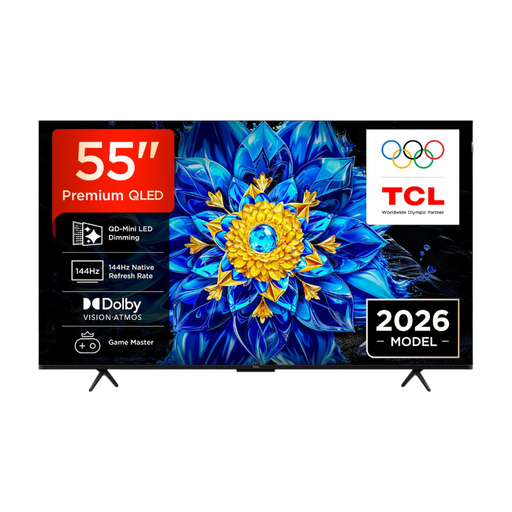
55 inches, 4K and QD-Mini LED; the product description lists 144 Hz and HDMI 2.1.
The description mentions VRR and ALLM. Check that these features work with your console and games.
 No image available
Consider this model only if 55 inches is suitable for your viewing distance and the space where the TV will go.
55 inches, 4K and OLED.
 No image available
This 55-inch model is an option if your measured viewing distance and available space are sufficient.
55 inches and QD OLED; the product description lists 100 Hz and four HDMI 2.1 ports.
The description mentions Game Mode, VRR and FreeSync compatibility. Check compatibility with your equipment.
No, it depends on your console and the specific game. PlayStation supports 120Hz output only with compatible TVs and games; Nintendo lists a maximum of 60 fps at 4K for the Switch 2. So a TV’s stated refresh rate does not guarantee the frame rate of your game.
No, the game needs to offer the local play mode you want. Check the game information and how many controllers you’ll need; Nintendo distinguishes between local and online multiplayer.
Before installation, check the external dimensions, including the stand, or the requirements for a suitable wall mount. LG recommends unplugging the TV before cleaning the screen and gently wiping it with a soft cloth.
No. According to ACM ConsuWijzer, you also have a statutory guarantee in the Netherlands for as long as the product should meet what you could reasonably expect under normal use. The seller is your point of contact if a product is faulty; the period is not a fixed two years for every TV.
Yes. EU energy labelling rules apply to televisions and set requirements for suppliers and sellers. Compare the label for the exact version, including its efficiency class and the information provided about HDR use.