
Players spread around the room
You play with housemates from the sofa and nearby chairs, and want to be able to follow the action clearly from an angle too. The Consumentenbond recommends considering viewing angle when several people watch together.


Choose a gaming TV based first on where you’ll sit, the light in the room and the space available. Then compare the game modes and connections your consoles need. According to the Consumentenbond, OLED TVs generally have wider viewing angles, while some QLED TVs can be brighter. A higher refresh rate is only relevant if the console and game you use can actually take advantage of it.
You play with housemates from the sofa and nearby chairs, and want to be able to follow the action clearly from an angle too. The Consumentenbond recommends considering viewing angle when several people watch together.
You switch between consoles or play faster-paced games, and want the right game mode and the HDMI connections you need. RTINGS discusses the trade-off between input lag and image processing.
The TV needs to fit in a shared room, and both the purchase price and energy costs need to be manageable for everyone. Milieu Centraal recommends using energy consumption per 1,000 hours as a comparison point on the energy label.
Start by considering where you’ll sit and the light in the room, then check which gaming features and connections your devices need. The Consumentenbond outlines the typical viewing-angle differences between OLED and some QLED TVs. RTINGS discusses the trade-off between low input lag and image processing, while Nintendo lists a maximum of 60 fps at 4K for Switch 2. Milieu Centraal recommends comparing energy consumption per 1,000 hours.
| What to consider | What should you look for? | Who is this important for? |
|---|---|---|
| Viewing from multiple seats | View the model from the seats furthest to the side and check for reflections under your usual lighting. | When we play from the sofa and the chairs next to the TV, I want to be able to follow the action clearly from an angle too. Around 33% of consumers say visibility from multiple seats is their top priority when buying. |
| Responsiveness and connections | Check the input lag in game mode and whether the HDMI inputs you’ll use support the resolution and features you want. | When we switch between consoles, I want responsive controls and enough connections for our devices. Around 27% of consumers give responsiveness and console connections top priority. |
| Size and set-up | Measure the available width and viewing distance. Also check the dimensions with the stand and the installation instructions for your chosen model. | If the TV needs to fit in a shared living room, I want a large enough screen without losing furniture or walkway space. Around 20% of consumers put size and set-up first. |
| Shared costs and energy use | Agree on a shared budget and compare the SDR and HDR energy consumption per 1,000 hours on the energy label. | If we’re paying for and using the TV together, I want the running costs to be manageable for everyone in the household. Around 20% of consumers give shared costs top priority. |
The TV’s capabilities, the console’s output and the game’s support are not the same thing. Nintendo lists a maximum of 60 fps at 4K for Switch 2.
Check the resolution and frame rate actually available for each game and console before placing extra emphasis on 120 or 144 Hz.
You could pay extra for a feature that the games you play won’t use.
In a shared living room, players often sit to the sides of the TV too, and viewing angles vary from model to model.
Assess your chosen TV from the seats furthest to the side, under the lighting you usually use.
Screen size, brightness settings and hours of use all affect energy consumption too.
Compare the energy labels for the specific models and agree in advance how you’ll split the running costs.
The Dutch OLED55C5ELB is an OLED example to consider if viewing angle and gaming features matter to you.
The Dutch 55-inch QN90F is a mini-LED example worth considering in a room with incoming light.
According to Philips, the Dutch 55PUS9000/12 combines QLED and Ambilight, making it an option if you’ll also use the TV for other shared activities.
According to TCL, the P8K range is a QLED option with a native 144Hz panel to compare with other models.
The Dutch BRAVIA 5 is a mini-LED option worth considering if the right console connections are important.
This selection includes 55-inch OLED, QLED and QD-Mini LED TVs for shared viewing spaces and gaming. Check which features you’ll actually use with each console and game.
 No image available
An OLED model to consider if housemates also watch from seats beside the TV.
The product information lists 120 Hz native and VRR up to 165 Hz, plus ALLM and Game Optimizer.
 No image available
A 55-inch OLED model to consider if your group watches from different seats.
The product information lists four HDMI ports. Check that the connections suit the devices you use.
 No image available
A 55-inch QD-Mini LED TV to compare if you want to assess gaming features and screen size together.
The product information lists 144 Hz, HDMI 2.1, Game Mode, ALLM and VRR.
 No image available
A 55-inch QLED model to compare for watching and gaming together with compatible devices.
The product information lists 144 Hz, HDMI 2.1, four HDMI inputs, Game Master, ALLM and VRR.
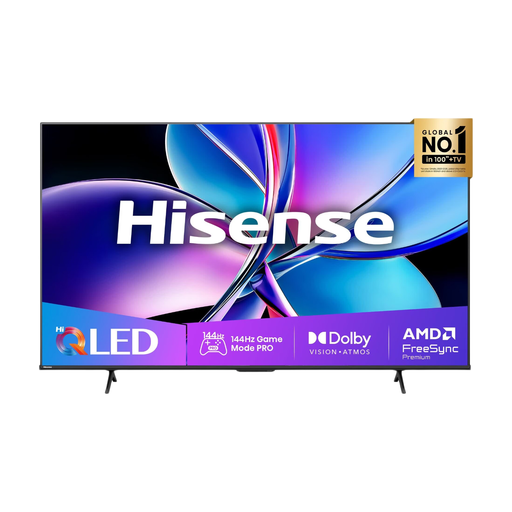 No image available
A 55-inch QLED model to compare if the gaming features you need are important.
The product information lists 144 Hz, Game Mode PRO, FreeSync Premium and two HDMI 2.1 ports.
Not necessarily: the game and console need to support the higher frame rate. Nintendo lists a maximum of 60 fps at 4K for Switch 2. Check support for the games and settings you actually use.
Use game mode and compare input lag at the same resolution and frame rate as your source. RTINGS explains that lower input lag often goes hand in hand with less image processing.
Check the installation instructions for the exact TV model and bracket, and make sure the TV’s weight is within the wall’s load capacity. Sony stresses that you should follow the instructions for both the TV and bracket during installation.
It depends on the TV, how long you use it and its settings. Compare SDR and HDR energy consumption on the EU energy label, then calculate the cost using your own electricity tariff and expected hours of use.
If a product is faulty, the seller is responsible for the legal guarantee; according to ACM ConsuWijzer, it doesn’t simply have a fixed two-year limit. For most online purchases from a business, you have 14 days to change your mind, subject to legal exceptions set out by the Dutch government.