
Groups with seats further away
You want everyone to be able to follow the game text and shared action. So start by comparing the screen size and how easy it is to read from the furthest seat.


Start with the space you have and how easy the screen is to read from the furthest seat. Then check how the picture looks from the seats at either side. Only then compare OLED and LCD models, and make sure 120 Hz, VRR and the HDMI connection suit your console and games. Remember to factor in the energy label and the total purchase and running costs.
You want everyone to be able to follow the game text and shared action. So start by comparing the screen size and how easy it is to read from the furthest seat.
Not everyone sits directly in front of the TV. Check the picture from the seats at either side, with the lighting you’ll have on while playing.
You want a TV that suits your needs without paying for screen or console features your set-up won’t use. Compare the energy label and any installation costs too.
Choose this option if: players sit further apart or need to read small game details from the back of the room, and the screen size suits your space.
Consider: a larger screen takes up more space; compare the energy label details for each model.
Choose this option if: viewing angles and dark scenes matter, and the screen size you want suits your room.
Consider: check gaming support and the care instructions for the exact model. A panel specification doesn’t guarantee that a game will use every feature.
Choose this option if: you sit closer to the TV and a smaller screen better suits your space and budget.
Consider: 55 inch may be less practical for the furthest player than a larger screen; a stated refresh rate doesn’t tell you how many frames a game actually delivers.
Compare the features from your own seats, using the console and games you actually play.
| What to consider | What should you check? | Which consumers is this important for? |
|---|---|---|
| Readability from a distance | Compare the screen diagonal with the space available, and check how easy game text is to read from the furthest seat. Also check that the game and console support the local player mode you want. | If someone at the back needs to follow small prompts or a shared game screen, I want to know if it’s still readable from there. Around 31% of consumers say distance readability is their top priority. |
| Viewing from the side | Look at the specific model from every seat, with the lighting you’ll have on while playing. Assess viewing angles and reflections separately from the screen diagonal. | If we’re sitting at either end of the sofa, I want to know what the picture looks like from there. Around 25% of consumers say side viewing is their top priority. |
| Controls and video signal | Check which HDMI port supports the output you want, and whether your console and game support 120 Hz or VRR. Try the game mode too if you notice a delay when using the controls. | If I want responsive controls, I check that my console, game and TV all support the same features. Around 19% of consumers say suitable gaming controls and signal compatibility are their top priority. |
| Total purchase and running costs | Compare the energy labels for the exact models. Also check the space available and any installation or mounting costs. | When choosing a TV for the group, I want to consider electricity use and any mounting costs as well as the purchase price. Around 25% of consumers put total costs first. |
A large screen diagonal doesn’t prove that every player will be able to read the game text clearly. Viewing angles and reflections can also vary from seat to seat.
Check readability, viewing angles and reflections from your actual seats before choosing a screen size.
A TV’s specifications and the output from a console and game are two different things. A stated refresh rate doesn’t tell you the actual frame rate or input lag.
First check the games and source you use. Then look at which HDMI port, game mode and VRR support, if any, are relevant.
In the Netherlands, the statutory guarantee doesn’t have a fixed two-year period. An additional warranty doesn’t replace your rights against the retailer.
Compare the cover and exclusions of an optional package separately from your statutory rights. According to the Dutch government, the statutory protection depends on what you can reasonably expect from the product.
The C7L range includes an 85-inch model, which is worth comparing if readability from seats further away is your priority.
The OLED evo C6 range available in the Netherlands is worth comparing if you’re looking for an OLED model with gaming features.
The BRAVIA 7 II is worth comparing for groups sitting in different positions; the range comes in several screen sizes.
The 55Q7S PRO available in the Netherlands is a 55-inch Hi-QLED model worth comparing if a smaller screen better suits your set-up.
The S90H range includes a 65-inch model available in the Netherlands, worth considering if that size suits your group set-up.
This selection includes large LCD and OLED TVs to compare if your group wants to play from different seats. Check that the screen size suits your room and that the gaming features listed work with your console and games.
 No image available
The 85-inch screen is worth comparing if players will be watching from further away. Check that the TV fits your room and that game text is readable from the furthest seat.
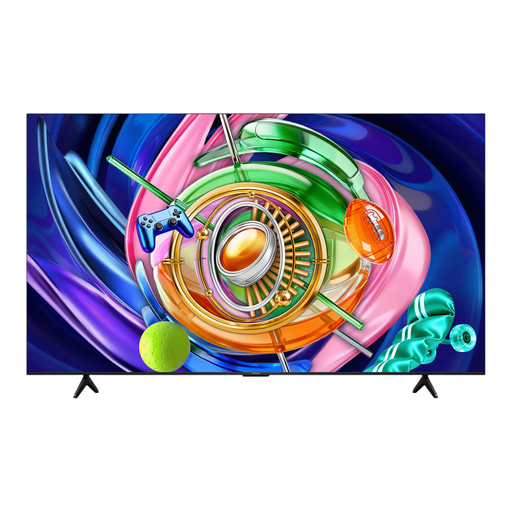
The product name lists 85 inch, 4K and SQD-Mini LED.
 No image available
This large screen is worth comparing for a set-up with seats further away. Check readability from those seats and make sure the TV fits the space available.
The product name lists 85 inch, 4K, Mini-LED and 144Hz.
 No image available
This OLED screen size is worth comparing if a large screen suits your room. Check that the picture works for your set-up from the seats at either side too.
The product name lists 77 inch, 4K OLED, 120 Hz native and VRR up to 144 Hz. Check that your console and games support these features.
 No image available
The 75-inch screen is a large-screen option worth comparing for local group co-op. Check readability from the furthest seat and make sure you have enough space.
The product name lists 75 inch, 4K, Mini-LED and 144 Hz. Check that your console and games support the features you want.
 No image available
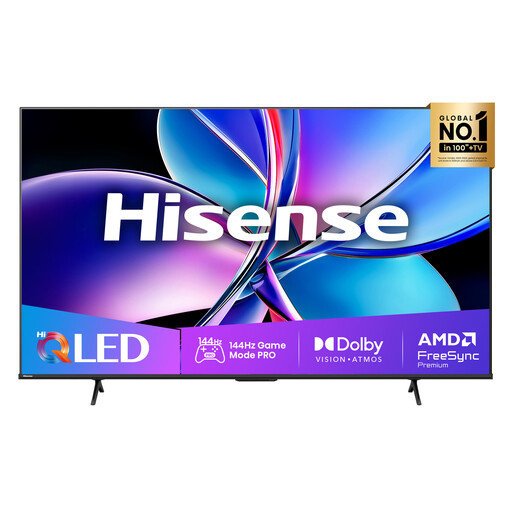
This 85-inch model is worth comparing for groups with seats further away. Check in advance that the screen size fits and game text is readable from the furthest seat.
The product name lists 85 inch, 4K QLED and 144Hz. For this model, installation by at least two people is strongly recommended.
No, the local player limit depends on the game and console. Check how many controllers you’ll need too. For example, Nintendo Netherlands lists one to four players for New Super Mario Bros. U Deluxe; that’s a game feature, not a TV specification.
Connect the console to a TV port that supports the output you want, then check which HDMI device details are recognised in the PS5 settings. Test VRR or your preferred resolution where relevant. PlayStation notes that VRR results vary between TVs, and 120Hz output doesn’t mean every game delivers 120 frames per second.
Follow the care instructions for the exact model. If you see a notification about interrupted pixel cleaning, LG advises keeping the TV plugged in while it’s in standby. Don’t assume the same advice applies to other models.
Televisions covered by EU rules for electronic displays must meet ecodesign and energy labelling requirements. The European Commission explains these rules; compare the product information and energy label for the exact model. The rules don’t require buyers to choose a particular label class.
No. According to the Dutch government, there’s no fixed statutory period for the statutory guarantee in the Netherlands; you’re entitled to a product that works as it should. A separate manufacturer’s warranty or extended warranty doesn’t replace that right.