
Players sitting in different places
If you play side by side or at an angle to each other, it’s important that everyone can see the picture clearly. The Consumers’ Association generally describes OLED as offering wider viewing angles.


Start by choosing a size that suits your viewing distance, then check that the picture is clear from both seats. The Consumers’ Association generally describes OLED as offering wider viewing angles and deeper blacks, while QLED LCD TVs can often provide higher brightness. Check for reflections where you plan to place the TV. Only choose 4K/120 Hz or VRR if both your console and the games you play support those features.
If you play side by side or at an angle to each other, it’s important that everyone can see the picture clearly. The Consumers’ Association generally describes OLED as offering wider viewing angles.
If light from windows or the kitchen might fall on the TV, compare how each screen handles reflections in the spot where you plan to put it before choosing a screen technology.
Check whether your console and favourite games can make use of game mode, 4K/120 Hz or VRR. A feature listed on the TV doesn’t automatically mean a particular game will support it.
First, measure your viewing distance and check the picture from both playing positions. Then assess the light around the TV and decide which gaming features you can actually use.
| What to consider | What should you check? | Who is this important to? |
|---|---|---|
| Picture quality for both players | Measure the viewing distance from both seats and check the picture from an angle, too. | If we’re not sitting directly in front of the TV, I want everyone to be able to see the details clearly. Around 36% of consumers prioritise picture quality for both players. |
| Reflections and ambient light | Check where the light falls and look up the reflection handling for the full model number. | If light from the kitchen or windows might fall on the screen, I want to know what the picture will look like in our room. Around 29% of consumers say visibility in ambient light is their top priority. |
| Features for consoles and games | Check your console, game, HDMI connection and the settings you’ll need. | If I want to use features such as 4K/120 Hz or VRR, I want to know whether my console and games support them. Around 21% of consumers prioritise console features. |
| Energy use and maintenance | Compare the energy label for the exact models and follow the instructions for ventilation and cleaning. | If the TV is on a lot and close to the kitchen, I want to take energy use and maintenance into account. Around 14% of consumers prioritise running costs and maintenance. |
With local co-op, one player may be sitting at an angle to the TV, so the viewing angle from that seat matters too.
Check the picture from both planned playing positions before deciding on a screen technology.
A TV’s refresh rate and the output of a console or game aren’t the same thing.
Check the combination of game, console, HDMI port and settings.
A coating mentioned in the specifications may only apply to specific models, and doesn’t automatically tell you anything about other TVs from the same brand.
Check the screen specifications for the full model number and assess the light in the spot where you plan to put the TV.
Blocked ventilation can cause heat to build up. Applying liquid directly to the screen can damage it.
Keep ventilation openings clear and follow the fitting and cleaning instructions for the exact model. Sony advises against applying cleaning products directly to its TVs’ screens.
An OLED option to compare if wide viewing angles and gaming features matter to you.
A QD-MiniLED option to compare with OLED when ambient light is a consideration.
An OLED option to compare if Ambilight is a factor in your shared gaming space.
A BRAVIA option where the exact model and the suitability of console settings need careful checking.
Another Mini LED option to compare with OLED.
These products include OLED and LCD or Mini LED TVs for gaming together. Check that the size, viewing angle and listed features suit your room and console for each model.
 No image available
A 55-inch OLED TV to consider if you play games together on one screen.
The product name lists 4K, a native refresh rate of 120 Hz and VRR up to 165 Hz. Check whether your console and games can make use of these features.
 No image available
A 55-inch LCD option to compare with OLED if ambient light and gaming features are important.
The product name lists QD Mini LED, 4K HDR and 144 Hz VRR. The quoted refresh rate isn’t automatically the frame rate for every game.
 No image available
A 55-inch QD OLED TV to compare if you’re considering an OLED option for gaming together.
The product name lists QD OLED. Check which gaming features and screen specifications apply to the exact model and your set-up.
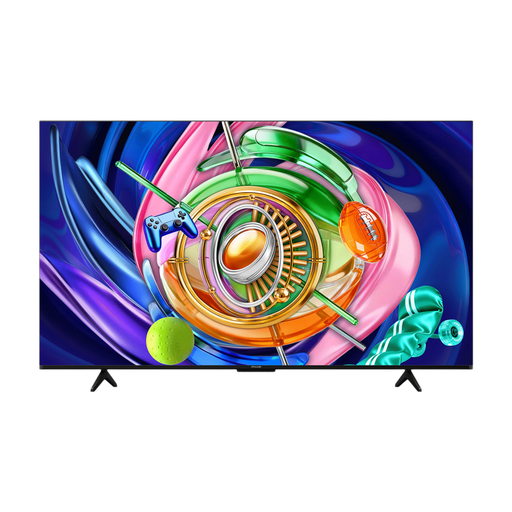 No image available
A 55-inch Mini LED model to consider if you’re comparing LCD options with gaming features.
The product name lists 4K and 144 Hz. Check which features are available with your own console, game and HDMI connection.
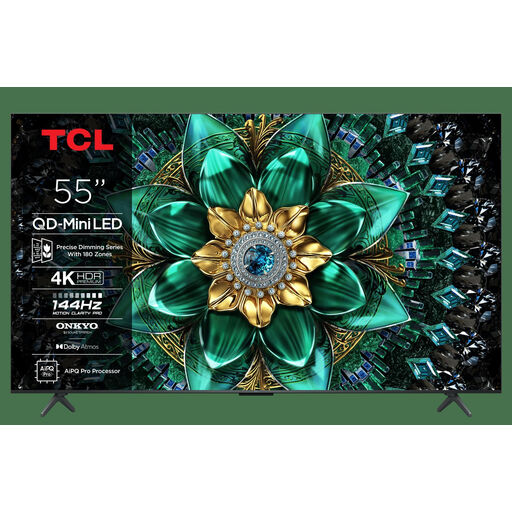 No image available
A 55-inch Mini LED model to compare if you’re looking for an LCD TV for gaming together.
The product name lists 4K HDR and 144 Hz. Check whether your console and games support these features.
Measure the distance from both seats to where the TV will go, and check the picture from an angle, too. In its own research, the Consumers’ Association gives around 2.4 times the screen diagonal as a comfortable viewing distance. Use this as a starting point, not a hard-and-fast rule.
No, not necessarily. Check which video output your console and the specific co-op game support. For compatible combinations, you’ll also need to use the right HDMI connection and settings.
Leave the ventilation clearance specified in the instructions for the exact model, and don’t spray cleaner directly onto the screen. Sony warns that applying liquid directly can cause damage; for other brands, follow their own cleaning instructions.
Compare consumption in kWh per 1,000 hours on the Dutch energy label for the exact models; the label also shows HDR consumption. To work out your own costs, you’ll also need to know how many hours you use the TV and your electricity tariff.
For a standard online TV purchase, you generally have a 14-day cooling-off period from delivery, according to ACM ConsuWijzer. The seller must also resolve issues if, under normal use, the product doesn’t meet what you could reasonably expect under the statutory guarantee. This is separate from any voluntary manufacturer’s warranty.
Check the rules that apply to your specific use and location before assuming that a permit or registration is required.