What should you look for when buying?
Start with the seating and the space available; then compare panel type, Game Mode and extra features.
| What to consider |
What should you check? |
Who is this important for? |
| Visibility for the group |
Measure the available space, then check the screen size and viewing angle from the furthest and most awkwardly angled seats. |
If I want to watch from different parts of the room, screen size and positioning are my main considerations. Around 36% of consumers put visibility from every seat at the top of their buying priorities. |
| Total cost |
Compare the energy label and features of the exact model, and check that the TV will fit where you plan to put it. |
If I mainly want a screen that’s suitable for cooking games and don’t want to pay for features I won’t use, the overall cost matters. Around 29% of consumers put total cost first. |
| Responsive controls |
Check Game Mode, ALLM support on both the TV and source device, and which HDMI input you’re using. |
If I want to reduce the delay between the controller and the picture, I check that my console and TV support the relevant mode together. Around 21% of consumers put responsive controls at the top of their priorities. |
| Gaming in a bright room |
Take windows and lamps into account, and compare the specifications and energy label for the exact model. |
If I often play in daylight or with the lights on, I want to see how the screen looks in my room and from different seats. Around 14% of consumers put gaming in a bright room at the top of their list. |
Joybuy TVs for this gaming set-up
These Joybuy products include 65- and 75-inch models with OLED, QD mini-LED or QLED, including versions with a 60 Hz panel.
 No image available
LG OLED65C68LA OLED evo AI C6 4K Smart TV
Worth considering if you’re looking for a 65-inch OLED TV with gaming features; see how the screen looks from the seats in your room.
65 inches; 4K; 120 Hz panel; VRR up to 165 Hz; ALLM and Game Optimizer; four HDMI 2.1 inputs.
View at Joybuy
 No image available
Hisense 65A6S 65-inch 4K UHD TV
Worth considering if you want to compare a 65-inch TV with a 60 Hz panel and Game Mode for local co-op cooking games.
4K UHD; 60 Hz; VRR; ALLM; Game Mode Plus.
View at Joybuy
 No image available
TCL 65T8D QLED QD mini-LED TV
Worth considering if you want to compare a 65-inch QD mini-LED model with gaming features; check how the screen performs in your room.
4K; 144 Hz VRR; ALLM; HDMI 2.1; Game Master.
View at Joybuy
 No image available
TCL 75T8D QLED QD mini-LED TV
Worth considering if you’re looking for a 75-inch screen for several seats and have enough space for this size.
4K; 144 Hz VRR; ALLM; HDMI 2.1; Game Master.
View at Joybuy
 No image available
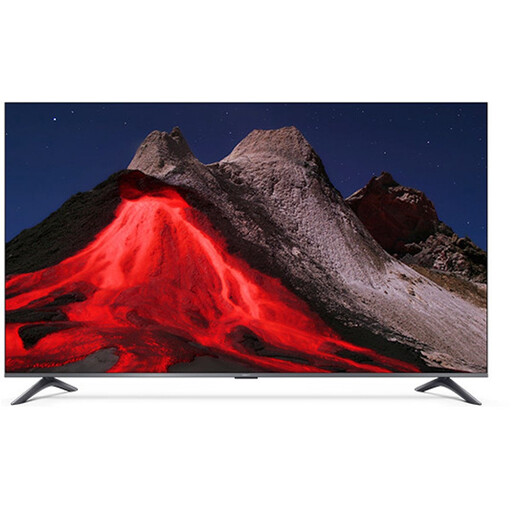
Xiaomi TV A Pro 2026 65-inch 4K QLED TV
Worth considering if you’re looking for a 65-inch QLED TV with a 60 Hz panel; check the viewing angle and positioning from your gaming spots.
4K; 60 Hz; ALLM on HDMI 2; suitable for wall mounting according to the product description.
View at Joybuy
Frequently asked questions
Can more people play Overcooked! 2 at the same time on a bigger TV?
No. PlayStation Netherlands lists local co-op for up to four players in Overcooked! 2. Other people can watch or take turns; for a different cooking game, check the player limit and how many controllers you’ll need.
How should I set up the TV if the controls feel delayed?
Switch on Game Mode and check that both the TV and the connected source device support ALLM. According to HDMI Licensing Administrator, ALLM can automatically switch the TV to a lower-latency mode; some picture processing features may then stop. Also check the settings for the HDMI input you’re using.
What TV size and layout work well for a group?
Measure the space available and check that the game is visible from every playing spot. Sony says viewing distance depends on the content, room layout and personal preference; a recommended minimum viewing distance doesn’t tell you whether small in-game details will be easy to see from the back seat. If you’re mounting the TV, also check the exact model’s dimensions, weight and VESA size.
What does a TV’s energy label tell you?
The EU energy label for televisions uses classes from A to G and also provides information about HDR playback. Compare the label for the exact model rather than looking at the panel type alone.
Does all the warranty cover on a TV bought in the Netherlands expire after two years?
No. According to ACM ConsuWijzer, your statutory rights are separate from any retailer or manufacturer’s warranty. If a product breaks during normal use sooner than you could reasonably expect, the retailer is responsible for offering an appropriate solution; there isn’t one fixed statutory warranty period of two years for every TV.


