What should you look for?
First, check that the TV suits your game’s output and your own video files. Then compare screen technology and size to find the right fit for your room.
| What to consider |
What to check before buying |
Who this matters to most |
| Responsiveness in football games |
Check the Game Mode, supported signal frequency and HDMI features for the exact model. Also check which output your console or PC and game support. |
When I play fast-paced matches, I want to know what my own game can really handle. Around 33% of consumers prioritise responsiveness and refresh rate for football games. |
| Your own match videos |
Note the video and audio codecs used by a sample file, then check the manual for support for your chosen USB or network connection and storage format. |
When I want to rewatch saved matches, my own file needs to work with the playback method I’ve chosen. Around 27% of consumers prioritise support for local files. |
| Picture quality in your room |
Measure your viewing distance, check where the seats are, and assess the light and reflections in the room. |
When several people are watching from different seats, I want a size and screen technology that suit the room. Around 20% of consumers start by considering the picture in their own viewing space. |
| Extra equipment and connections |
Check whether the TV plays your files directly and which connections you need. You may need a separate media player if your files aren’t supported. |
When I want to keep my setup simple, I want to know in advance whether I’ll need another device to play my videos. Around 20% of consumers focus on the equipment and setup required. |
Joybuy TVs for gaming and video
These Joybuy models are selected for comparing gaming options, including OLED and LCD. Check support for your own video files for the exact model.
 No image available
LG OLED55C68LA 55-inch OLED evo AI C6 4K Smart TV
An option to compare if you want to pair OLED with gaming on a compatible source and game.
The product name lists 120 Hz native, VRR up to 165 Hz, G-SYNC compatibility and FreeSync Premium. Check separately whether your own video files are supported.
View at Joybuy
 No image available
TCL 65T8D 65-inch QLED TV with QD-Mini LED
An LCD alternative to compare with OLED if QD-Mini LED and gaming are right for your room.
The product name lists 4K HDR, 144 Hz VRR, FreeSync Premium and Game Master. Check support for your own video files for the specific model.
View at Joybuy
 No image available
METZ 65MQE8000Z 65-inch QLED Google TV
A 65-inch QLED option to compare with your viewing distance and available space if you’re considering a large screen.
The product name lists 144 Hz, ALLM, VRR and FreeSync Premium. Check separately whether your console and game support the output you want.
View at Joybuy
 No image available
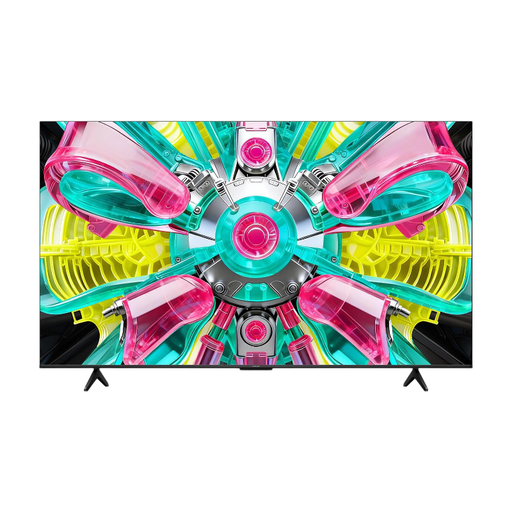
iFFALCON 65U75A 65-inch 4K QLED TV
A 65-inch QLED option to weigh up the screen size and gaming features against your viewing distance and equipment.
The product name lists 144 Hz. For your own video files, check the codecs, storage format and playback method supported by the exact model.
View at Joybuy
 No image available
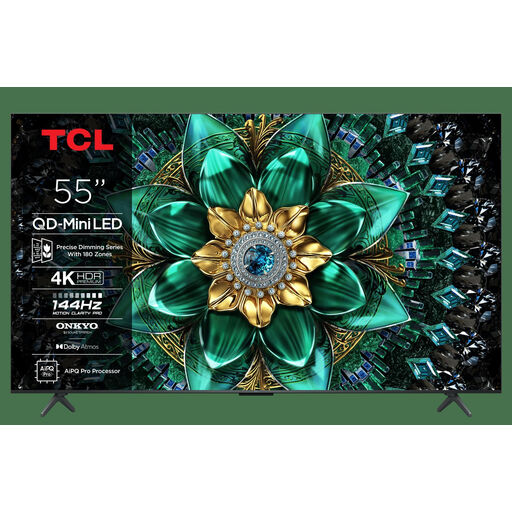
TCL 55C6K 55-inch QLED Mini LED TV
A 55-inch mini-LED option to compare if you’re considering this screen technology and size for gaming.
The product name lists 144 Hz, HDMI 2.1 and Game Master. Check the manual to see whether the TV plays your own video files using your preferred method.
View at Joybuy
Frequently asked questions
Do you need a 120 Hz TV for a football game?
You can only make use of it if your source and game support the output you want. For 4K/120Hz playback on PS5, Sony also lists suitable console settings, an appropriate connection and support from the game as requirements.
Can you simply save your match videos to a USB stick?
First, check support for the exact TV model. Look at the video and audio codecs, storage format and playback method you’ve chosen; Sony warns that files with unsupported codecs cannot be played.
What should you check when connecting a console?
Check the HDMI features of the input you’ve chosen and set the output you want on your console. For 4K/120Hz output on PS5, Sony also recommends a suitable cable and a game that supports that output.
How do you compare OLED with mini-LED LCD?
Compare individual models with the lighting and seating in your room in mind. According to the Consumers’ Association of the Netherlands, OLED TVs generally have a wider viewing angle, while QLED LCDs can often offer higher brightness. These differences don’t make one screen technology more suitable for every room.
What warranty rights do you have in the Netherlands, and who should you contact about a fault?
According to the Dutch government, when you buy as a consumer you’re entitled to a product that works properly, and the seller must provide a solution if there’s a problem. The Netherlands has no fixed statutory warranty period of two years; a manufacturer’s warranty or extended warranty is in addition to your statutory rights.


