
Housemates sharing one screen
If you play together from different spots on the sofa, viewing distance, viewing angle and available space all matter. The Consumers’ Association also recommends considering the viewing angle when watching together.


First, measure the viewing distance and check that everyone can see the screen clearly from their usual seat. A bigger TV is only right if it suits the room and seating positions. Then choose between OLED and mini-LED/LCD based on ambient light, viewing angle and contrast. Only pay extra for higher refresh rates or VRR if the TV, console and football game you use support those features.
If you play together from different spots on the sofa, viewing distance, viewing angle and available space all matter. The Consumers’ Association also recommends considering the viewing angle when watching together.
You’re looking for a TV that responds quickly to your controls, and only want to consider a higher refresh rate if your console and game can make use of it. PlayStation explains that 120Hz output is available for TVs and games that support it.
If you also play during the day, ambient light and reflections will affect your choice. The Consumers’ Association notes that LCD TVs can be bright; also compare the picture from the seats you actually use.
A good fit if: contrast and a clear view from different seats are important to you, and you can manage the ambient light.
Consider: prolonged static images remain a concern; also check how reflections look in your living room.
A good fit if: you play during the day or want a larger screen that suits the shared viewing distance.
Consider: brightness, reflections and viewing angle vary by model; a high refresh rate alone says nothing about input lag.
Measure the distance from your usual eye position to the screen, then work out which screen size will suit the room. Next, check the gaming features, available connections and lighting conditions where everyone sits.
The Consumers’ Association suggests dividing the measured viewing distance by 2.4 to get a starting point for the screen diagonal in centimetres; it’s not a required size. Also measure the space available for the TV and check the picture from the furthest seats.
| Consideration | What should you check? | Who does it matter to? |
|---|---|---|
| Visibility and a suitable size | Measure the viewing distance, and check the width, stand and picture from the furthest seats. | When we watch together from different spots, we want everyone to see the picture clearly. Around 33% of consumers prioritise visibility for everyone and a suitable screen size. |
| Responsiveness while gaming | Compare input lag measurements for the exact model and check that the TV, HDMI input, console and game support the output you want. | If responsive controls matter to you in a football game, you’ll want to know which features your equipment can actually use. Around 25% of consumers give responsiveness top priority. |
| Picture quality in changing light | Assess reflections and picture quality from your usual seats, during the day and in the evening. | If we also play in daylight, we want to see the screen clearly without overlooking the viewing angle. Around 25% of consumers put ambient light at the top of their list. |
| Cost and connections | Count your consoles and other devices, check the HDMI features and consider where the TV will go in the room. | If you share a TV with housemates, you’ll want to avoid choosing one that doesn’t suit your connections or overall budget. Around 17% of consumers prioritise shared costs and connections. |
A panel specification of 144Hz or 165Hz doesn’t guarantee that a football game will be displayed at that frame rate. PlayStation says 120Hz output only works with a compatible TV and games that support 120Hz.
Check the game, console, HDMI input and game mode before factoring in a higher refresh rate.
Viewing distance, viewing angle and reflections are separate considerations when housemates share a screen.
Measure the distance and check the screen from every planned seat, both during the day and in the evening.
A similar-looking model name doesn’t confirm that it’s the same version or has the same specifications.
Compare the full model number and check the features of the exact version you’re considering.
LG lists the OLED42C67LA as a 42-inch OLED TV with up to 165Hz at 4K.
According to Samsung, the QE55S90FAEXXN is a 55-inch OLED version of the S90F.
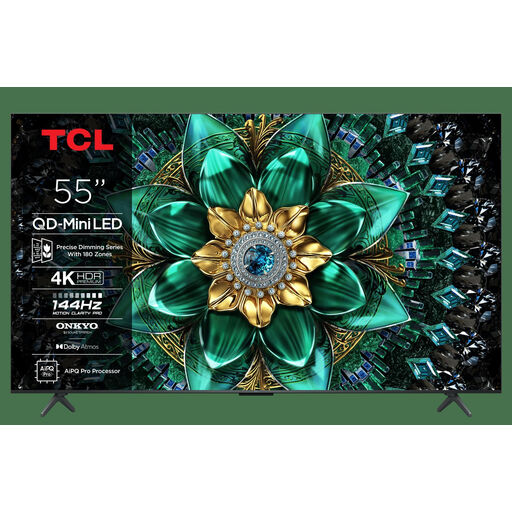
TCL lists the 55C7K as a 55-inch QD mini-LED TV with a native refresh rate of 144Hz.
Hisense lists the 55U7Q as a 55-inch mini-LED TV with a 144Hz gaming mode and VRR.
Sony lists a 55-inch mini-LED version of the BRAVIA 5.
This selection includes 55- or 65-inch OLED, QLED and mini-LED TVs to compare for watching and gaming together.
 No image available
A 55-inch OLED option to consider if this size suits your shared viewing distance.
 No image available
A 65-inch option to consider if the larger screen size suits your room and viewing distance.
 No image available
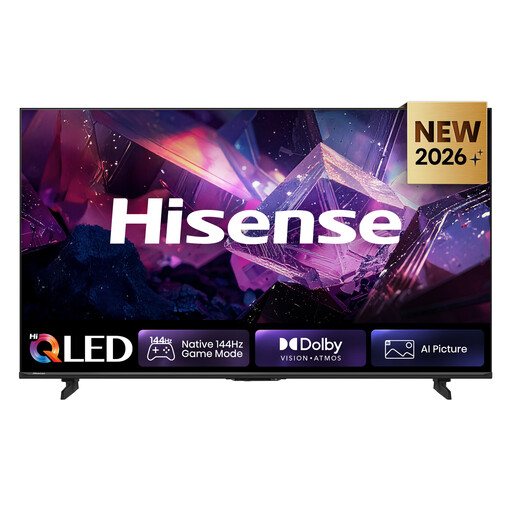
This 55-inch version is an option to compare if you’re looking for a QLED TV for watching and gaming together.
 No image available
A 55-inch mini-LED option to compare if this size suits your shared viewing distance.
 No image available
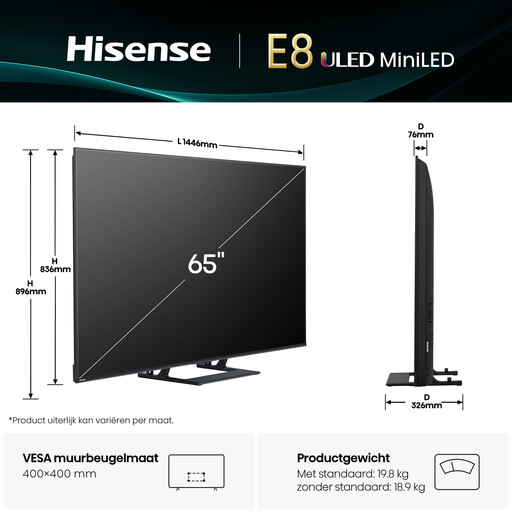
A 65-inch mini-LED option to consider if your viewing distance and available space suit a larger screen.
No, not based on the number alone. Check which output your console and the specific game support. PlayStation explains that 120Hz output is available for TVs and games that support 120Hz; a higher panel refresh rate doesn’t guarantee that frame rate.
On your PS5, go to Settings, Screen and Video, then Video Output to see information about the connected HDMI device. PlayStation lists the detected resolution, VRR and HDR there; 120Hz output is a separate setting for compatible TVs and games.
Switch off the TV and let it cool down. The Consumers’ Association recommends using a slightly damp, well-wrung microfibre cloth and advises against spraying cleaning products directly onto the screen.
When you buy a TV online, ACM ConsuWijzer says you generally have up to 14 days after delivery to change your mind, subject to the legal conditions and any exceptions. The retailer is responsible for the statutory guarantee if a product doesn’t meet what you can reasonably expect with normal use; an additional manufacturer’s warranty doesn’t replace those rights.