
Competitive local players
You play fast-paced matches and want to know how responsive the picture is with your own console and game. RTINGS describes input lag as the time between sending a signal and seeing it displayed on screen.


Start with the TV’s measured input lag in Game Mode, using the signal you’ll actually be playing with. Then assess the viewing angle and how clearly the picture can be seen from the seats at either end. OLED and Mini LED/LCD TVs can have different considerations, such as prolonged static images or reflections, so check the specifications of the exact model. A 120 Hz panel doesn’t, by itself, mean your fighting game will run at 120 frames per second.
You play fast-paced matches and want to know how responsive the picture is with your own console and game. RTINGS describes input lag as the time between sending a signal and seeing it displayed on screen.
You want players and spectators sitting to the side to be able to follow the action. RTINGS highlights viewing angle as an important consideration when seats are spread around the room.
You may switch between sources and leave the screen on for extended periods. That makes port layout, static images and the energy label for the exact model important things to check.
First compare responsiveness with your own game and console, then check that the picture is easy to follow from the planned seating positions.
| Consideration | What to look for | Who this matters to |
|---|---|---|
| Responsiveness | Compare input lag measurements for the exact model, in Game Mode and with the signal you’ll use. Check separately which output the game and console support; PlayStation links 120Hz output to games that support that frame rate. | When I’m playing fast-paced matches, I want to know how quickly my chosen TV, console and game combination responds. Around 31% of consumers put responsiveness first. |
| Side viewing | Compare viewing angle measurements for the exact model and assess the picture from the seats at either end. Take screen size into account in relation to viewing distance. | When players and spectators are spread out, I want to be able to follow the action from the side too. Around 25% of consumers give group viewing the highest priority. |
| Ambient light | Assess reflections and readability in similar lighting conditions. Check the specifications of the exact TV rather than relying on general brightness or anti-reflection claims. | In daylight or with lights on in the room, I want to be able to see the match clearly. Around 19% of consumers prioritise readability in their intended lighting conditions. |
| Connections | Make a list of your consoles and other devices, then check the required features for each HDMI input. Sony specifies VRR on HDMI 3 and 4 for the K-65XR5. | When I connect multiple sources, I want to know which input to use for each console. Around 13% of consumers give connecting and switching between sources the highest priority. |
| Extended use | Compare the EU energy labels for the exact models and read the user instructions. Panel technology is also worth considering if the TV will repeatedly display static images for long periods. | During long gaming sessions, I want to take energy use and extended use into account. Around 12% of consumers prioritise these considerations. |
A stated refresh rate of 120Hz or 144Hz doesn’t prove that a particular game runs at that frame rate. The game and connected console must support the output you want; the panel refresh rate alone also tells you nothing about measured input lag.
Check the output capabilities of your game and console, and look up input lag measurements for the exact TV model and signal.
Features can vary between inputs. Sony lists four HDMI inputs for the K-65XR5, with VRR on HDMI 3 and 4.
Before you buy, assign an input to each console and check that the port supports the features you need.
A bigger screen doesn’t guarantee that the picture will be equally easy to follow from every seat. RTINGS highlights viewing angle as a consideration for wide seating arrangements.
Assess the TV from the seats at either end, taking both viewing angle and viewing distance into account.
Repeatedly displaying static images for extended periods is a consideration with OLED; an accelerated duration test doesn’t predict how an individual model will perform in normal use. A manufacturer’s warranty period also isn’t automatically the limit of your statutory rights: ACM ConsuWijzer explains that the Dutch statutory guarantee doesn’t have a fixed term of exactly two years.
Follow the instructions for the exact model and check the warranty terms that apply to your purchase.
These examples cover specific product lines and models; mentioning a brand isn’t a general assessment of all that brand’s models.
The Dutch OLED B5 range is worth considering if your group will be watching from different angles. The model mentioned is the OLED65B56LA.
The Dutch 65C7K is a 65-inch QD-Mini LED model to compare if a stated native refresh rate of 144 Hz matters to you.
The Dutch K-65XR5 is worth comparing if you need to connect several HDMI sources.
The Dutch QE65QN90FATXXN is a Neo QLED Mini LED model to consider for a room where ambient light could be an issue.
According to Philips, the Dutch 65OLED810/12 combines a 65-inch OLED screen with Ambilight and VRR up to 144 Hz.
The Joybuy options shown are large QLED and Mini LED TVs for group viewing. For fighting games, also compare the input lag and viewing angle of the exact model.
 No image available
The 75-inch screen size is worth considering for a large viewing group; assess the picture from the seats at either end.
Specifications from the product name: QLED, QD-Mini LED, 4K HDR and 144 Hz VRR.
 No image available
The stated screen size is 86 inches; check that the TV and viewing distance suit the available space and the seats at either end.
Specifications from the product name: QLED, 144 Hz, 4K HDR10+, HDMI 2.1 and FreeSync Premium.
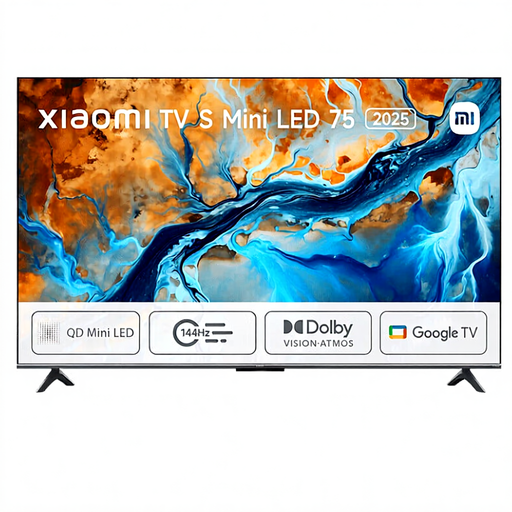 No image available
The product name states a screen size of 75 inches; assess whether the screen will be easy to follow from your planned seating positions.
Specifications from the product name: Mini LED, 4K HDR and 144 Hz.
 No image available
The stated screen size is 75 inches; check the viewing angle and input lag of this exact model for your intended seating arrangement and game.
Specifications from the product name: 4K Mini LED and 144 Hz.
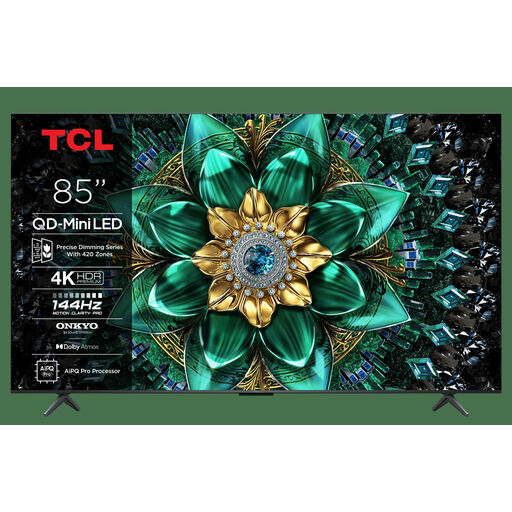 No image available
The model name states 85 inches; check that the screen size suits the room and that the seats at either end have a clear view.
Specifications from the product name: QD-Mini LED, 4K HDR, 144 Hz and 1000 nits.
Not necessarily. PlayStation links 120Hz output to games that support a 120 Hz frame rate. Check what the game and TV can do, and for reaction-based games, also look at input lag measurements with the signal you’ll be using.
Check the features available on each HDMI input and assign suitable ports to your devices. For example, Sony lists four HDMI inputs for the K-65XR5, but VRR is only available on HDMI 3 and 4; that port layout won’t necessarily apply to other models.
Follow the instructions for the exact model and bear in mind the effects of repeatedly displaying static images for long periods. The accelerated test mentioned points to a consideration with very prolonged static images, but it doesn’t predict what will happen to an individual TV during a single tournament.
Compare the EU energy labels and product information for the exact models; your personal estimate of running costs will also depend on usage hours and your electricity tariff. In the Netherlands, statutory rights are separate from any manufacturer’s warranty. ACM ConsuWijzer explains that the statutory guarantee doesn’t have a fixed term of exactly two years.