
Families with lots of natural light
If you play during the day with windows or lamps nearby, reflections can make quiz questions harder to read. RTINGS treats reflection handling and brightness as separate features to compare.


Choose a TV based on the light where it will be placed and where players will sit. Check both reflections and how the picture looks from different angles. Then make sure the screen size and connections suit your viewing distance and quiz source. A high refresh rate won’t automatically make the screen easier to read, or guarantee a working connection.
If you play during the day with windows or lamps nearby, reflections can make quiz questions harder to read. RTINGS treats reflection handling and brightness as separate features to compare.
If players will also be sitting beside the TV, it’s important to assess the screen from those seats. The Consumers’ Association and RTINGS highlight viewing angle as a consideration for wide seating arrangements.
Check in advance that the quiz app works with your TV through the connection or casting method you plan to use. For example, Google Help explains the requirements for casting with Google Cast-compatible apps and devices.
Start with where the TV will go and what you’ll use as your quiz source, then compare the screen size and features you’ll actually use.
Best for: a room where daylight and reflections are the main concerns. Compare the brightness and reflection handling of the specific model.
Keep in mind: the Consumers’ Association notes that QLED TVs can often be brighter than OLED TVs. However, a mini-LED or QLED label alone doesn’t show how well a particular TV handles reflections or how it looks from the side.
Best for: a group spread around the room who want to see the picture clearly from an angle. The Consumers’ Association notes that OLED TVs generally have a wider viewing angle.
Keep in mind: a wide viewing angle doesn’t mean windows or lamps won’t be reflected on the screen. Check how the specific model handles reflections in the place where you plan to use it.
Best for: a central seating position and a set-up where you can position the TV favourably in relation to the windows. Also compare models without extensive gaming features.
Keep in mind: 4K or a gaming label doesn’t automatically tell you how easy text is to read during the day. RTINGS treats reflection handling and brightness as separate considerations.
| Consideration | What should you check? | Who should consider this? |
|---|---|---|
| Daylight and reflections | Compare the brightness and reflection handling of the same model, and consider any windows or lamps opposite the screen. RTINGS assesses these features separately. | If I play during the day, I want to be able to read the questions without light sources overpowering the screen; around 29% of consumers say daylight readability is their top priority. |
| Viewing angle | Assess the picture from the seats furthest to the side, not just from directly in front of the TV. The Consumers’ Association and RTINGS both cover viewing angle as an important factor for wide seating arrangements. | When we’re sitting around the room, I want everyone to be able to follow the picture; around 23% of consumers prioritise a clear view from the side. |
| Connection and quiz source | Check the exact quiz app and phone, console or other source, as well as the supported connection or casting method. Google Cast requires a compatible app and receiver; Google Help says both devices must be connected to the same Wi-Fi network. | If my quiz comes from a phone or another device, I want to know in advance whether that source will work with the TV; around 18% of consumers say compatibility is their main consideration. |
| Screen size and viewing distance | Measure the distance between the TV and the seating, then compare screen sizes that suit it. The Consumers’ Association gives around 2.4 times the screen diagonal as a generally comfortable viewing distance, not a rule for quizzes. | If players are sitting at different distances, I want to choose a screen size that lets us read the questions from our seats; around 17% of consumers prioritise choosing a suitable screen size. |
| Power consumption | Compare the energy label and consumption per 1,000 hours for screen sizes that suit your viewing distance. Milieu Centraal recommends using the energy label to compare TVs’ consumption. | If the TV is on often, I want to factor energy use into my decision; around 12% of consumers put running costs first. |
A high refresh rate won’t solve reflections, a limited viewing angle or a connection that doesn’t work with your quiz source. Low input lag is mainly important for fast-paced games that rely on quick reactions.
First check the light, seating and gaming source. Then compare gaming features that you’ll also use for other games.
Brightness and reflection handling are different features. Both can matter if windows or lamps are opposite the screen.
Check reviews of the exact model’s reflection handling and consider where you’ll place the TV.
The right screen size depends on the distance from the seating. Milieu Centraal points out that larger TVs can have a greater environmental impact.
Measure the viewing distance and compare the energy label and consumption per 1,000 hours of suitable models.
The BRAVIA 9 II is worth considering when brightness and reflections are important in a bright room. RTINGS ranked this model top among the TVs it tested for bright rooms. That ranking says nothing about Dutch prices or availability.
The TCL 65C6K Pro is a QD mini-LED model to compare if you’re considering an LCD TV with gaming features.
According to Philips Netherlands, the 65MLED910/12 combines QD mini-LED with Ambilight, making it worth comparing if you’re also interested in mood lighting.
The LG OLED65G68LW is an OLED model to include in your comparison if you have a wide seating arrangement.
This selection includes 4K LED, QD mini-LED and OLED TVs to compare for quizzes in a bright living room. For each model, check where you’ll use it, your viewing distance and the connection your quiz needs.
 No image available
The product description mentions an anti-glare screen. Check how it handles reflections where you plan to place the TV.
The description lists a 50-inch screen, 4K, 60 Hz, peak brightness of 300 nits and webOS. The Magic Pointer Remote is sold separately. Check that your quiz app and controls work with this model.
 No image available
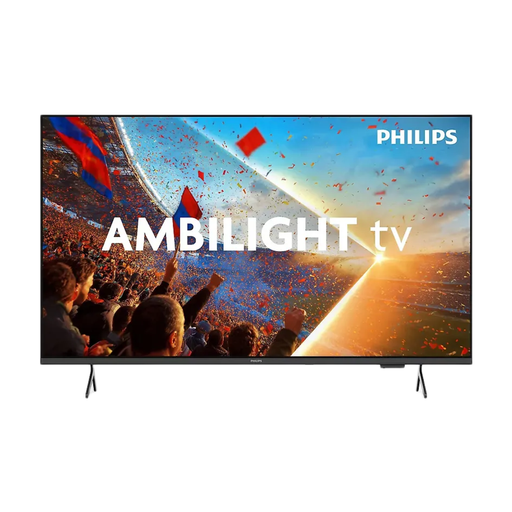
The product description mentions an ambient light sensor that adjusts screen brightness to suit the surrounding light. Still, check how the picture looks in your living room.
The description lists a 65-inch screen, 4K UHD, 60 Hz, three HDMI ports and three-sided Ambilight. Gamebar 2.0, VRR and ALLM are also mentioned.
 No image available
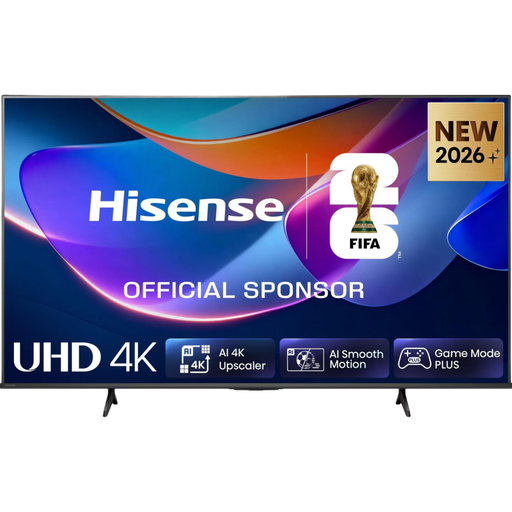
The product description lists a 178° viewing angle and an AI light sensor. Check the screen from seats at the side, too.
The description lists a 65-inch screen, 4K, 60 Hz, AirPlay 2 and Share to TV. Check that your phone and quiz app are compatible with the screen-sharing method you want to use.
 No image available
The product description mentions Google Cast, Miracast and AirPlay 2 for streaming content from other devices. Check that your quiz app supports the method you want to use.
The description lists a 50-inch screen, 4K, QD mini-LED and a native refresh rate of 144 Hz. HDMI 2.1, ALLM and FreeSync Premium Pro are also mentioned. These gaming features don’t replace checking readability and reflection handling.
 No image available
This is a 55-inch 4K OLED TV to consider if you’re comparing models for a seating arrangement that includes places off-centre. Check reflections and the picture from the side where you plan to use it.
The product description lists Wi-Fi, LAN and four HDMI ports. Check which connection your quiz source needs.
Not just for playing a quiz. Think about which games and sources you use: according to RTINGS, low input lag is mainly important for fast-paced games that rely on quick reactions. A high refresh rate is only useful if both the TV and the source support it.
If the quiz app supports Google Cast and your TV or receiver is compatible, you can use the app’s casting feature. According to Google Help, the sending device and compatible receiver must be connected to the same Wi-Fi network. Also check that the quiz app supports casting.
See if you can position the TV so that less daylight falls on the screen. Milieu Centraal points out that a poorly chosen position may mean you need to use a higher brightness setting. Then check how the specific model handles reflections.
When you buy as a consumer, the statutory guarantee applies alongside any manufacturer’s guarantee or separately purchased cover. According to ACM ConsuWijzer and the Dutch government, there’s no fixed general guarantee period in the Netherlands. If a product breaks sooner than you could reasonably expect under normal use, the retailer is responsible for providing an appropriate solution.
For a standard online purchase from a business, you generally have a statutory 14-day cooling-off period from the date of delivery. ACM ConsuWijzer gives a television bought online as an example; check the applicable exceptions and returns policy. This is separate from your rights if the TV is faulty, damaged or inaccurately described.