What should you look for in a TV for family quizzes?
LCD, QLED or mini-LED
Best suited if: you often hold quizzes in daylight and brightness matters to you. Compare the picture quality, reflections and visibility from the furthest seats on the exact model.
The trade-off: LCD TVs can be bright, but viewing angles vary by model. Mini-LED is a type of LCD backlighting and doesn’t, in itself, guarantee a wide viewing angle.
OLED
Best suited if: family members often watch the screen from an angle and you also use the TV for films or other games. Compare the viewing angle and reflections in the lighting conditions of your living room.
The trade-off: OLED generally offers a wider viewing angle and deep blacks. Permanent image retention is something to consider if you use the TV for very long periods with the same static image; this is different from the occasional family quiz.
When choosing a TV for quizzes, visibility from your seats and readability are important practical considerations. The checks below will help you weigh these against daylight, connections and additional gaming features.
| Point to consider |
What to look for when buying |
Who is this most relevant to? |
| Reading from every seat |
Check the screen from the furthest seats and take viewing distance and screen size into account. The Consumers’ Association suggests a viewing distance of around 2.4 times the screen’s diagonal measurement. |
If I want everyone to be able to read the quiz text, including from a seat at the side, I focus on the viewing angle. Around 36% of consumers prioritise visibility from every seat. |
| Easy to read in daylight |
Compare the brightness and reflectivity of the specific model, and consider where windows and lamps are positioned in relation to the screen. |
If I sometimes play during the day, I want the text to remain visible in a bright room without reflections getting in the way. Around 29% of consumers prioritise readability in daylight. |
| Connections and energy use |
Decide whether you’ll use a games console, laptop or TV app. Count the HDMI inputs you need, including one for a soundbar if required, and compare the energy labels of models in the screen size you want. |
If I want to connect my quiz device and avoid unnecessary features, I first check which connections I actually need. Around 21% of consumers focus on practical connections and costs. |
| Suitable for faster-paced games too |
Check the panel’s refresh rate and whether the intended HDMI input supports the combination of TV, gaming device and picture frequency you want. |
If I play fast-paced games as well as quizzes, I want to know whether my games console can make use of a higher refresh rate. Around 14% of consumers make suitability for faster-paced games a deciding factor. |
Joybuy products
These TV options include OLED, LCD and mini-LED models, so you can compare options for watching together and playing games now and then.
 No image available
LG OLED55C68LA C6 55-inch 4K OLED TV
An OLED option to compare if family members watch from different seats. The Consumers’ Association says OLED TVs generally offer a wider viewing angle, but this isn’t a measurement of this specific model.
- 120 Hz native; VRR up to 165 Hz.
- Four HDMI ports.
View at Joybuy
 No image available
Samsung S85F GQ55S85FAU 55-inch 4K OLED TV
An OLED model to compare for watching together. OLED’s general viewing-angle characteristics aren’t a specific measurement of this version.
- 55-inch 4K OLED screen.
- Four HDMI ports.
View at Joybuy
 No image available
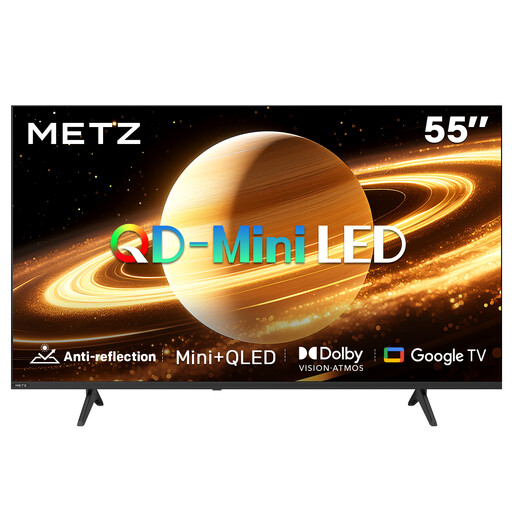
METZ 55MNH7000Z 55-inch QD mini-LED TV
A QD mini-LED model to compare if you also play during the day. The screen technology alone doesn’t prove how visible this model will be in your living room.
- 55 inches (140 cm).
- Matte screen.
- 60 Hz.
- HDMI 2.1.
View at Joybuy
 No image available
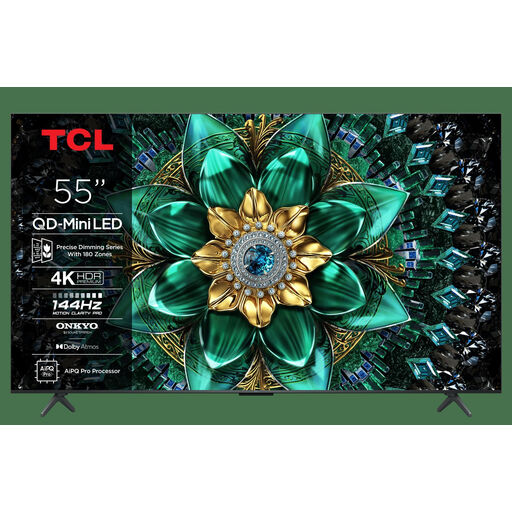
TCL 55Q6C 55-inch 4K QLED mini-LED TV
A 55-inch mini-LED model to compare with OLED. The screen technology alone doesn’t tell you how visible the TV will be in daylight or from the side.
- 55-inch 4K screen.
- HDMI 2.1.
- 144 Hz VRR and ALLM.
View at Joybuy
 No image available
Hisense 75E8Q 75-inch 4K mini-LED TV
A large-screen mini-LED model to consider for watching together. Whether quiz text is readable from the back seat also depends on the viewing distance.
- 75-inch 4K screen.
- 144 Hz.
- Four HDMI inputs and FreeSync.
View at Joybuy
Frequently asked questions
Do you need a 120 or 144 Hz TV for a family quiz?
No, not just because a TV is described as a gaming TV. According to the Consumers’ Association, a higher refresh rate is mainly relevant if your games console outputs that picture frequency and fast-moving images matter. For a quiz, also consider how easy the text is to read from different seats.
How do you connect a quiz using a games console or laptop?
You’ll usually connect a games console via HDMI. Before buying, count how many inputs you need for your other devices; a soundbar may use an HDMI connection with ARC or eARC. If you’re using a laptop, check its video output too, and whether you’ll need an adapter.
Is OLED unsuitable if a quiz question stays on screen for a long time?
Not necessarily: the risk partly depends on how long and how often the same image stays on screen. RTINGS.com says permanent image retention is mainly worth considering when a TV is used for very long periods with lots of static images and high brightness. This doesn’t predict what will happen during occasional family quizzes. Don’t leave a static quiz screen on for longer than necessary.
How do you compare TVs’ energy use?
Compare the energy label and product information sheet for the specific models, ideally with the same screen size in mind. EU energy-labelling rules apply to televisions; the label helps you compare models using this information.
What cooling-off period and warranty apply when buying a TV online in the Netherlands?
Online purchases in the Netherlands generally come with a statutory cooling-off period of up to 14 days after delivery. ACM ConsuWijzer also explains that statutory rights are separate from the manufacturer’s warranty: what you can expect from a product depends in part on normal use. Check the terms that apply to your purchase.


