
Housemates sharing one gaming space
You want everyone to be able to follow the game from different seats on the sofa. Screen size and positioning matter more to you than extra gaming features.


Start by choosing a screen that everyone can see clearly from the sofa and that fits the space available. Then check that its features and connections suit your console and games. Nintendo Netherlands lists TV settings of up to 1080p for the original Switch and a maximum of 60 fps at 4K for the Switch 2, so a high refresh rate isn’t automatically necessary. Also compare the energy consumption of the exact models and agree how you’ll share the TV and its use.
You want everyone to be able to follow the game from different seats on the sofa. Screen size and positioning matter more to you than extra gaming features.
You match the TV’s features to your console and games. Knowing the difference between the original Switch and Switch 2 helps you avoid expecting 4K or high frame-rate output that your set-up doesn’t support. Nintendo Netherlands explains the differences between these consoles.
You want to factor in electricity use and agree in advance how you’ll share the TV. Energielabel.nl explains what consumption information appears on a television energy label.
Good for a more limited space, if 48 inches is large enough from the furthest seat.
Trade-off this screen is smaller than the 55-inch options reviewed; first check that everyone can see the game clearly.
Good for a space that can accommodate 55 inches, and housemates who’d also like to use Ambilight beyond gaming. Philips lists 4K QLED, Ambilight and 144 Hz for the 55PUS9000/12.
Trade-off Ambilight and 144 Hz won’t matter for every co-op game or console; check which output your devices and games support.
Good for a shared space with room for a 55-inch screen, if you want to compare mini-LED with other display technologies. Samsung lists Quantum Mini LED and gaming support up to 4K 144 Hz with VRR for the QE55QN82HAUXXN.
Trade-off the stated support doesn’t guarantee that a connected console or every game will deliver that output.
Good for housemates who want to consider another mini-LED option alongside other 55-inch models. TCL lists a native refresh rate of 144 Hz for the 55C6K.
Trade-off the specification is listed on TCL’s global product page; check the Dutch version and its terms before buying.
Start by checking visibility from every seat and measuring the space available. Then compare console features, energy consumption and what your housemates expect from the TV beyond gaming sessions.
| What to consider | What to look for | Who should pay extra attention? |
|---|---|---|
| Visibility and positioning | Measure the available space and check the screen from both the nearest and furthest seats. The examples reviewed are 48 and 55 inches; these aren’t fixed viewing-distance guidelines. | When we play together from different seats on the sofa, I want everyone to be able to follow the game and the TV to fit the space. Around 36% of consumers give visibility and positioning top priority. |
| Console and controls | Check which console and game you’ll use and what output they support. Nintendo Netherlands lists TV settings of up to 1080p for the original Switch and a maximum of 60 fps at 4K for the Switch 2. | I want to choose features that our console and games can actually use. Around 29% of consumers prioritise console compatibility and controls. |
| Energy use and sharing arrangements | Compare consumption per 1,000 hours on the energy labels of the exact models, and agree who owns the TV and how it will be used. Energielabel.nl also provides information about HDR consumption. | When we share the TV, I want to be clear in advance about how it will be used and who’s responsible for what. Around 21% of consumers give sharing arrangements and running costs top priority. |
| Use beyond gaming sessions | Discuss whether housemates also value features such as OLED, Ambilight or mini-LED for other shared TV use. Manufacturer specifications aren’t an independent comparison of picture quality. | I want the TV to suit what my housemates and I watch together when we’re not gaming. Around 14% of consumers give versatile shared use top priority. |
A TV’s refresh rate doesn’t determine how many frames per second the console and game output. Nintendo lists a maximum of 60 fps at 4K for Switch 2; the original Switch has TV settings of up to 1080p.
Check your console, game, resolution and HDMI settings before making a high refresh rate the deciding factor.
The examples reviewed are 48 or 55 inches. This affects how much space the TV takes up and how large the shared picture will be.
Measure the space and check the intended screen size from every seat before comparing OLED, QLED or mini-LED.
The energy rating doesn’t tell you everything about a television’s consumption. Energielabel.nl also lists consumption per 1,000 hours and information about HDR.
Compare the labels for the exact models on the same basis, and agree with your housemates how you’ll manage usage.
The Dutch LG OLED48B68LA is a 48-inch option reviewed for anyone comparing more compact sizes.
According to Philips, the Philips 55PUS9000/12 combines a 55-inch 4K QLED screen with Ambilight.
The Dutch QE55QN82HAUXXN is a 55-inch option featuring Quantum Mini LED, which you can compare with other display technologies.
The TCL 55C6K is an additional 55-inch QD mini-LED option to consider for a technical comparison.
These Joybuy TV picks focus on 55-inch models for a shared gaming space. Check that this size fits your room and that the features described suit your console and games.
 No image available
An option to consider if a 55-inch screen fits your shared gaming space.
The product name lists an OLED evo screen, 4K, a native refresh rate of 120 Hz and VRR up to 165 Hz.
 No image available
An option for your shared viewing space if a 55-inch screen fits the room.
The product name lists QD OLED and the 2026 model.
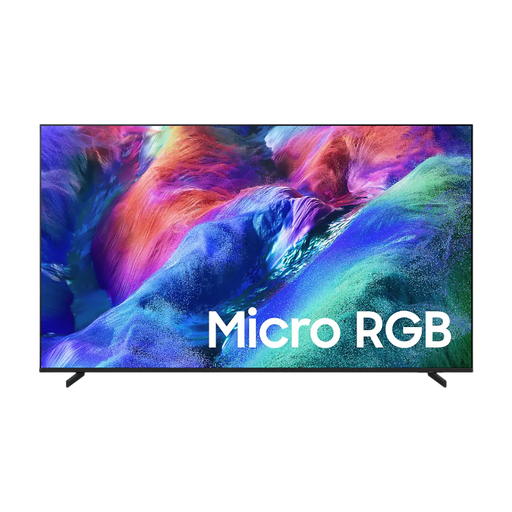 No image available
A 55-inch option to include in your comparison for a shared gaming space.
The product name lists Micro RGB, 4K and Vision AI.
 No image available
An option for gaming together if a 55-inch screen fits your room.
The product name lists QLED, 4K and 144 Hz.
 No image available
A 55-inch option to consider if this size suits your shared seating area.
The product name lists QLED, 4K, 144 Hz and VIDAA U9.
Not for 4K output from the original Switch: Nintendo Netherlands lists TV settings of up to 1080p. When comparing TVs, also look at features your other devices or uses can benefit from.
For the standard Switch, connect the HDMI cable to the dock’s HDMI OUT port and connect it to the TV; then select the correct TV input. According to Nintendo Netherlands, the Switch Lite doesn’t support TV mode.
Compare consumption per 1,000 hours and the HDR consumption information on the energy labels for the exact models. Energielabel.nl explains this information on the television label.
If a fault occurs during normal use, the seller must provide an appropriate free solution, according to ACM ConsuWijzer. Online purchases generally come with a 14-day cooling-off period after delivery; terms and exceptions may apply. Check the rules for your specific purchase.
The EU energy label is mandatory for appliances covered by the labelling rules. The Dutch television label includes information such as the energy rating and consumption per 1,000 hours; check the details for the exact model.