First, measure your viewing distance and available space, then check the picture from both seats. When you play together, this may matter more than the highest refresh rate. A compact OLED TV could be a good fit if viewing angles and contrast are your priorities and reflections are limited. If there’s a lot of daylight, an LCD or Mini LED TV is also worth comparing. Check the gaming features and connections against the console or PC and the games you use.
Who is this choice for?
Players sharing a small sofa
You play together in a small living room and want a screen size that lets both players follow the text and game details, even if one of you is sitting at an angle. When choosing a TV, the Consumers’ Association (Consumentenbond) recommends considering factors such as viewing distance.
Players in daylight
You often play in daylight or with windows in view, so you want to take reflections and visibility from both seats into account. The Consumers’ Association highlights viewing angle and brightness as factors to consider with different screen technologies.
Console or PC players
You want to choose features that match the output of your device and games, rather than looking only at the TV’s maximum refresh rate in Hz. For example, Team17 lists 60 fps for Overcooked! All You Can Eat on the newer consoles mentioned.
What should you look for?
| Factor to consider |
What should you check? |
Who is this important for? |
| Screen size and viewing distance |
Measure the distance to the screen and check the TV’s width and stand. The Consumers’ Association suggests dividing the viewing distance by 2.4 as a guide to the screen diagonal in centimetres. |
If space is tight, I want the TV to fit and the game text to remain readable from the sofa. Around 31% of consumers prioritise screen size and viewing distance. |
| Visibility for both players |
Check text and dark details from both seats; with split-screen, make sure both play areas are easy to see. For example, It Takes Two offers split-screen play for co-op. |
When we play side by side, I want to make sure no one has to move to an awkward seat to follow the game. Around 25% of consumers prioritise visibility from both seats. |
| Reflections and room lighting |
Check the position of windows and lights, and assess reflections under the lighting you play in. Don’t automatically assume that results from a US test model also apply to a Dutch version. |
If I often play during the day, I want to see the game clearly despite the light in the room. Around 19% of consumers give the greatest weight to reflections and daylight. |
| Gaming responsiveness and connections |
Check the output of your console or PC, the features supported by the HDMI port you use and the game mode. A game running at 60 fps won’t make full use of a 144Hz specification. |
When I connect a console or PC, I want features that my games will actually use. Around 13% of consumers mainly choose based on gaming responsiveness and compatibility with their own equipment. |
| Installation and energy consumption |
Check whether the stand will fit or if you need a suitable wall bracket, and compare the EU energy label for the exact model. The label also gives information about HDR energy consumption. |
When I choose a TV for a particular spot, I also want to know what installation involves and what energy consumption is shown on the label. Around 12% of consumers mainly consider installation and energy consumption. |
Common mistakes
-
Making the highest Hz rating the deciding factor
A TV may support a higher refresh rate than your game or console can output. Team17 lists 60 fps for Overcooked! All You Can Eat on the newer consoles mentioned.
Before factoring in a higher Hz rating, check the game and device output, the capabilities of the TV input and the game mode settings.
-
Assuming OLED or QLED looks good from every seat
The Consumers’ Association generally describes OLED as having a wider viewing angle and deeper blacks, while QLED is often brighter. That doesn’t automatically tell you how a particular model will look from the seats at the side or when reflections are present.
Check the picture from both seats and in the lighting you usually play in.
-
Ignoring OLED image retention or treating it as inevitable
In a 2022 article, the Consumers’ Association described temporary image retention after static elements had been on screen for a long time, but expected little risk of major problems with normal, varied viewing. This isn’t a measurement of any current specific model.
Break up long periods with static screens and consider how often your games display fixed interface elements.
-
Overlooking installation and energy consumption
Your chosen set-up may affect what you need for installation; for example, wall mounting may require a suitable bracket.
Check the installation instructions for the exact TV and bracket, and look at the energy label for that model.
Brands to consider
LG
The Dutch OLED42C68LA is a compact 42-inch OLED option for anyone considering viewing angle and contrast.
- LG lists gaming features of up to 4K/165 Hz for this model. These are manufacturer specifications, not an independent measurement of this version.
- Assess reflections in your own room and bear image retention in mind if you play games with static images for long periods.
Samsung
The Dutch QE43QN90FATXXN is a compact 43-inch Neo QLED Mini LED option.
- Samsung confirms the model identity and Mini LED technology.
- A QLED label or stated brightness alone doesn’t tell you how the picture looks from both seats; check the viewing angle of the model itself.
Philips
According to Philips, the Dutch 43PUS9000/12 combines a 43-inch QLED screen with Ambilight and gaming features.
- Philips lists VRR up to 144 Hz and Ambilight for this model.
- Ambilight doesn’t prove that text on a shared or split screen will be easier to read.
Sony
The BRAVIA 3 II is a Dutch 43-inch 4K/Google TV option for anyone who also considers everyday TV use.
- Sony confirms the Dutch series and version.
- Sony’s general gaming guide applies only to specific products. Don’t attribute features such as 4K/120 Hz, VRR or Auto Game Mode to this version without checking the exact model.
Joybuy products
This selection includes compact 42- and 43-inch TVs for gaming. Check each model to make sure its connections and listed gaming features suit your own console, PC and games.
 No image available
LG OLED42C68LA 42-inch 4K OLED Smart TV
A compact OLED option if you’re looking for a 42-inch screen and want to use gaming features with compatible equipment.
The product title lists 4K, Dolby Vision, HDR10, Dolby Atmos and HDMI 2.1. The product information lists ALLM, VRR and AMD FreeSync; check compatibility with your equipment.
Potential image retention remains a consideration if game elements stay on screen for long periods; this isn’t a model-specific measurement.
View at Joybuy
 No image available
LG 43NU800B6LC 43-inch 4K Smart TV
A 43-inch option to compare if you’re looking for a compact 4K screen and gaming features.
The product title lists 4K; the product information lists ALLM and VRR up to 60 Hz.
View at Joybuy
 No image available
Philips 43PQS7801 43-inch 4K QLED Smart TV
A 43-inch QLED option for anyone looking to compare a compact 4K screen with other screen technologies.
The product information lists 4K, QLED and HDR10+.
View at Joybuy
 No image available
METZ 43MQF7500Z 43-inch 4K UHD QLED Google TV
A 43-inch QLED model to include in your comparison of compact gaming TVs.
The product title lists 4K UHD, HDR10+, Dolby Vision and Dolby Atmos. The product information lists HDMI 2.1, VRR and MEMC; check that the features suit your equipment.
View at Joybuy
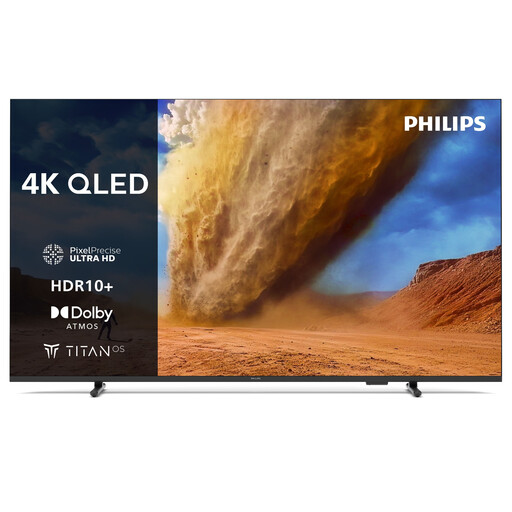 No image available
Philips 43PUS7800 43-inch 4K QLED Smart TV
A compact 43-inch QLED option for anyone who wants to check gaming features on their own devices.
The product information lists 4K, HDMI 2.1 and VRR.
View at Joybuy
Frequently asked questions
Do you need 120 Hz for co-op puzzle games?
No. First, check the output of your game and console or PC. Team17 lists 60 fps for Overcooked! All You Can Eat on the newer consoles mentioned, so a TV with a higher maximum refresh rate won’t automatically make that game run at 120 fps.
How can I tell whether a 42- or 43-inch TV will fit in my living room?
Measure the distance between the seats and the planned screen position, and check the available width of your furniture or wall. The Consumers’ Association suggests dividing the viewing distance by 2.4 as a general guide to the screen diagonal in centimetres. Then check with both players that the game text is easy to read.
What should I check before wall-mounting a TV?
Check the instructions for the exact TV and bracket, including the screw holes and whether the wall is suitable. Sony warns of a risk of injury with its 2026 models and recommends installation by an authorised installer. This is manufacturer advice for those models, not a general legal requirement for installation in the Netherlands.
Which energy label applies to TVs in the Netherlands?
Televisions use the EU energy label for electronic displays, with a scale from A to G. The European Commission states that the label also gives information about HDR energy consumption, screen diagonal and resolution. Compare the label for the exact model.
What are my rights in the Netherlands if the TV turns out to be faulty?
If a product is faulty, you can contact the retailer for a solution. According to the Dutch government, the retailer can’t simply refer you to the manufacturer and must resolve the problem or contact the manufacturer on your behalf.


