
A quiz-loving family with lots of light from windows
You play during the day and want to read questions and answers without having to block out the tall windows completely. RTINGS explains why both brightness and reflection handling matter.


For family quizzes with tall windows, choose a TV that’s easy to read from your seats. Compare both brightness and how well the exact model handles direct reflections. RTINGS emphasises that reflection handling depends on more than the screen finish; check the viewing angle too if people will be sitting in different places. A high refresh rate matters most if you also play games that benefit from it.
You play during the day and want to read questions and answers without having to block out the tall windows completely. RTINGS explains why both brightness and reflection handling matter.
You want people sitting at an angle to the screen to be able to follow the quiz. RTINGS discusses how viewing angles can vary between panel types.
As well as quizzes, you’re looking for a TV that suits games where responsiveness and the connection to your gaming device matter. RTINGS highlights low input lag as an important consideration for gaming.
Start by considering the daylight and where you’ll put the TV. Then check whether questions remain easy to read from the seats furthest away. Factor in extra gaming features if you’ll use the TV for other games too.
| What to consider | What to look for when buying | Who is this important for? |
|---|---|---|
| Readability in light from windows | Compare the brightness and reflection handling of the exact model. Assess reflections with a light source positioned roughly where the windows are. | If you want to read quiz questions during the day without completely blocking out the windows, focus on visibility in daylight. Around 36% of consumers say readability in daylight is their main concern. |
| Visibility from different seats | Check small answer options from the seats furthest away and look up the viewing angle of the exact model. | If people will be sitting in different places, you want everyone to be able to follow the questions from their seat. Around 29% of consumers prioritise visibility from different seats. |
| Responsiveness for other games | Check for a Game Mode or ALLM and look up the input lag. Only consider VRR and HDMI modes if your gaming device needs them. | If you play other games as well as quizzes, look for a responsive picture and features that suit your gaming device. Around 21% of consumers give gaming responsiveness top priority. |
| Energy use and terms | Compare the EU energy label for the exact screen size and check what installation is included by the retailer you choose. | If you want to factor in energy use and the practicalities of buying, compare the labels and installation terms for each model. Around 14% of consumers put these considerations first. |
Brightness and handling direct reflections are two different things. A bright picture doesn’t automatically mean reflections from the windows will be less noticeable.
Compare both features for the exact model and assess the TV where you plan to put it.
The viewing angle can affect how the picture and text look from the side, and not everyone will be sitting directly in front of the screen.
Check questions and small answer options from the seats furthest away too.
The Dutch government states that the Netherlands has no fixed statutory warranty period. A manufacturer’s warranty doesn’t automatically give you all the rights that may apply if a product is faulty.
Check what any additional warranty covers, and remember that the retailer is your point of contact if there’s a fault.
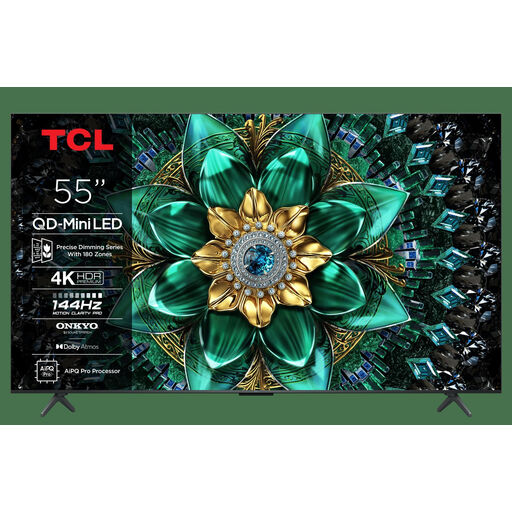
The Dutch-market TCL 55C7K is a QD mini-LED model worth comparing if daylight is an important factor.
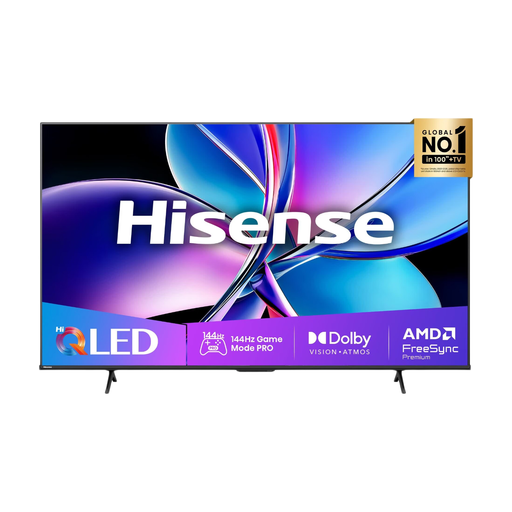
According to Hisense, the Dutch-market 55U7Q PRO combines mini-LED with gaming features, making it a model to compare with other options.
The Dutch-market BRAVIA 5 K55XR52BP.CEI is a 55-inch mini-LED TV with Google TV to include in your comparisons.
The OLED55G55LW offers an OLED option if you’re also considering other content and games alongside quizzes.
These Joybuy picks include mini-LED TVs for a bright room and an OLED model to compare if seating positions or other uses are also important.
 No image available
The QD Mini LED designation makes it a match for the bright-room option. The listed gaming features are useful if you play other games too.
55 inches; 4K; 144 Hz; VRR; HDMI 2.1; Google TV.
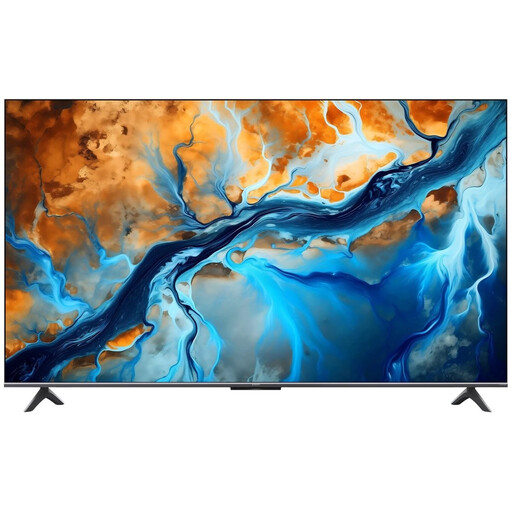 No image available
The Mini LED designation makes this a model to compare for a bright room. Assess reflections on the model where you plan to put it.
Mini LED; 4K; 144 Hz; Google TV.
 No image available
The Mini LED designation and listed gaming features make this model worth comparing for quizzes and gaming on the side.
55 inches; 4K; 144 Hz; FreeSync Premium Pro; HDMI 2.1; Google TV.
 No image available
The listed gaming features make this a model to compare if you play other games as well as quizzes.
55 inches; 4K; 144 Hz; FreeSync Premium; VIDAA U9.
 No image available
This OLED model is an alternative to compare if seating positions and other uses matter too; RTINGS says mini-LED is often better suited to bright rooms.
55 inches; 4K; 120 Hz native; VRR up to 165 Hz; ALLM; Game Optimizer.
With OLED, remember to consider the trade-off around static image elements too.
No. The screen finish alone doesn’t determine how a TV handles direct reflections and ambient light. RTINGS recommends assessing the performance of the exact TV in a similar lighting setup.
Not for the quiz alone. A higher refresh rate and VRR are mainly relevant if your connected gaming device and other games use these features. For quizzes, also consider readability and responsiveness in Game Mode.
Check where the windows are reflected on the screen and view the picture from the seats furthest away. Window coverings can reduce reflections; also follow the placement and safety instructions for your specific TV.
Compare the EU energy labels for the exact models and screen sizes. The European Commission explains that a screen’s energy use on the label is shown in kWh per 1,000 hours. To work out your own costs, you’ll also need your usage and electricity tariff.
No. According to the Dutch government, the Netherlands has no fixed statutory warranty period; you’re entitled to a product that does what you can reasonably expect it to do. If there’s a fault, contact the retailer. The manufacturer’s warranty is in addition to this.