What should you look for when buying?
Choosing between LCD or mini-LED and OLED depends largely on where you’ll put the TV. First, consider the ambient light and seating positions, then check that the gaming features suit your source device.
LCD, QLED or mini-LED
A good fit if: gaming during the day and clear visibility in a bright room are high priorities.
Bear in mind: brightness alone doesn’t tell you how well the screen handles reflections. Viewing angles and contrast vary by model.
OLED
A good fit if: wide viewing angles and deep blacks matter to you, for example when you have several seating positions.
Bear in mind: with OLED, you should still check reflections and brightness where you plan to put the TV. The technology isn’t automatically right for every bright room.
| What to consider |
What should you check? |
Who should pay particular attention? |
| Visibility and reflections |
Check where the windows and lights are in relation to the screen, and compare the brightness and reflection handling of the exact model. |
If I play during the day, I want the picture to remain clear where my TV is positioned, without being overpowered by reflections; around 36% of consumers prioritise visibility in daylight. |
| Response during fast action |
Check the gaming mode, input lag, HDMI connection and support for the output you want from your source device and games. |
If I want to react quickly to what’s happening in a sports game, I look for gaming features that suit my console or PC; around 29% of consumers prioritise responsiveness in games. |
| Picture from different seats |
Check the viewing angle from the seats furthest to the side, and match the screen size to your viewing distance. |
If we play together from different places on the sofa, I want everyone to be able to see the screen clearly; around 21% of consumers prioritise watching together. |
| Energy use and additional costs |
Compare the energy label for the exact model, including SDR and HDR consumption per 1000 hours, and check any installation costs and warranty terms before ordering. |
If I want to factor in the costs after purchase, I compare energy consumption and any additional services; around 14% of consumers prioritise running costs. |
Joybuy TVs for this situation
These Joybuy products include OLED and LCD/mini-LED TVs with listed gaming features for sports games. Compare their sizes and connections with your living room and source device.
 No image available
LG OLED55G68LW 55-inch OLED evo AI G6 4K Smart TV
A 55-inch OLED option to compare if you’re weighing up gaming features and a size to suit your viewing distance.
The product name lists 120 Hz and VRR up to 165 Hz. This version has an integrated wall mount; a tabletop stand is not included.
View at Joybuy
 No image available
LG 55QNED93B6A 55-inch QNED Evo AI Mini LED 4K Smart TV
A 55-inch mini-LED option to compare with OLED if you’re considering an LCD TV for a bright living room.
The product specifications list a native 120 Hz refresh rate, VRR up to 144 Hz, ALLM and four HDMI inputs.
View at Joybuy
 No image available
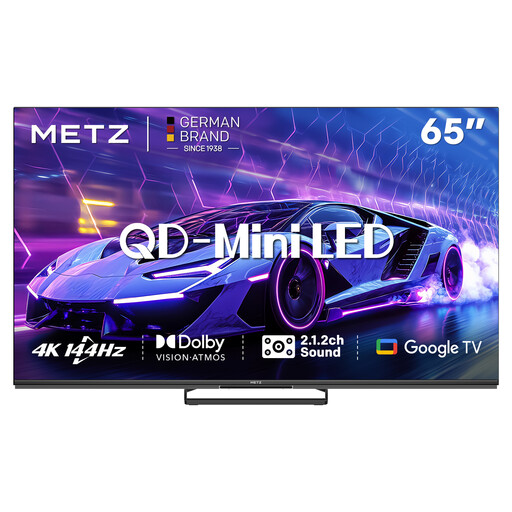
METZ 65MNE8000Z 65-inch QD-Mini LED Google TV
A 65-inch QD mini-LED option to compare if you’re looking for a larger screen and gaming features.
The product specifications list 4K, 144 Hz, HDMI 2.1, VRR and ALLM.
View at Joybuy
 No image available
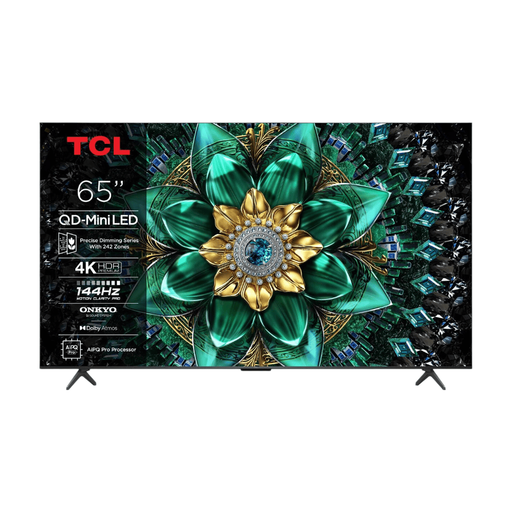
TCL 65Q6C 65-inch 4K QD-Mini LED TV
A 65-inch QD mini-LED model to include in your comparison for fast-paced sports games.
The product name lists 144 Hz; the product specifications include HDMI 2.1, ALLM and VRR.
View at Joybuy
 No image available
TCL 75Q7C 75-inch 4K Mini-LED Smart TV
A 75-inch mini-LED option to compare if you’re considering a large screen for your living room.
The product specifications list QD mini-LED, HDMI 2.1, ALLM and 144Hz VRR.
View at Joybuy
Frequently asked questions
Do I always need more than 120 Hz for arcade sports games?
No, not based on the refresh rate alone. Check what your console or PC and the game support. PlayStation describes 120Hz output for TVs and games that support a 120 Hz frame rate. Also consider the gaming mode and input lag.
How can I check whether my PS5 recognises the TV’s gaming features?
On your PS5, go to Settings > Screen and Video > Video Output and view the information for the connected HDMI device. PlayStation lists details there about resolution, VRR and HDR. 120Hz output and ALLM also depend on support from the TV and game.
What does the energy label tell me about a TV’s energy use?
The energy label shows consumption in kWh per 1000 hours, including for HDR. You can use it to compare specific versions. Your viewing hours and electricity tariff will also affect your personal costs.
What if the TV doesn’t work properly and I don’t have an extended warranty?
In the Netherlands, statutory warranty applies alongside any manufacturer’s or retailer’s warranty. If the TV doesn’t meet what you could reasonably expect under normal use, the retailer is responsible for providing an appropriate solution at no cost. This doesn’t mean there’s a set warranty period for every TV.
Can I return a TV bought online if it turns out not to suit my living room?
When you buy from a business online, you generally have a statutory cooling-off period of up to 14 days after delivery. ACM ConsuWijzer gives buying a new TV from a web shop as an example. Check the applicable terms and how you’re allowed to handle the product while trying it out.


