Which factors should you consider when choosing a gaming TV?
Start with the light in the room and where people will be sitting. Then compare the gaming features your console and games can actually use.
| What to consider |
What should you look for? |
Who is this important for? |
| Picture visibility in daylight |
Compare both reflection handling and brightness for the exact model. Consider where windows and lamps are in relation to the screen; RTINGS.com treats reflections and brightness as separate features. |
When I play during the day, I want to see the game clearly without having to darken the room first. Around 33% of consumers give reflections and daylight their highest priority. |
| Picture quality across the sofa |
Check the horizontal viewing angle of the exact model and assess the picture from both ends of the sofa. RTINGS.com discusses viewing angle as a relevant feature for wide seating arrangements. |
When several of us are sitting on a wide sofa, I want a clear view from the outer seats too. For around 27% of consumers, viewing angle comes first. |
| Responsiveness and gaming features |
Compare input lag in Game Mode at the resolution and refresh rate you use, and check that both your console and game support the output you want. Nintendo states that the Switch 2 in TV mode supports up to 4K at 60 fps, or 120 fps at 1080p or 1440p. |
When I play fast-paced platform games, I want to know which features my console and games can really make use of. Around 20% of consumers give responsiveness and console compatibility their highest priority. |
| Screen size and running costs |
Choose a screen size that suits your seating arrangement and compare the energy labels of specific models, including their SDR and HDR figures. The European Commission outlines the applicable EU energy-labelling rules for electronic displays. |
For a shared TV, I want a size that suits our living room, and running costs are also a consideration. For around 20% of consumers, screen size and cost come first. |
Gaming TVs at Joybuy
This selection of Joybuy products includes different screen types and sizes for console gaming. Compare the listed specifications with the light in your living room, your seating arrangement and your console.
 No image available
LG OLED55C68LA 55-inch OLED Evo AI 4K TV
An option to compare if you’re looking for a 55-inch OLED TV and want the listed gaming features to match your console.
The product name lists 4K, native 120 Hz and VRR up to 165 Hz.
Joybuy
 No image available
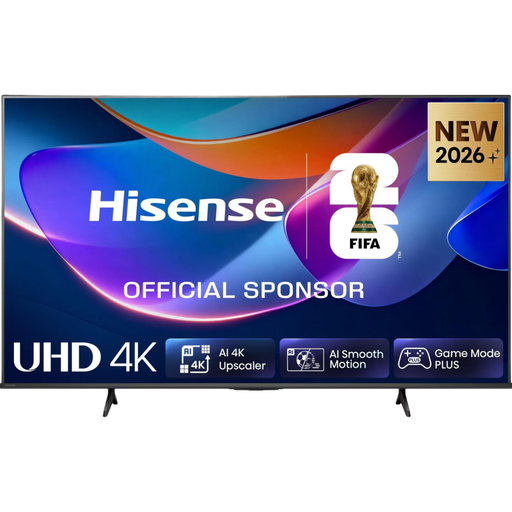
Hisense 65A6S 65-inch 4K LED TV
Compare this model if you’re looking for a 65-inch TV and want to see whether its stated 60 Hz suits your console and games.
The product name lists 4K, LED and 60 Hz.
Joybuy
 No image available
Samsung QE55S99HATXXN 55-inch QD OLED TV
An option to compare if you’re looking for a 55-inch QD OLED model; check how the screen looks in the light conditions in your living room.
The product name lists QD OLED and 55 inches.
Joybuy
 No image available
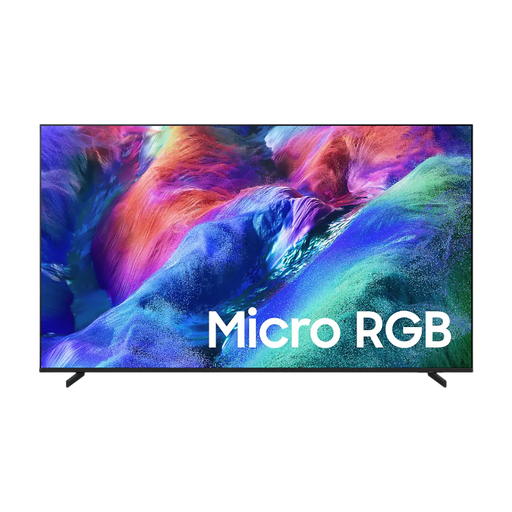
Samsung 55-inch Micro RGB R85H 4K TV
Compare this 55-inch model with other TVs if its size and stated 4K resolution suit your setup.
The product name lists Micro RGB and 4K.
Joybuy
 No image available
TCL 75Q7C 75-inch 4K Mini-LED TV
Compare this model if a 75-inch screen suits your living room and you want to match its stated refresh rate to your console.
The product name lists 4K, Mini-LED and 144 Hz.
Joybuy
Frequently asked questions
Do I always need a 120 Hz TV for platform games?
No, it depends on the output supported by your console and game. Nintendo states that the Switch 2 in TV mode supports up to 4K at 60 fps, or 120 fps at 1080p or 1440p; these maximums don’t mean every game uses them.
What should I set up after connecting my console?
Select the correct TV input and switch on Game Mode while gaming. Compare input lag at the resolution and refresh rate you actually use, as measurements can vary between signals.
How do I compare TVs’ energy consumption?
Compare the energy labels of the models you’re considering. The European energy label for TVs includes energy information for SDR and HDR; your running costs will also depend on how long you use the TV and your electricity tariff.
Who should I report a fault to, and how long does the statutory guarantee last in the Netherlands?
Report a faulty product to the retailer. According to the Dutch government, there is no fixed statutory guarantee period in the Netherlands; what you can expect in terms of a product’s lifespan depends, among other things, on the product, its price and the information provided. A manufacturer’s warranty doesn’t replace these rights.


