
Player with limited seat space
Wants to play a strategy game on their lap or in their hands without taking up much room. They compare screen size and weight with how easy the game map is to read.


Start by checking whether the specific strategy game you want is available on the tablet and works offline while you’re on the move. A compact screen is easier to hold, while a larger one gives you more room for maps and menus but takes up more space and may be heavier. Assess battery life using tests carried out under similar conditions: a quoted video playback time won’t tell you how long you can play your game.
Wants to play a strategy game on their lap or in their hands without taking up much room. They compare screen size and weight with how easy the game map is to read.
Wants to keep playing during the journey and checks whether their chosen game can be played offline. Streaming from a computer is a different way to play.
Prioritises space for maps, text and menus over compactness, and wants to know whether the tablet can be supported while playing.
First check compatibility and offline use. Then compare screen size, portability and battery life for your journey.
| What to consider | What to look for | Who this matters to |
|---|---|---|
| Game and offline use | Check whether the exact title is available for iPadOS or Android and whether it works offline. | If I want to keep playing without a connection during the journey, I check the game version and offline requirements in advance. Around 31% of consumers prioritise compatibility and offline use. |
| Comfort to hold and readability | Check the interface on the screen size you’re considering and compare the weight of the exact model. | If I’m using the tablet on my lap or in my hands for a long time, I weigh portability against how easy maps and menus are to read. Around 25% of consumers prioritise ease of handling. |
| Playing without recharging | Where possible, look for tests carried out under similar conditions, and try the game using the settings you want. | For a long journey with no access to a power supply, I want to know how my own game affects the battery. Around 25% of consumers prioritise playing time without recharging. |
| Performance you can use | Check the game’s requirements and look at tests of the exact model; then decide what suits your budget. | If I don’t want to pay for features my game doesn’t need, I compare the title’s requirements with the model’s specifications. Around 19% of consumers prioritise balancing cost with useful performance. |
With Steam Remote Play, the game runs on another computer and is streamed to the device you’re using. That’s not the same as installing the game directly on the tablet.
Check whether there’s a suitable tablet version of each title and whether it works offline. Test it before you set off.
A quoted video playback time isn’t the same as the playing time for a specific game. A 165 Hz refresh rate also doesn’t prove that a strategy game will make use of it.
Look for tests using your game and similar settings, or try the title yourself on the exact model.
A larger screen can give you more room for the game interface, but weight and the space you’ll need also matter on a coach journey. Apple Netherlands lists the iPad mini Wi-Fi at 293 grams and the 11-inch iPad Air Wi-Fi at 464 grams; OnePlus lists the Pad 3 at 675 grams.
Compare both screen size and weight, and think about where you can rest the tablet while playing.
The iPad mini and 11-inch iPad Air offer different screen sizes for games available on iPadOS.
The Legion Tab Gen 5 is a compact Android option for anyone looking for an 8.8-inch screen.
The Galaxy Tab S11 is an Android option with a screen of around 11 inches; the model mentioned here is the Wi-Fi version with 512 GB of storage.
The Pad 3 is a large Android option for anyone who values screen space over holding the tablet for long periods.
These Joybuy picks are Android tablets with larger screens, for anyone who wants more room for the game interface when playing strategy games. Check compatibility and offline requirements for each game: screen size or processor name alone doesn’t prove how well a game will perform.
 No image available
The screen size may suit anyone who wants plenty of room for the game map. Bear in mind where you’ll rest the tablet while playing.
According to the product name: 14-inch screen with 2240 × 1400 pixels, MediaTek Helio G100, 128 GB of storage and Android 15.
 No image available
The 12-inch model is worth considering if you’d like more room for the game interface than a compact tablet can offer.
According to the product name: 12-inch FHD+ screen, Helio G100, 32 GB (8 GB + 12 GB virtual) RAM, 256 GB of storage, Android 15 and a SIM card slot.
 No image available
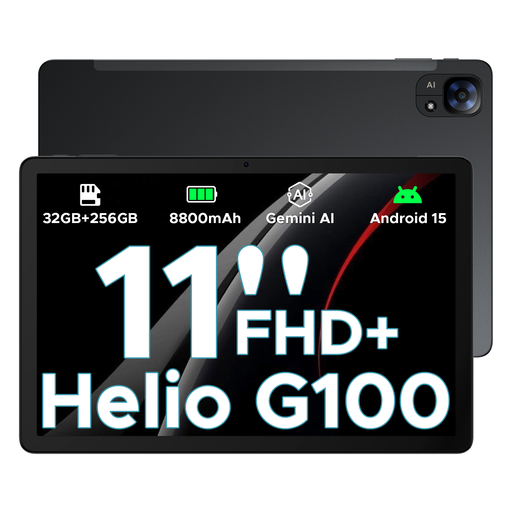
This 11-inch model offers a mid-sized screen for travelling. Decide for yourself whether your game’s interface is easy to read on it.
According to the product name: 11-inch FHD+ screen, 90 Hz, Helio G100, 32 GB + 256 GB/2 TB and Android 15.
 No image available
The 12.1-inch screen may be a good fit if space for maps and menus matters to you; screen size alone doesn’t tell you how well your game will perform.
According to the product name: 12.1-inch 2.5K screen with 120 Hz, Snapdragon 7 Gen 3, 8 GB RAM, 256 GB of storage and Google Play Store support.
Not through Steam Remote Play: the game runs on another computer and is streamed to the device you’re using. Check whether there’s a suitable tablet version of each title and whether it works offline.
Install and test the game before you set off, including any sign-in and offline use. A quoted video playback time won’t tell you how long the tablet can run your game with your chosen settings.
According to ACM ConsuWijzer, for a standard online purchase you generally have a statutory 14-day cooling-off period after the product has been delivered; exceptions may apply. You’re also covered by the statutory guarantee if a product doesn’t do what you could reasonably expect during normal use.
The Dutch government states that the USB-C requirement has applied to new tablets on the Dutch market since 28 December 2024. This doesn’t, by itself, tell you anything about charging capacity or older second-hand models.