
Player without reliable Wi-Fi
You want to install games in advance and keep playing during your stay. Before you set off, check that your game will launch offline and that you have enough free storage.


Start with the adventure games you want to play: check that they’re available for the tablet’s operating system and will launch without an internet connection once downloaded. Then choose a size and storage capacity that suit the way you’ll use it. A high refresh rate or quoted battery life alone won’t tell you how your game will perform or how long you’ll be able to play.
You want to install games in advance and keep playing during your stay. Before you set off, check that your game will launch offline and that you have enough free storage.
You want to weigh up performance, screen size and comfort when holding the tablet. A high refresh rate alone doesn’t tell you how many frames your chosen game will actually display.
You mainly play less demanding games and want a size and model that suit the way you use your tablet. First, check that your games will work on the model you choose.
First check whether your games are available and work offline; then compare storage, the screen and the hardware. That way, you can judge a tablet by what you want to do with it, rather than by individual specifications alone.
| What to consider | What to look for | Who should pay extra attention? |
|---|---|---|
| Offline play and storage | Check platform compatibility, download size and internet requirements for each game. Install and test the game without Wi-Fi before you set off. | If I don’t want to rely on Wi-Fi at the holiday cottage, I want to know in advance whether my games will launch offline and whether there’s enough space for them. Around 33% of consumers prioritise offline access and storage for downloads. |
| Performance in your chosen game | Check your game’s requirements and, where available, tests of the exact tablet model. Don’t assume a high refresh rate guarantees a particular in-game frame rate. | For demanding 3D adventures, I want to know how my chosen game runs on the tablet, not just what the figures on the box say. Around 27% of consumers give game performance top priority. |
| Screen size versus comfort when carrying | Compare the dimensions and weight of the exact model. Consider whether you’ll mainly play holding it or would prefer a larger display. | If I’m playing for a long time, I want a screen that makes text easy to read without the tablet becoming awkward to hold. Around 20% of consumers prioritise screen space and comfort when carrying. |
| Games and accessories | Check which games are available for your account and operating system, and see what’s included in the box. For example, Xiaomi states that the Pad 8 doesn’t include a power adapter. | I want to know in advance whether my existing games will work and whether I already have a suitable adapter, so I can use my tablet as soon as I arrive. Around 20% of consumers pay particular attention to games and the accessories they need. |
A screen specification doesn’t tell you how many frames your chosen game will actually display. Xiaomi warns that the stated refresh rate may vary depending on the app and game image quality.
Check the game’s requirements and, where available, look for tests of the exact tablet model you’re considering.
Installing a game doesn’t automatically mean it will launch without an internet connection. Availability and internet requirements vary by game and platform.
Download the game and test whether you can launch and play it without Wi-Fi before you set off.
You may not have a suitable power adapter; Xiaomi states that one isn’t included with the Pad 8. Switching from iPadOS to Android may also mean having to buy paid apps again.
Check what’s in the box and whether your games are available on the platform you’ve chosen before settling on a model.
The model and variant details need to match. If in doubt, check the full model information before relying on any specifications.
Compare the model name and variant with the manufacturer’s information.
An iPadOS option if your adventure games are available in Apple’s range.
The Legion Tab Gen 5 is a compact Android option to compare if you’re looking for a tablet that’s easy to hold.
The Pad 8 is a larger Android option to compare if you’d like more screen space while playing.
The Galaxy Tab S11 series is an Android option to consider if you want to weigh up features for other tablet activities as well as gaming.
These Joybuy products include tablets running iPadOS and Android, with a range of screen sizes and storage capacities to take to a holiday cottage. Check that your games are available and work offline on each model.
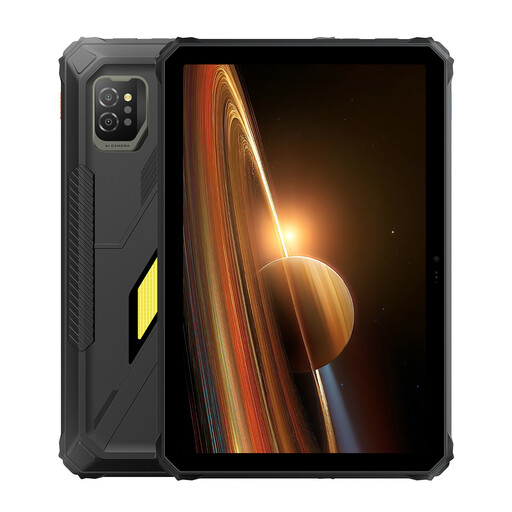 No image available
An 11-inch tablet for anyone who wants a larger screen and plenty of room for game installations.
The product information lists an 11-inch IPS screen, 128 GB of internal storage and Android 15.
 No image available
An iPadOS model to consider if your preferred adventure games are available for iPad.
The product title lists an 11-inch screen and 256 GB of storage.
 No image available
An iPadOS model with a larger screen, if your preferred games are available for iPad.
The product title lists a 13-inch screen and 128 GB of storage.
 No image available
An Android tablet to consider if you want room for several game installations.
The product title lists 12 GB of RAM and 512 GB of storage.
 No image available
An Android tablet to compare if you’d like mobile connectivity as well as Wi-Fi.
The product title lists 5G, 8 GB of RAM and 256 GB of storage.
No. An installed game won’t necessarily work offline. Check the game’s requirements and test whether you can launch it without a connection before you set off.
Install your games while you have a working internet connection, then test whether they’ll launch offline. Also check that you have enough storage for the downloads you want to take with you.
Your gaming battery life depends on factors such as the apps you use, screen brightness and network conditions. According to the European Commission, the energy label measures battery life under standardised conditions; it doesn’t guarantee the same playing time at your holiday cottage.
No. European USB-C rules allow products to be sold without a new charger and require information about charging capabilities. Check the packaging and whether your own adapter is suitable; Xiaomi, for example, states that the Pad 8 doesn’t include a power adapter.
Slate tablets placed on the market under EU rules from 20 June 2025 must carry an energy label with information including energy efficiency, battery life and repairability. Check whether the rules apply to the exact model.