
Vandaag of morgen in huis

Kwaliteit gegarandeerd

Welkomstaanbiedingen ontgrendelen: GRATIS bezorging | Tot 80% korting | Gratis 30 dagen JoyPlus-proefperiode
Download de app
Buying a gaming PC seems straightforward until you start comparing processors, graphics cards, RAM and storage. A low price may look appealing, but a less suitable combination of components can lead to limited performance, insufficient storage or costly upgrades later on.
For gamers, streamers, students and home users, three pitfalls are particularly important:
The graphics card, also known as the GPU, processes the visuals in your games. For 1080p, systems with an RTX 5050 or RTX 5060 are designed for modern games according to the stated product configurations. If you play at 1440p or want to use ray tracing, you may wish to consider an RTX 5060 Ti gaming PC or RTX 5070 gaming PC.
Pay attention to the following:
Both a Ryzen gaming PC and an Intel gaming PC can be suitable. Don’t just look at the brand name; check the exact model and the number of cores and threads.
Also check the memory type. DDR5 is newer than DDR4, but the overall system balance and upgradeability are at least as important.
A powerful PC needs sufficient airflow. A compact case saves space, but may offer less room for additional storage or larger coolers. Therefore, check:
The included power supply or power cable is not described in the same way for every product. Check the package contents before purchasing. Some product listings state that a charger is not included as standard; for a desktop, it is particularly important to check that the correct power cable is included.
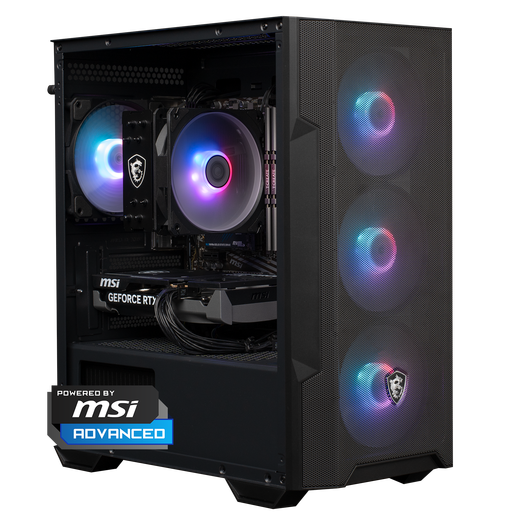
Why it suits this profile: This ready-built gaming PC combines a Ryzen 5 5500, RTX 5060, 16 GB DDR4 and 1 TB NVMe storage. It is a straightforward option for anyone who wants to start gaming without building their own PC.
The specifications list not only RGB, but also the GPU, CPU, RAM, SSD and power supply. The 1TB SSD avoids the limited storage found in many entry-level configurations.
RTX 5060 with 8 GB of video memory, 1TB NVMe storage, Windows 11 Home and a case with a mesh front.
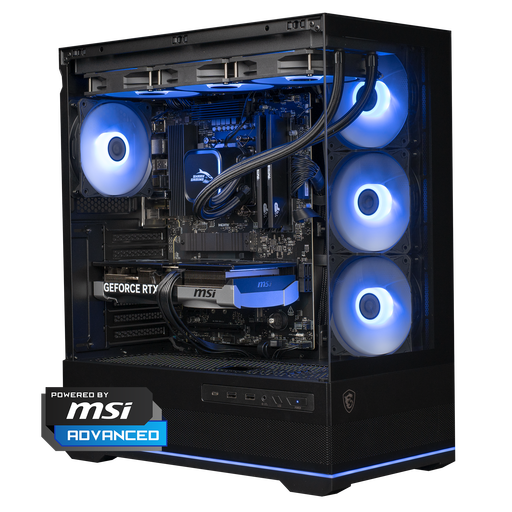
Why it suits this profile: The combination of Ryzen 7 7800X3D, RTX 5070 and 1TB NVMe is designed for gamers who value high settings, 1440p gaming and demanding applications.
The configuration includes a 360mm liquid cooler and a 750W power supply. However, check that the case fits your desk: its dimensions are 420 × 225 × 485 mm.
Ryzen 7 7800X3D, RTX 5070 with 12 GB of video memory, DDR5 RAM and Windows 11 Home.
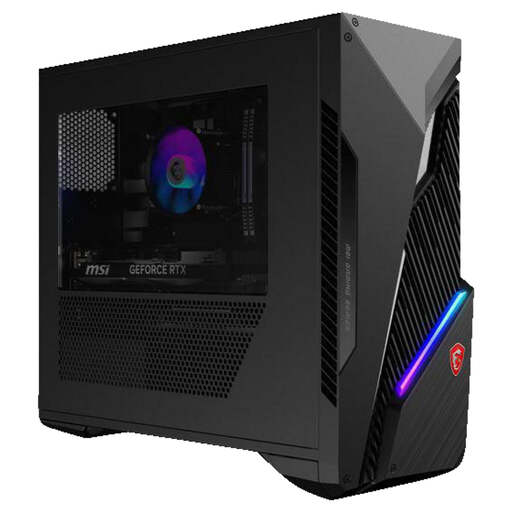
Why it suits this profile: This Intel gaming PC is a compelling option for anyone who streams, edits or runs multiple programmes alongside gaming.
The configuration lists 20 cores, 28 threads, 16 GB DDR5, an RTX 5060 Ti and two spare RAM slots. This makes upgrading more straightforward than with systems without spare slots.
Intel Core i7-14700F, RTX 5060 Ti 8 GB, 1TB SSD, Wi-Fi 6E and up to 64 GB RAM according to the product specifications.
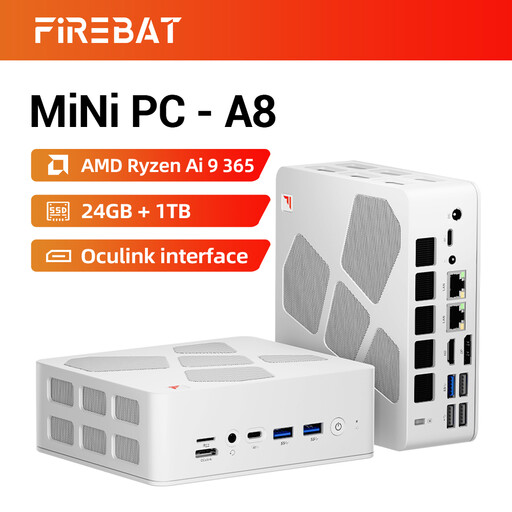
Why it suits this profile: A mini gaming PC is ideal for small workspaces, students and home users who want to connect multiple screens without a large tower.
The compact case is not presented as a full-size RTX desktop. The Radeon 880M is integrated, so check beforehand that your games are suitable for this graphics solution.
Ryzen AI 9 365, 24 GB DDR5, 1TB PCIe 4.0 SSD, USB4, Oculink and support for four 4K screens according to the product listing.
We’ve put together a complete, up-to-date list of products that fully meet these strict selection criteria and the applicable European safety regulations.
That depends on the combination of graphics card, processor and game settings. According to the product information, systems with an RTX 5060 are designed for 1080p and 1440p. For higher settings, ray tracing or a monitor with a high refresh rate, an RTX 5060 Ti or RTX 5070 may be the more logical choice. Always check benchmarks for the specific game and see whether DLSS is supported.
Consumption depends on the power supply, graphics card, processor and length of use. The wattage shown on the power supply, such as 400W, 500W, 650W or 750W, is the maximum power output and does not automatically indicate continuous consumption. Gaming generally uses more power than browsing or word processing. A plug-in energy meter will give you the most useful indication for your particular setup.
Its lifespan is affected by dust, temperature, intensity of use and future system requirements. A desktop with spare RAM slots, additional storage bays and an accessible case can be upgraded more easily. Clean ventilation openings with a dry cloth or compressed air, switch the PC off completely before carrying out maintenance and do not place it in an enclosed cabinet. Also check the warranty terms and your statutory consumer rights before ordering.
