Start by choosing your cycling app and checking its system requirements, your single monitor’s resolution and your PC’s connections. For climbs you can feel, you’ll also need a compatible turbo trainer that can control resistance; a more powerful graphics card won’t do that job. A more modest desktop may be suitable for cycling on a single screen, while extra graphics power is mainly useful if you also play other demanding games.
Who is this PC set-up for?
Climbing cyclist with a smart trainer
You want your trainer’s resistance to change as the route climbs or descends. Zwift Support explains that a connected, compatible smart trainer can adjust resistance, so check your trainer’s features and connections too.
Cyclist using a single fixed screen
You want to use your chosen cycling app on the monitor you already own. Check that the graphics card’s output matches the screen’s input, and choose picture settings that suit its resolution.
Cyclist who also games
You’ll also use the PC for games that may need more graphics power. Zwift Support notes that the GPU affects picture quality and frame rate, so compare the configuration with the games and settings you actually plan to use.
What should you look for?
Start with the app and trainer connection, then check that the PC suits your single monitor and any other uses you have in mind.
| What to consider |
What to check before buying |
Who should consider this? |
| Trainer and climbing resistance |
Check whether the exact trainer model can control resistance and which connections the trainer and app support. Also check whether Bluetooth is available or if you need a suitable receiver. |
If I want my trainer to respond to virtual hills, I check the trainer connection as well as the PC. Around 33% of consumers say trainer control is their top buying priority. |
| Compatibility with your cycling app |
Compare the operating system, processor, RAM and GPU of the exact configuration with your chosen app’s current requirements and the picture settings you want to use. |
I want my cycling app to run smoothly, so I look beyond the graphics card’s name. Around 27% of consumers put app compatibility first. |
| Connection to a single monitor |
Compare your monitor’s input with the output on the PC’s graphics card. Bear the screen’s resolution in mind when making your choice. |
I don’t want to discover after buying that my existing monitor’s connections aren’t compatible. Around 20% of consumers give screen connectivity top priority. |
| Total costs |
Work out what else you may need, such as a suitable trainer or connection accessory, and weigh the benefits of extra PC capacity against your other uses. |
I don’t want to pay for graphics power I won’t need for my cycling app or other planned uses. Around 20% of consumers make avoiding unnecessary spending their top priority. |
Common pitfalls when choosing
-
Confusing a powerful graphics card with climb simulation
The PC displays the route, but for changes in resistance you can feel, a compatible trainer needs to work with the app.
Check the exact trainer model and supported resistance connection before spending more on graphics power.
If your trainer doesn’t support the resistance connection you need, you may need a different compatible trainer.
-
Assuming every gaming PC has Bluetooth
The Azerty Elemental Ampere we reviewed doesn’t list Wi-Fi or Bluetooth as standard, while the Essential Ti does list Bluetooth 5.2. These differences apply to these configurations and shouldn’t be assumed to apply to other desktops.
Check the connection specifications for the exact model and compare them with your app and trainer’s requirements.
If it doesn’t have a suitable built-in connection, you may need a compatible separate receiver.
-
Considering only the PC when planning your set-up
A PC on its own won’t give you virtual climbs you can feel. You’ll also need a suitable trainer that’s correctly connected; your app may require a subscription too.
Check which equipment and app you’ll need before choosing a configuration.
Remember to allow for a trainer, connection accessory and subscription for your chosen app, if needed.
Brands to consider
Azerty
Azerty offers custom-built gaming desktops in a range of configurations.
- The Elemental Ampere we reviewed lists 16 GB RAM and an RTX 3050; the Essential Ti lists 32 GB RAM, an RTX 5060 Ti and Bluetooth 5.2.
- The Elemental Ampere we reviewed doesn’t have Wi-Fi or Bluetooth as standard. These specifications aren’t a performance test in Zwift or ROUVY.
MSI
MAG Infinite S3 desktops are available in configurations with different processors and graphics cards.
- MSI lists Bluetooth and graphics card options with DisplayPort and HDMI across the product family.
- The family specifications don’t confirm which combination is included in an individual model. Check the full model code and configuration.
HP
The OMEN 35L is a desktop range to consider if you’ll also use your PC for other graphics-intensive tasks.
- HP lists an RTX 5070 Ti and liquid cooling for the OMEN 35L GT16-0606nd.
- HP’s statements about cooling and performance are manufacturer claims. These specifications alone don’t show that this configuration is necessary for cycling on a single monitor.
Lenovo
The Legion Tower 7i Gen 10 is available in configurations designed for more demanding use.
- Lenovo lists configurations with an RTX 5080 and different amounts of RAM.
- Compare the specifications of the exact configuration; they don’t in themselves indicate any advantage for virtual climbing.
Gaming PCs at Joybuy
These gaming desktops are options to consider for cycling on a single screen. Before buying, check that the connections on the exact PC configuration are compatible with your monitor and trainer.
 No image available
Shark Max Bite R501 gaming PC
Worth considering for cycling on a single screen if the configuration meets your app’s system requirements; check the connections to your monitor and trainer.
Ryzen 5 5500, RTX 5060, 16 GB DDR4, 1 TB NVMe storage and Windows 11 Home.
Joybuy
 No image available
Gaming Desktop PC Ryzen 7 7800X3D, RTX 5080
Worth considering if you’ll use other graphics-intensive applications as well as cycling; check that this configuration meets your apps’ and monitor’s requirements.
Ryzen 7 7800X3D, RTX 5080, 32 GB DDR5, 1 TB NVMe storage and Windows 11 evaluation version.
The product description lists Windows 11 as an evaluation version; check which Windows licence or version is right for your needs.
Joybuy
 No image available
SHARK Max Bite R502 gaming PC
Worth considering for use with a cycling app on a single screen; compare the configuration with the app’s current requirements and check the monitor and trainer connections.
Ryzen 5 5500, Radeon RX 9060 8 GB, 16 GB DDR4, 500 GB NVMe storage and Windows 11 Home.
Joybuy
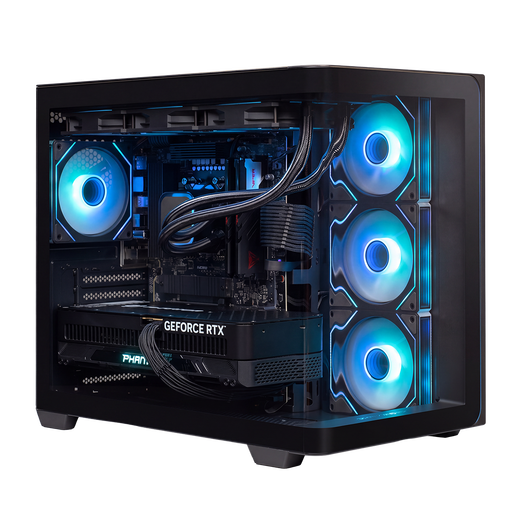 No image available
Almighty Shark R900 gaming PC
Worth considering if you’ll use other graphics-intensive applications as well as cycling; choose a configuration to suit those applications.
Ryzen 9 9900X3D, RTX 5090 24 GB, 32 GB DDR5 and 2 TB NVMe storage. Windows 11 Home.
Joybuy
 No image available
Almighty Shark R700 gaming PC
Worth considering if you’ll use other graphics-intensive applications as well as cycling; check that the configuration suits your needs and monitor.
Ryzen 7 9800X3D, RTX 5090 24 GB, 32 GB DDR5 and 2 TB NVMe storage. Windows 11 Home.
Joybuy
Frequently asked questions
Will a powerful gaming PC automatically give you climbs you can feel?
No. To feel the climbs, you need to connect a compatible smart trainer to the app so it can control resistance. Zwift Support explains that this type of trainer can simulate changes in terrain; check the features of your exact trainer model.
What should you check before installing ROUVY on your PC?
Compare your PC and operating system with ROUVY’s current system requirements, and check the trainer connection separately. ROUVY lists 8 GB RAM or more and Bluetooth 4.0+, among other requirements; its Windows requirements also mention an ANT+ dongle.
Should you allow for subscription costs?
Yes, if you choose a cycling app with a paid subscription. ROUVY lists a Single subscription; check the current price and terms when you sign up, and budget for the subscription separately from the PC and trainer.
What rights do you have when buying a PC online in the Netherlands?
For applicable online consumer purchases, ACM ConsuWijzer states that you generally have a 14-day statutory cooling-off period from delivery. Products must also be of satisfactory quality: in the Netherlands, there is no fixed statutory warranty period. These statutory rights are separate from any optional extended warranty.


