
3D terrain creator with limited space
You create terrain in Blender or a game engine and also need room for your monitor and controls. Compare the case size with the requirements of your own project.


A gaming mini PC is a sensible choice if you need to keep your computer on a small desk. A compact desktop or tower may be a better fit if you have room elsewhere for the case and want to compare the full configuration. For 3D work, Blender Foundation and Epic Games recommend 32 GB of RAM and 8 GB of graphics memory; these are not mandatory requirements for every terrain map. You don’t automatically need a powerful gaming PC to work with elevation maps in QGIS.
You create terrain in Blender or a game engine and also need room for your monitor and controls. Compare the case size with the requirements of your own project.
You mainly work with elevation data, raster data and relief maps. Before choosing a more powerful gaming PC, decide whether you also want to render a 3D scene.
You expect to work on larger projects or upgrade the memory later, and can place the case next to or under your desk. Compare the exact configuration, not just the series name.
Choose this option: if the computer needs to sit on your desk and the exact configuration suits your 3D software.
Keep in mind: check the model code, the RAM included and whether the GPU is a laptop GPU; a small case alone says nothing about performance.
Choose this option: if a separate case will fit on or beside your desk and you want to weigh up the configuration against the space available.
Keep in mind: measure the exact case; a desktop described as compact may still take up more space than a mini PC.
Choose this option: if the case can sit beside or under your desk and you care more about the configuration than having the smallest possible case.
Keep in mind: a tower needs more space; check that the configuration you choose will actually fit and see which components are included.
Start by considering the software you use and the space needed for your complete setup. Blender Foundation and Epic Games provide recommendations for RAM and graphics memory for 3D software. QGIS describes elevation analysis using elevation data, which is different from working with a rendered game world.
| What to consider | What to look for | Who it matters to |
|---|---|---|
| Space for your setup | Measure the case and allow room for your monitor, controls, cables and ventilation. | If I need to fit everything on a small desk, I want to know how much space the complete setup will take up. Around 36% of consumers put space for the complete setup first. |
| Graphics specifications | Compare the exact GPU type and graphics memory with your software’s requirements. | If I’m creating 3D terrain in Blender or Unreal Engine, I compare the GPU with the requirements of my project. Around 29% of consumers prioritise graphics requirements for 3D work. |
| Elevation data and RAM | Check the system memory and storage included against your software and the files you work with. | If I mainly work with elevation maps and source files, I want to know whether the RAM and storage suit the way I work. Around 21% of consumers focus on map data and system memory. |
| Future upgrades | Check which RAM is included and what upgrades are possible for the exact configuration. | If I want to upgrade my PC later, I weigh up the included configuration against the extra space a larger case requires. Around 14% of consumers prioritise upgrade options. |
According to ASUS, the ASUS ROG NUC we reviewed has a Laptop GPU. Similar GPU names don’t automatically mean that components in different PC configurations are the same.
Check the full GPU name, graphics memory and complete model code against your software’s requirements.
According to HP, the HP OMEN 16L TG03-0600nd we reviewed has 16 GB of system RAM and a graphics card with 16 GB of VRAM. Blender Foundation and Epic Games recommend 32 GB of system RAM for the 3D software mentioned.
Compare RAM and VRAM separately, and check how much system memory the exact configuration includes.
If the RAM included doesn’t suit the way you plan to use the PC, you may need to upgrade it later. Check the upgrade options for the PC you’re considering first.
A small case still needs to fit alongside your monitor, controls and connected cables. Ports and ventilation openings can also affect where you can place it.
Compare the external dimensions and ports of the exact configuration with the full space available where you plan to put the PC.
According to the Dutch government, statutory rights apply alongside any manufacturer’s warranty. Paid warranty cover is an optional extra and doesn’t replace those statutory rights.
Check what extra protection the package provides and who to contact if something goes wrong.
The ROG NUC range offers a gaming mini PC option if you want to keep the case small. The exact configuration determines which components are inside.
The OMEN 16L is a compact desktop option if you have room for a separate case and don’t want to start with a larger tower.
The Legion Tower 5 is a tower option if you can place the case beside or under your desk.
The Predator Orion 3000 is another compact tower option to consider if you don’t necessarily need a mini PC.
These Joybuy PCs are gaming desktops with configurations you can compare for 3D terrain work. Pay particular attention to the RAM included and the graphics specifications of the model you choose.
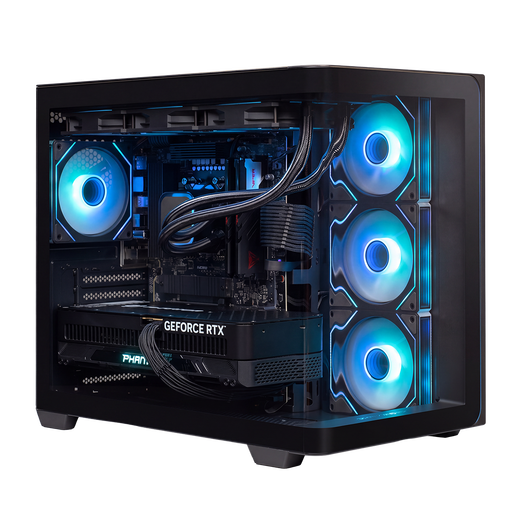 No image available
A gaming PC to compare if you’re looking for a configuration with 32 GB of RAM for 3D terrain work.
RTX 5090; R9; 32 GB RAM; 2 TB storage.
 No image available
A gaming PC to compare if you’re looking for a configuration with 32 GB of RAM for 3D terrain work.
RTX 5090; R7; 32 GB RAM; 2 TB storage.
 No image available
Compare this configuration if an RTX 5060 with 8 GB of graphics memory suits your project. Its system memory is below the 32 GB recommended by Blender Foundation and Epic Games for the 3D software mentioned.
RTX 5060; R5; 16 GB RAM; 500 GB storage.
 No image available
A configuration with Radeon RX 9060 8GB to compare with the software requirements for your 3D terrain project. The 16 GB of RAM listed is below the 32 GB recommended by Blender Foundation and Epic Games for the 3D software mentioned.
AMD Ryzen 5 5500; Radeon RX 9060 8GB; 16 GB DDR4 RAM; 500 GB NVMe SSD; Windows 11 Home.
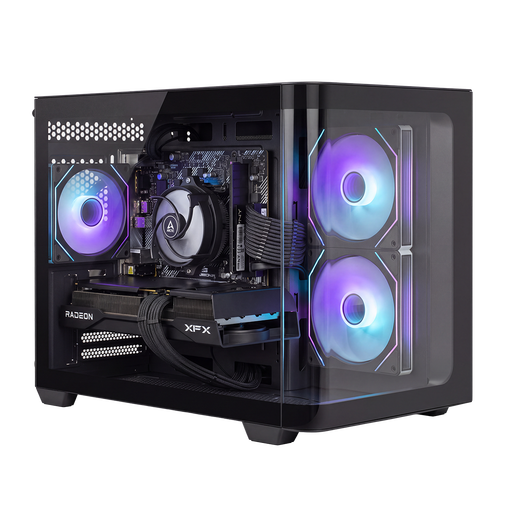 No image available
Compare the graphics configuration and RAM with the software you use for your 3D terrain. The 16 GB of RAM listed is below the 32 GB recommended by Blender Foundation and Epic Games for the 3D software mentioned.
RX 9070; R7; 16 GB RAM; 1 TB storage.
No, not just because you’re creating an elevation map. QGIS describes relief analysis using elevation data. If you’re also building a 3D scene in Blender or Unreal Engine, check the requirements for that software too.
No, they’re recommendations for the software mentioned, not mandatory minimums for every project. Blender Foundation recommends 32 GB of RAM and 8 GB of VRAM. Epic Games recommends 32 GB of RAM and at least 8 GB of graphics memory for its recommended hardware. Check your software version and the requirements of your own project too.
Measure the space for the whole case and allow room for your monitor, controls and cables. Check the position of the ports and ventilation openings, and compare the external dimensions of the exact configuration. A label such as ‘mini’ or ‘compact’ doesn’t tell you how much space the complete setup will need.
According to the Dutch government, a manufacturer’s warranty is in addition to your statutory rights. There is no fixed statutory warranty period in the Netherlands; if a product is faulty, the seller must provide a solution. Compare the terms of any paid extra cover with the rights you already have.
Not always. According to the Dutch government, many purchases made from a business at a distance come with a 14-day cooling-off period, but there are exceptions. Check the terms that apply to your specific purchase.