
First-time virtual pilot
You want to learn flight controls on your single screen and see whether a keyboard and mouse are enough before buying extra controls. Elite Dangerous documents both input options and offers official training exercises.


First, choose the space game you want to play, then compare the full PC configuration with that game’s requirements. For Elite Dangerous, the game maker says you can start with a keyboard and mouse; for Star Citizen, Roberts Space Industries recommends, among other things, 32 GB of RAM. Also check that the video outputs on the exact PC model are compatible with your existing monitor.
You want to learn flight controls on your single screen and see whether a keyboard and mouse are enough before buying extra controls. Elite Dangerous documents both input options and offers official training exercises.
You want to play a game such as Star Citizen, so you’re comparing RAM, video memory and SSD space with that specific game’s requirements—not just relying on the ‘gaming PC’ label. Roberts Space Industries lists the requirements for Star Citizen.
You want a PC that connects to your current screen and leaves room for your controls. Check the ports on the exact configuration, as they can vary between models.
| What to consider | What should you check? | Who is this important for? |
|---|---|---|
| Learning the controls | Check which input options your chosen game supports and how many USB ports are free on the exact PC configuration. The game maker says Elite Dangerous supports a keyboard and mouse. | If I want to practise before buying extra controls, I want to know whether my current input devices will do the job. Around 36% of consumers put learning the controls first when deciding what to buy. |
| Game requirements | Compare the requirements for your chosen game and version with the PC’s RAM, video memory and available storage. Roberts Space Industries lists 16 GB of RAM as the minimum and 32 GB as the recommended amount for Star Citizen, along with at least 150 GB of available SSD space. | If you mainly want to check whether your chosen space game will run on a PC, look at that game’s requirements rather than relying on a general gaming label. Around 29% of consumers say this is their main concern when buying. |
| Screen and connections | Compare your monitor’s input and cable with the video outputs on the exact PC. Also count the ports you’ll need for your keyboard, mouse and any extra controls. | If I want to keep using my existing monitor, I need to know that the connections are compatible. Around 21% of consumers prioritise display and connectivity. |
| What’s included and future upgrades | Check the included devices, installed RAM and storage for the exact model. Don’t assume that every configuration in a product range comes with the same items or upgrade options. | If you want to avoid extra purchases and future upgrades, check in advance what comes with the PC and which components can be upgraded. Around 14% of consumers say this is their main concern when buying. |
RAM and VRAM are different specifications. The 16 GB of video memory listed by HP for the OMEN 16L is not the same as system RAM; Roberts Space Industries recommends 32 GB of system RAM for Star Citizen.
Compare system RAM and video memory separately with the requirements of the game you want to play.
If you later choose a game that needs more system memory, you may need to upgrade your RAM.
According to the game maker, you can also use a keyboard and mouse for the official Elite Dangerous training. This support doesn’t necessarily apply to other games.
First, try the controls available in the game. If you later decide to use a controller, check that the game supports it and that your PC has enough free ports.
For the Acer DG.BK4EH.00H mentioned here, Acer says that a keyboard and mouse aren’t included. What’s in the box can vary between configurations.
Check the contents for the exact model and see whether you can use your existing devices.
If you don’t already have a keyboard or mouse, you may need to buy them separately.
The OMEN desktops mentioned here include a compact 16L model and a HyperX OMEN 35L model; their configurations differ in the space available inside the case.
The Predator Orion 3000 is worth considering if you want to compare a compact tower and the configuration of a specific model number.
The Legion Tower 5i Gen 10 is available in several configurations, so compare the exact model number and the upgrade options you need.
The MAG Infinite Z 8B is a product range to consider when comparing connections and expansion slots; the exact configuration is what matters.
These Joybuy desktops are aimed at Star Citizen players: compare the listed configuration with the game’s requirements and check that the connections are compatible with your monitor and controls.
 No image available
The listed 32GB of RAM matches the RAM recommendation for Star Citizen from Roberts Space Industries.
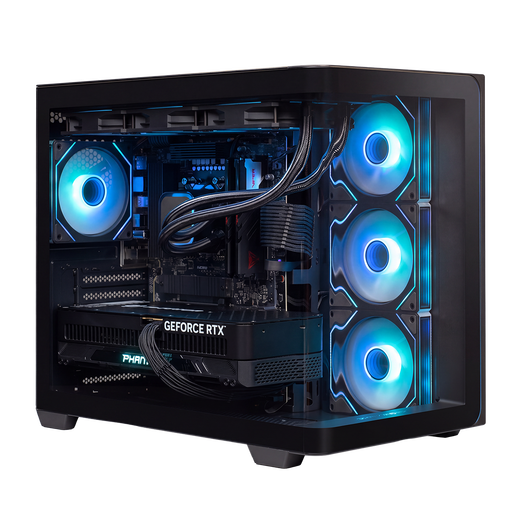
Ryzen 7 7800X3D; GeForce RTX 5080; 32GB DDR5; 1TB NVMe SSD. The product name mentions Windows 11 Trial; check what this means for the version of Windows included.
 No image available
The listed 32GB of DDR5 matches the RAM recommendation for Star Citizen from Roberts Space Industries.
Ryzen 9 9900X3D; RTX 5090; 32GB DDR5; 2TB NVMe SSD.
 No image available
The listed 32GB of DDR5 matches the RAM recommendation for Star Citizen from Roberts Space Industries.
Ryzen 7 9800X3D; RTX 5090; 32GB DDR5; 2TB NVMe SSD.
 No image available
The listed 32GB of DDR5 matches the RAM recommendation for Star Citizen from Roberts Space Industries.
Intel Core Ultra 7 265F; NVIDIA GeForce RTX 5070 with 12GB; 32GB DDR5; 1TB SSD. The product description lists display outputs and multiple USB ports; check that the connections are compatible with your screen and devices.
 No image available
The listed 32GB of DDR5 matches the RAM recommendation for Star Citizen from Roberts Space Industries.
Intel Core Ultra 7; NVIDIA GeForce RTX 5070; 32GB DDR5; 1TB PCIe 4.0 SSD. The product description lists HDMI and DisplayPort outputs; compare them with your monitor’s input.
No, not for the official beginner route in Elite Dangerous: the game maker supports a keyboard and mouse as well as HOTAS, and provides training exercises. Check separately which input options another game supports.
Roberts Space Industries lists 16 GB as the minimum and 32 GB as the recommended amount. The minimum isn’t a guarantee of a particular gaming experience; the game maker lists factors including location, server population and background programmes.
In Elite Dangerous, you can choose the input device you’re using in the control settings, then try the official training exercises. The game maker’s information doesn’t necessarily apply to other space games.
If a product is faulty, Dutch statutory consumer rights may entitle you to a free remedy from the seller; this right isn’t automatically limited to a fixed manufacturer’s warranty period. Online purchases also generally come with a 14-day cooling-off period from delivery, subject to legal exceptions, including for certain made-to-order products. ACM ConsuWijzer explains these rules.
Yes. According to Ondernemersplein, a Dutch government website, traders must ensure that electrical and electronic equipment complies with the applicable European rules. The rules that apply to a particular configuration, and whether that PC complies with them, must be established for that specific product; a brand name isn’t proof.