
Players short on desk space
You want room for your screen, PC and controls without blocking the computer’s airflow. HP recommends leaving enough ventilation space around a desktop computer.


First, measure the space available for your PC, screen and controls, then compare the full specification with the requirements of your games and the settings you want to use. A mini PC takes up less space on your desk, while a compact desktop is a middle ground. A larger tower is most practical if you can keep it off your work surface. Whatever the size, keep the ventilation openings clear: a model or GPU name alone won’t tell you how a particular game will run.
You want room for your screen, PC and controls without blocking the computer’s airflow. HP recommends leaving enough ventilation space around a desktop computer.
You compare the full specification with the requirements of the games you want to play, rather than relying on the ‘gaming’ label alone. Bethesda Support lists the requirements for each game separately.
You can place the case away from your desk and check the memory, storage and included components in advance. Lenovo doesn’t list a keyboard or mouse with the Legion Tower configuration mentioned here.
Start by checking the available space and airflow. Then compare the PC specification with your games and check what’s included with the configuration you’ve chosen.
Best for: a setup where the PC needs to sit on your desk and there’s little room for the case.
Check: the exact configuration, connections and space needed for ventilation.
Best for: anyone looking for a desktop PC but who doesn’t want a conventional tower on their desk.
Check: the case dimensions and airflow where you plan to put the PC.
Best for: anyone with room for the case beside or under their desk, especially if upgrading is important.
Check: the dimensions and contents of the exact configuration; peripherals aren’t always included.
| What to consider | What should you check? | Who should consider this? |
|---|---|---|
| Desk space | Measure the available space and check the external dimensions, connections and position of the ventilation openings on the exact configuration. | I want to fit my screen and controls on the same small desk and keep the PC out of the way; around 36% of consumers prioritise desk space. |
| Game requirements | Compare the CPU, GPU, RAM and available SSD space with the requirements for each game. Bethesda Support lists 16 GB RAM, 125 GB of free storage and an SSD among the requirements for Starfield. | I want to know whether the configuration suits the exploration games and settings I choose; around 29% of consumers prioritise gaming suitability. |
| Ventilation | Check where the ventilation openings are and make sure they’ll remain clear in your chosen location. HP recommends leaving enough ventilation space around desktop computers. | I want to put my PC in a tight space without blocking airflow; around 21% of consumers make ventilation their main consideration. |
| Included components and upgrades | Check the operating system, RAM, storage and included peripherals. Lenovo doesn’t list a keyboard or mouse with the Tower configuration mentioned here; MINISFORUM also offers the AtomMan G7 PT as a barebone option without an OS licence. | I want to know in advance which components I already have and what I can upgrade later; around 14% of consumers prioritise upgradability and a complete setup. |
Your screen, controls and cables take up space too. A case squeezed into a tight space or placed in an enclosed compartment can also restrict ventilation.
Measure your entire setup and keep the ventilation openings on your chosen model clear. Follow the placement instructions for the exact configuration.
Requirements vary by game and by the settings you want to use. For example, the system requirements for Starfield apply to that game and aren’t a general benchmark for all exploration games.
Compare the full CPU, GPU, RAM and storage specification with the requirements of the games you want to play.
A configuration may be supplied without an operating system licence or peripherals. The Lenovo configuration mentioned here doesn’t list a keyboard or mouse; MINISFORUM lists a barebone option for the AtomMan G7 PT without an OS licence.
Check which software and accessories are included with the exact model.
Depending on what you already own, you may need to buy a missing OS licence or peripherals separately.
The ROG NUC (2025) is a range of mini gaming PCs for setups where a standard tower is difficult to fit.
The OMEN 16L is a compact desktop option; the Dutch TG03-0630nd configuration is a specific example.
The Legion Tower 5 Gen 10 is a tower option for when you can place the case beside or under your desk.
The AtomMan G7 PT offers a mini PC option with both barebone and pre-configured choices.
These gaming PC options from Joybuy are here for you to compare. For each configuration, check that the dimensions, ventilation and specification suit your desk and games.
 No image available
A desktop option to compare if you’re looking for a gaming PC for a limited workspace. Leave at least 10 cm of space around it and don’t place this model in an enclosed cabinet.
Check the dimensions and full specification of this configuration before you decide.
 No image available
An option to compare if you’re looking for a gaming PC for a limited workspace. Check the exact case dimensions and keep the ventilation openings clear.
Ryzen 5 5500; Radeon RX 9060 8GB; 16GB DDR4; 500GB NVMe SSD; Windows 11 Home.
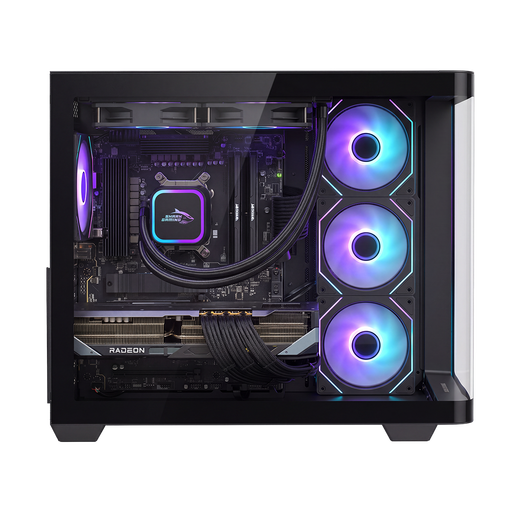 No image available
Compare this gaming PC with the games and settings you want to use. Also check that you can position the case with enough space for airflow.
RX9070XT; R7; 16G; 1TB.
 No image available
Compare the specification with the requirements and settings of the games you want to play. Also make sure there’s enough room for air to circulate around the desktop.
Intel Core Ultra 7 265F; 32GB DDR5; 1TB SSD; NVIDIA GeForce RTX 5070 12GB; Windows 11 Home.
No image available
Compare the specification with the requirements and settings of the games you want to play, and keep the ventilation openings clear.
Intel Core Ultra 5 225F; 32GB DDR5; 1TB PCIe 4.0 SSD; NVIDIA GeForce RTX 5070 12GB; Windows 11 Home.
No. The system requirements from Bethesda Support apply to Starfield and aren’t a performance guarantee or a general requirement for the genre. Compare each game and your preferred settings separately with the PC specification.
Don’t assume that you can: keep the ventilation openings clear and follow the placement instructions for the exact model. HP recommends leaving enough ventilation space around a desktop computer and cleaning the openings regularly.
No. MINISFORUM states that an OS licence isn’t included with the barebone option for the AtomMan G7 PT. Check which operating system and components come with each configuration.
The Dutch government states that, for an eligible online consumer purchase, you generally have a 14-day cooling-off period; exceptions and the seller’s status matter. You also have statutory rights if a product is faulty, such as the right to a repair or replacement. Check who the seller is and the terms of the specific purchase.
Applicable product rules apply to electronic equipment placed on the EU market, and CE marking may be required. The Dutch government explains which products must carry a CE mark. Check the specific configuration; a CE mark doesn’t indicate whether it’s suitable for a particular game.