
Someone who shares a room
You play in the same room as someone who is sleeping or working. So consider how loud the PC gets under load, while keeping its ventilation openings clear.


Choose a gaming PC based on the requirements of the economic simulation games you play. These vary by title and settings, so relying on one fixed requirement for every game can be misleading. Then compare the dimensions, ventilation and upgrade options of the exact configuration. A sound-dampened case doesn’t prove that the complete PC is quiet while gaming.
You play in the same room as someone who is sleeping or working. So consider how loud the PC gets under load, while keeping its ventilation openings clear.
You want to match the configuration to your city-building or management games, resolution and settings. The system requirements published by Paradox Interactive and Ubisoft vary by title and target settings.
You need to fit the computer on or beside a compact desk. Compare the external dimensions of the exact configuration and leave space around the ventilation openings.
| What to consider | What should you check? | Who is this important for? |
|---|---|---|
| Noise while gaming | Ask for a noise measurement of the exact configuration under gaming load. Keep the ventilation clear; blocked airflow can make the fans work harder. | If someone else sleeps or works in the room, you’ll want to know how audible the PC is while gaming. Around 31% of consumers say noise is their main reason for buying. |
| Requirements of your simulation games | Compare the processor, RAM, graphics card and storage with the games, resolution and settings you plan to use. Paradox Interactive lists 16 GB of RAM in the recommended configuration for Cities: Skylines II; Ubisoft lists 8 GB for Anno 1800 at the recommended settings for 1080p and 60 fps. | If you mainly want to play the most demanding game in your library, check the configuration against that title and its settings. Around 31% of consumers put the requirements of their chosen games first. |
| Case and ventilation space | Measure the width, depth and height of the space, and check how much room the exact PC needs around its air intakes and outlets. External dimensions alone say nothing about noise or performance. | If you have a small desk, you’ll want to know whether the case will fit without blocking the airflow. Around 19% of consumers make the space available for the case their first consideration. |
| Choosing the right capacity | Compare the complete configuration with the requirements of your games and check which components can be upgraded later. | If you want to avoid choosing more capacity than your games need, start by checking the requirements and possible upgrades for the exact model. Around 19% of consumers prioritise avoiding unnecessary capacity. |
Sound-dampening materials and cooling design describe features of the case; they don’t tell you how loud the complete computer will be under gaming load.
Ask for figures for the exact configuration under load, and keep the airflow paths clear.
Published system requirements can vary by game and target settings. The recommended configuration for one title isn’t automatically a requirement for every economic simulation.
Make a note of the games, resolution and settings you want to use, then compare the PC with the requirements for each title.
A range can include different processors, graphics cards and memory configurations. The series name doesn’t tell you which components are in a specific model.
Check the full model number and the components actually installed.
The Legion Tower 5 desktop range includes several configurations. Lenovo lists a Dutch configuration for model 90YJ008KMH.
The OMEN 35L is a desktop range with a variety of configurations; the GT16-0606nd is a documented model you can compare.
The MAG Infinite S3 14th is a desktop range worth comparing if external dimensions matter to you.
The Define 7 is a PC case for anyone who wants to choose and combine their own components and cooling.
The Pure Base 500 is a case for a custom-built configuration.
These desktops are for anyone looking for a gaming PC for simulation games and other titles. Compare the listed components of each model with the games you play, and allow for the required airflow when positioning the PC.
 No image available
For anyone looking for a ready-made gaming desktop and wanting to match the configuration to their chosen games.
Intel Core i7-14700F; RTX 5060; 16 GB DDR5; 1 TB SSD.
Leave at least 10 cm of clear space and don’t place the PC in an enclosed cabinet.
 No image available
A desktop to compare if you’re considering a smaller case and want to match the exact components to your games.
Intel Core Ultra 7 265F; RTX 5050; 16 GB DDR5; 1 TB SSD; 16L case.
Leave at least 10 cm of clear space and don’t place the PC in an enclosed cabinet.
 No image available
For anyone wanting to compare a ready-made gaming PC with the listed Ryzen processor and RTX graphics card against the requirements of their chosen simulation games.
AMD Ryzen 7 7800X3D; RTX 5070; 16 GB DDR5; 1 TB NVMe storage; MSI MAG PANO 110R PZ case.
 No image available
Compare this configuration with the requirements of your simulation games and check whether the listed components are suitable for your intended settings.
AMD Ryzen 5 5500; Radeon RX 9060 with 8 GB; 16 GB DDR4; 500 GB NVMe SSD; Windows 11 Home.
Keep the ventilation openings clear and make sure there’s enough airflow.
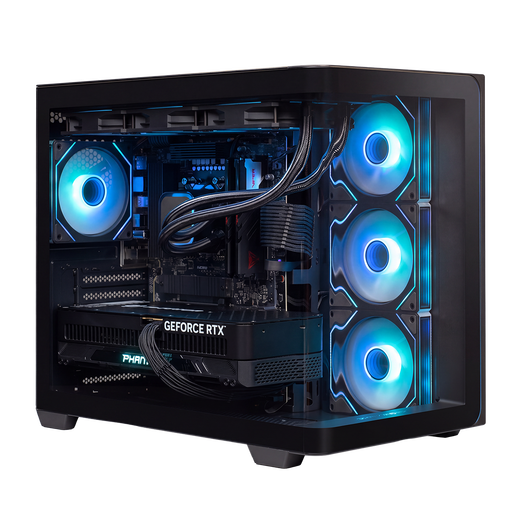 No image available
A configuration to assess against the requirements of your games, with the listed processor, graphics card and storage.
AMD Ryzen 9 9900X3D; RTX 5090 with 24 GB; 32 GB DDR5; 2 TB NVMe storage; 360mm liquid cooler.
Keep the ventilation openings clear and make sure there’s enough airflow.
No, it depends on the game and its settings. Paradox Interactive lists 16 GB in the recommended configuration for Cities: Skylines II; Ubisoft lists 8 GB for Anno 1800 at the recommended settings for 1080p and 60 fps. These requirements don’t guarantee performance in every gaming situation.
Keep the ventilation openings clear and don’t put a gaming PC in an enclosed cabinet. HP Support explains that blocked airflow and dust can hinder cooling and make the fans work harder.
If a product doesn’t meet what you could reasonably expect under normal use, the seller must offer an appropriate solution free of charge, according to ACM ConsuWijzer; a commercial guarantee doesn’t replace your statutory rights. For an online purchase, you generally have 14 days from delivery to change your mind, with some exceptions.
The Dutch government states that when you buy a new, similar device, you can return your old PC to the seller free of charge as a private individual, including when you buy online. You can also take it to your local council’s recycling centre.