What should you look for when buying?
Complete gaming desktop
A good fit if: you want one ready-built PC and the components and seller are clear upfront.
Consider: check the full configuration. A product range won’t necessarily tell you which ports or upgrade options your particular PC has.
Custom-built desktop
A good fit if: you want to choose the graphics card, ports, case and upgrades individually.
Consider: you’ll need to check for yourself that the components, monitors and screen setup you want will work together.
| What to consider |
What should you check? |
Who is this important for? |
| Ports for three screens |
Check the number and type of outputs on the graphics card in the exact PC configuration, and compare them with your monitors. |
As a consumer, I want to connect my three monitors to the PC I choose; around 33% of consumers make their screen setup their top priority. |
| Visuals at your chosen resolution |
Note the resolution and refresh rate of your screens, then compare them with the requirements and performance for your game and settings. |
If smooth visuals on my own screen setup matter to me, I want to be able to assess performance for that specific configuration; around 27% of consumers prioritise visual performance. |
| Support in your rally game |
Check the latest information and multi-monitor settings for the specific game and version. |
As a consumer, I want to know how my rally game spreads the image across the monitors, not just whether the graphics card can drive them; around 20% of consumers give game compatibility their highest priority. |
| Purchase and support |
Check the exact components, upgrade options and seller, and compare any extra warranty with your statutory rights. |
Anyone buying a complete PC who wants to know where to turn if something goes wrong should check the build and support; around 20% of consumers make these their top priorities. |
NVIDIA Surround and AMD Eyefinity can treat multiple screens as one larger display. This doesn’t automatically mean that your rally game offers separate perspective correction for each screen.
Gaming PCs at Joybuy
These complete gaming desktops are options to compare for multi-monitor rally racing. Check that the ports and configuration of each version suit your screens and game.
 Image unavailable
OMEN 16L Gaming Desktop TG03-0057nd C3YP0EA#ABH
A complete desktop to compare if you want to play rally games across multiple screens. Check that the video outputs listed work with your monitors.
Intel Core Ultra 7 265F; GeForce RTX 5050 with 8 GB; 16 GB DDR5; 1 TB SSD; three DisplayPort outputs and one HDMI output.
According to the product information, leave at least 10 cm of clear space around the PC and place it in a well-ventilated area.
Joybuy
 Image unavailable
Shark Max Bite R500 Gaming PC
A complete gaming PC to assess alongside your screen setup and rally game; check the available outputs on the exact configuration.
AMD Ryzen 5 5500; GeForce RTX 5060 8G VENTUS 2X OC; 16 GB DDR4; 500 GB NVMe SSD; MSI MAG FORGE M100R case; Windows 11 Home.
Joybuy
 Image unavailable
Shark Max Bite R501 Gaming PC
This configuration is worth comparing if you’re looking for a complete gaming desktop. For multiple monitors, also check the outputs on the installed graphics card.
AMD Ryzen 5 5500; GeForce RTX 5060 8G VENTUS 2X OC; 16 GB DDR4; 1 TB NVMe SSD; MSI MAG FORGE M100R case; Windows 11 Home.
Joybuy
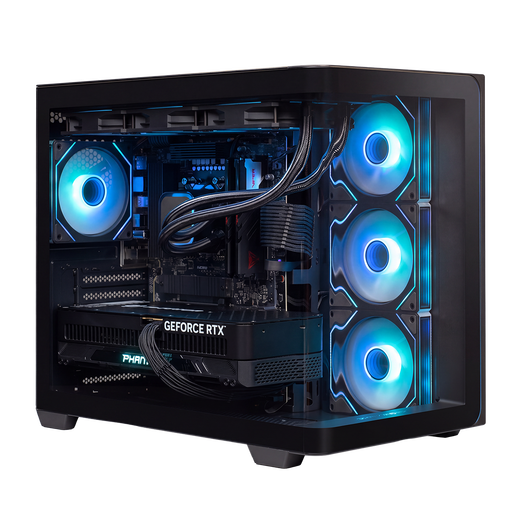 Image unavailable
Almighty Shark Speldator R900 Gaming PC
A complete gaming desktop to assess based on your preferred resolution and rally game; check the video outputs on this configuration.
AMD Ryzen 9 9900X3D; RTX 5090 with 24 GB; 32 GB DDR5; 2 TB NVMe storage; 360 mm liquid cooler; Windows 11 Home.
Leave room for airflow around the PC and unplug it before maintenance or cleaning.
Joybuy
 Image unavailable
AlmightyShark Speldator R700 Gaming PC
Compare this complete gaming PC with your rally game’s resolution and settings, and check that its ports work with your multiple monitors.
AMD Ryzen 7 9800X3D; RTX 5090 with 24 GB; 32 GB DDR5; 2 TB NVMe storage; 240 mm liquid cooler; Windows 11 Home.
Leave room for airflow around the PC and unplug it before maintenance or cleaning.
Joybuy
Frequently asked questions
Are three video outputs enough for a good rally experience?
No. The number of outputs doesn’t tell you how your rally game will display the image. NVIDIA Surround and AMD Eyefinity can treat multiple screens as one larger desktop; you should also check the options in the specific game.
How do I set up multiple monitors together?
It depends on your graphics card and configuration. On supported NVIDIA configurations, you can set up Surround and adjust options such as screen order, resolution, refresh rate and bezel correction. AMD describes Eyefinity as a way to combine multiple screens; check which options are available for your system.
Can I use the recommended PC requirements for EA SPORTS WRC as a guide for three monitors?
Only as a starting point for that game’s PC requirements, not as a guarantee of a particular frame rate across three screens. Electronic Arts lists recommended processor and graphics card requirements, but these don’t automatically tell you how the game will perform at your combined screen resolution and settings.
What are my rights when buying online in the Netherlands?
When you buy remotely from a business, you’ll generally have a 14-day cancellation period, although there are exceptions. A consumer product must also be of satisfactory quality, and you should contact the seller if there’s a fault. The Dutch government says there is no fixed statutory warranty period that applies to every product in the Netherlands.
Does a PC sold in the EU have to meet product safety requirements?
Yes. According to the Dutch government, electronic devices placed on the EU market must meet the applicable safety requirements and carry a CE marking. A product listing alone doesn’t prove that an individual item meets those requirements.


