For virtual aerobatics across multiple screens, choose a PC based on the simulator, the function and resolution of each screen, and the overall graphics workload. Then check the graphics card, video memory, ports and system memory. Simply connecting multiple screens does not guarantee smooth visuals.
Who is this choice relevant to?
Pilots looking for a panoramic outside view
If you want to see the outside view on side screens during aerobatics, consider the workload of the entire screen setup. Microsoft Flight Simulator lists multiple monitors and peripherals as options on PC; Laminar Research explains that using multiple screens can require additional rendering.
Builders creating a cockpit with instrument screens
If you want to use extra screens for instruments or maps, check that your chosen simulator supports your layout and that the graphics card has the necessary ports. The options available depend on the simulator and the specific configuration.
Pilots planning to expand their setup later
If you’re starting with a more modest setup, check the upgrade options for the exact desktop model. Features listed for a product range do not necessarily apply to every model.
What should you look for?
First decide whether your screens will show separate outside views or mainly instruments and maps. This will help you work out which graphics demands, ports and simulator settings to check.
| What to consider |
What to look for |
Which consumers should prioritise this? |
| Smooth outside views across multiple screens |
Note the resolution and purpose of each screen. Check the exact graphics card and video memory, and ask about performance with the same simulator, layout and settings. |
If I want to look outside on the side screens during turns, I need to take the demands of all those views into account. Around 36% of consumers prioritise smooth panoramic outside views above all else. |
| Screen layout and ports |
Work out how many screens you’ll connect, which inputs they have and what each screen needs to show. Check the outputs on the exact graphics card and the simulator’s capabilities. |
If I want to split the outside view and instruments across different screens, I need to know whether my chosen layout is possible. Around 29% of consumers prioritise screen layout and ports. |
| Simulator and system balance |
Microsoft recommends 32 GB RAM for MSFS 2024 and lists 64 GB as ideal. Laminar Research recommends 16–24 GB RAM or more and at least 8 GB VRAM for X-Plane 12. These guidelines do not guarantee a particular frame rate across multiple screens. |
If I first want to check that the processor, graphics card and memory are right for my simulator, I compare the configuration with that simulator’s requirements. Around 21% of consumers prioritise this system balance. |
| Controls and upgrades |
Check whether your joystick or gamepad is compatible, which components are included and what upgrades are possible for the exact desktop model. |
If I want to change my cockpit controls later, I need to know what the PC supports and what I’ll need to arrange myself. Around 14% of consumers prioritise controls and upgradeability. |
Common buying mistakes
-
Assuming multiple video outputs mean the PC will perform well enough
A PC may be able to connect to multiple screens, but that does not prove it can display several separate outside views smoothly.
Before you buy, define the purpose and resolution of each screen, then assess the configuration for that exact layout.
-
Treating system requirements as a promise about frame rates
The system requirements for MSFS 2024 and X-Plane 12 do not guarantee performance with a particular combination of screens, resolutions and add-ons.
Use the requirements as a starting point and, if possible, look for a demonstration or test using the same simulator and settings.
-
Assuming specifications for a range apply to a particular model
A range may include different configurations; the GPU listings on a Lenovo product page contradict one another.
Ask the seller to confirm the part number, graphics card, memory and video outputs for the exact model.
Brands worth comparing
Xgaming
Xgaming offers a desktop configuration labelled Flight Sim. Its published specifications provide a useful point of comparison.
- For the Flight Sim RTX5070, Xgaming lists a Ryzen 7 7800X3D, an RTX 5070 with 12 GB, 32 GB RAM and a 2 TB SSD.
- These are seller specifications. The claim about running MSFS 2024 on High does not show what performance to expect with multiple separate outside views.
HP OMEN
The OMEN 45L is a desktop range worth considering if memory and graphics configuration are important to your choice.
- HP lists 64 GB RAM and an RTX 5080 with 16 GB for the GT22-3698nd.
- HP’s claims about cooling and performance are not an independent test of this flight-simulation setup. Check the video outputs on the exact model too.
Lenovo Legion
Legion Tower desktops are model-specific options to compare by processor, memory, graphics card and service.
- Lenovo’s product information includes configuration details that you can check against each part number.
- For part number 90YA0027MH, the product title lists an RTX 5070, while the specifications section lists an RTX 5070 Ti with 16 GB. Ask Lenovo to clarify before treating the GPU specification as confirmed.
Acer Predator
The Predator Orion 3000 may be worth considering if you have limited space for your desktop.
- Acer describes the range as having a 28-litre case, with configurations up to a Core Ultra 7 265F and RTX 5070.
- “Up to” does not describe every model. Check the specifications and monitor outputs for the exact model.
Joybuy products
These gaming desktops are options to compare for a multi-monitor flight simulator setup. For each exact model, check that the ports, simulator and screen layout are compatible.
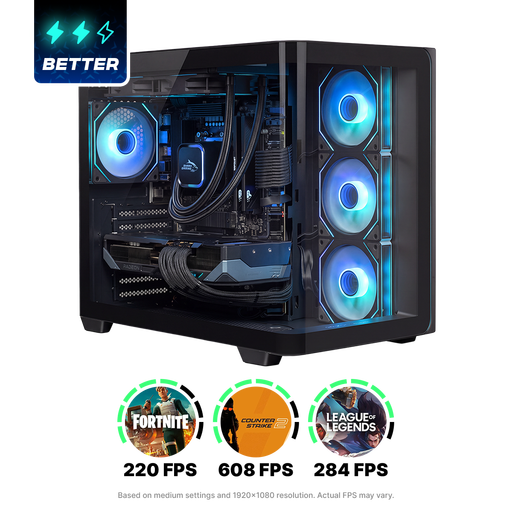 Image unavailable
Shak RGBeast R700 Gaming PC, RX9070XT/R7/16G/1TB
A gaming desktop to compare for a multi-screen setup. Check the ports and performance for your simulator and screen layout.
The product name lists RX9070XT, R7, 16G and 1TB. Before buying, check the product and CE information for the exact configuration.
View at Joybuy
 Image unavailable
Shark Bloodlust R700 Gaming PC, RX9070/R7/16G/1TB
A gaming desktop to compare for a multi-screen setup. Check the ports and performance for your simulator and screen layout.
The product name lists RX9070, R7, 16G and 1TB. Before buying, check the product and CE information for the exact configuration.
View at Joybuy
Frequently asked questions
Is 64 GB RAM essential for MSFS 2024 on multiple monitors?
No. Microsoft recommends 32 GB RAM and lists 64 GB as ideal in its general system requirements table. The table does not guarantee a particular frame rate for your number of monitors, resolutions and add-ons.
How should I start setting up extra screens?
First decide which screen will show the outside view and which will show instruments or maps. Then check that the exact graphics card has enough suitable outputs and that the simulator supports your preferred display setup. The number of monitors you can connect says nothing, by itself, about performance.
Which controls should I check for my flight simulator?
For aircraft controls in MSFS 2024, Microsoft lists a gamepad or joystick; HOTAS and pedals are options for a more advanced setup. Check compatibility and what is included with the PC.
What can I expect from warranties and cooling-off periods in the Netherlands?
If a product is faulty, the seller is your point of contact for a solution; there is no fixed statutory warranty period in the Netherlands. For online purchases from a business, you will often have 14 days to change your mind. Check the terms and any applicable exceptions, especially for a specially configured order.
Does a gaming PC sold in the Netherlands have to comply with CE rules?
Yes. The Dutch government states that electronic devices placed on the market in the EU must carry a CE mark. Check the product information for the exact configuration on offer; a brand name or product listing alone does not prove that the model complies with the requirements.


