
Java world-builder who uses mods
You want to customise your world with specific community mods. Minecraft Help describes community mods as a feature of Java Edition, so first decide which edition and mods you want to use.


Start with your sandbox game and, for Minecraft, choose between Java and Bedrock: the edition determines which mods or features are relevant. Then compare the full specification with your game’s requirements and settings, and measure the space available for a case with room for airflow. For Minecraft Java, Mojang recommends 16 GB RAM and a GPU with 6 GB VRAM for its recommended 1080p/60 fps target on Fancy settings. Ray tracing on Bedrock is a separate, optional consideration, not a requirement for building worlds.
You want to customise your world with specific community mods. Minecraft Help describes community mods as a feature of Java Edition, so first decide which edition and mods you want to use.
You mainly want a playable sandbox world and are comparing the full specification with your game’s requirements, without assuming ray tracing is a priority. Mojang describes ray tracing as a separate feature for supported devices.
You need your PC to fit alongside your work setup, so you’re taking case size, connections and clear space around the vents into account.
Mojang sets out minimum and recommended requirements for Minecraft Java; the recommended target is 1080p/60 fps on Fancy settings. Use this as a reference for those settings, and check the system requirements for other sandbox games separately.
| What to consider | What should you check? | Who is this important for? |
|---|---|---|
| Performance without unnecessary spending | Make a note of the game, edition, resolution and settings; then compare the CPU, RAM, GPU and VRAM of the exact configuration with the game’s requirements. | I want to run my chosen world and settings without paying extra for features I won’t use; around 33% of consumers prioritise suitable performance without unnecessary costs. |
| Mods and building tools | Choose your edition first, then check the software and system requirements for the specific mods, add-ons or editor. | I want to know whether my mods or building tools are compatible with the edition I’ve chosen; around 27% of consumers give compatibility top priority. |
| Graphics effects | Check the game edition, supported GPU and content; don’t infer the expected frame rate from the GPU series name alone. | I want to use ray tracing if my game and content support it, but I don’t want to pay for it for ordinary world-building if I don’t need it; around 20% of consumers prioritise graphics effects like these. |
| Space, ventilation and noise | Measure the space available and check the case dimensions, connections and vents for the exact configuration. | I need to put the PC in my home office and want to keep the vents clear; around 20% of consumers prioritise how well the PC fits into their workspace. |
Mojang’s Java requirements relate to specific settings and performance targets; the general requirements don’t automatically assess an individual modpack.
Before choosing a PC configuration, check the edition, the settings you want and the requirements of the add-ons you actually plan to use.
Ray tracing is a feature for supported devices and content. Minecraft and Microsoft’s available feature information doesn’t give a frame rate for your specific configuration.
Check the edition, exact GPU model and content, and treat your desired frame rate as a separate point to verify.
Components can vary across a desktop range. A case can also only ventilate properly if its vents remain clear when it’s in place.
Compare the full model code, components, dimensions and connections with your desk and monitor.
The OMEN 35L is a ready-to-use tower range; the configuration determines which components you get.
Legion Tower desktops can be compared by configuration, components and the space their cases take up.
The MAG Infinite S3 14th range includes different configurations, so the full specification is what matters.
These PCs are options to compare for gaming and building sandbox worlds; check the full configuration against your game, settings and workspace.
 No image available
Compare the listed CPU, GPU and memory configuration with the requirements of your game and settings.
Intel Core i7-14700F; GeForce RTX 5060 with 8 GB; 16 GB DDR5; 1 TB SSD; Wi-Fi 6; Windows 11 Home.
 No image available
Compare this configuration with your game’s requirements, and check in advance which edition and add-ons you want to use.
AMD Ryzen 7 5700X; GeForce RTX 5060 Ti with 8 GB; 16 GB DDR4; 480 GB NVMe SSD; USB Wi-Fi adapter.
 No image available
The product description mentions a compact case; measure the space available and keep the vents clear.
Ryzen 5 5500; Radeon RX 9060 with 8 GB; 16 GB DDR4; 500 GB NVMe SSD; Windows 11 Home.
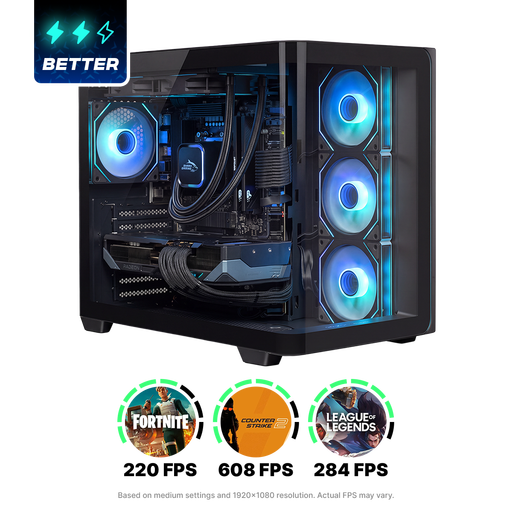 No image available
Check that the tower fits in your workspace and keep the vents clear while it’s in use.
Ryzen 7 9800X3D; Radeon RX 9070 XT; 16 GB DDR5; 1 TB NVMe SSD; liquid cooling; Windows 11 Home.
 No image available
Check that the 30-litre tower case fits in your chosen spot and keep the vents clear.
Intel Core Ultra 7; RTX 5070 with 12 GB; 32 GB DDR5; 1 TB PCIe 4.0 SSD; Wi-Fi 7; Windows 11 Home.
Choose based on the tools you want to use: Minecraft Help describes community mods for Java, while Bedrock has its own creator tools and add-ons. The edition alone doesn’t confirm that a specific mod or add-on is compatible, so check it separately.
No. Ray tracing is an optional graphics feature, not a requirement for ordinary world-building. For Minecraft, check the edition, supported GPU and content you’re using; a GPU label alone doesn’t tell you what frame rate to expect.
Check the dimensions and connections of the exact configuration, and keep the vents clear. If noise is a deciding factor, look for a noise measurement taken during use of that specific configuration.
According to the Dutch government, if there’s a problem with a product, the seller—not the manufacturer—must provide a solution. Assess any extended warranty by checking its terms and whether it adds anything to your statutory rights.
No, not in every case. The Dutch government says that consumers buying from a business at a distance often have a 14-day cooling-off period, and lists some exceptions. Check whether the rules apply to your specific order.