What should you look for in a gaming PC for creating game maps?
Choose your editor and the features you’ll use first, then compare the exact PC configuration with its requirements. Next, measure the space and assess how the PC is cooled and how much noise it makes under load.
| What to consider |
What to look for when buying |
Who should prioritise this? |
| Editor performance |
Check the requirements of your editor and workflow. For Unreal Engine 5 on Windows, Epic Games recommends 32 GB RAM and at least 8 GB of graphics memory. For medium and large Counter-Strike 2 maps, the Valve Developer Community generally recommends 32 GB RAM for lighting calculations. |
If I create larger 3D maps or calculate lighting, I want the memory and graphics card to suit the features I use. Around 33% of consumers put editor performance first. |
| Noise and cooling |
If available, compare a noise measurement for the exact PC under a similar workload. Check which cooling modes the configuration offers and keep the air vents clear. |
When I design or test in the evening, I want to disturb my roommate as little as possible without blocking ventilation. Around 27% of consumers give a peaceful bedroom the highest priority. |
| Space for your setup |
Measure the available space and compare the height, width and depth of the exact configuration. Allow room for cables and keep the air vents clear. |
With limited space in a shared bedroom, I want to know whether the PC will fit alongside my screen and controls. Around 20% of consumers put available space at the top of their list. |
| Cost and upgrade options |
Check the installed RAM, upgrade options, SSD capacity, included accessories and service terms. Calculate electricity costs based on the PC you choose and how you use it. |
If I want to expand my projects later, I look at what the PC offers now and what upgrades are possible. Around 20% of consumers prioritise total cost and upgrade options. |
Gaming PCs on Joybuy for creating maps
These gaming desktops on Joybuy are for anyone who wants to compare the exact amount of RAM, video memory and available SSD capacity when creating game maps.
 No image available
Gaming Desktop PC Ryzen 7 7800X3D, GeForce RTX 5080
An option to compare if you’re considering memory and graphics specifications for 3D projects.
32 GB DDR5 RAM and 16 GB video memory.
1 TB NVMe SSD.
Windows 11 Trial.
Joybuy
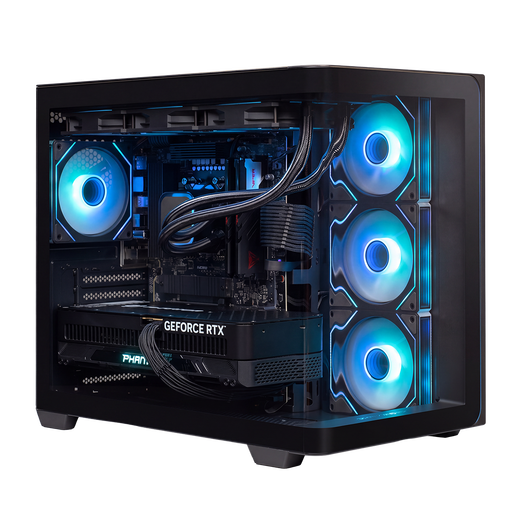 No image available
Almighty Shark R900 Gaming PC, GeForce RTX 5090
Compare this configuration if you want to weigh its listed RAM, GPU and SSD specifications against your editor’s requirements for map projects.
Ryzen 9 processor and 32 GB RAM.
24 GB video memory.
2 TB NVMe SSD.
Joybuy
 No image available
AlmightyShark R700 Gaming PC, GeForce RTX 5090
A second configuration to compare if you’re looking at RAM, video memory and storage for 3D projects.
Ryzen 7 processor and 32 GB RAM.
24 GB video memory.
2 TB NVMe SSD.
240 mm liquid cooling.
Joybuy
 No image available
ASUS ROG G700TF-05225F170W Gaming Desktop PC
Compare this configuration if you want to weigh the stated editor requirements against the amount of RAM and video memory.
Intel Core Ultra 5 225F and 32 GB DDR5 RAM.
GeForce RTX 5070 with 12 GB video memory.
1 TB PCIe 4.0 SSD.
Windows 11 Home.
240 mm liquid cooling.
Joybuy
 No image available
Lenovo Legion T5 30IAX10 Gaming Desktop
A tower to compare if you’re also considering upgrade options and where it will fit in your room.
Intel Core Ultra 7 and 32 GB DDR5 RAM.
GeForce RTX 5070 with 12 GB video memory.
1 TB PCIe 4.0 SSD; the product description lists support for up to 64 GB RAM and expansion with multiple M.2 SSDs.
The product description specifies a 30-litre tower with airflow cooling; this isn’t a noise measurement.
Wi-Fi 7 and Windows 11 Home.
Joybuy
Frequently asked questions
Do I need 32 GB RAM for every game editor?
No, the amount you need depends on the editor and the project. Unity recommends at least 8 GB RAM for the editor and notes that larger projects need more. For Unreal Engine 5 on Windows, Epic Games recommends 32 GB; the Valve Developer Community generally recommends 32 GB for calculating lighting on medium and large Counter-Strike 2 maps. Check the requirements of your editor and the features you use.
Can I make my PC quieter without affecting performance?
Not necessarily. Dell says that Quiet mode on supported Alienware systems reduces fan noise where possible, but may affect performance slightly. Check which modes your exact PC offers and keep the air vents clear.
What can I do if I’m unhappy with a PC bought online or it’s faulty?
In the Netherlands, many online purchases from a business come with a 14-day cooling-off period; check the applicable terms. You also have statutory rights for the product. According to the Dutch government, the retailer is your point of contact for a solution if there’s a problem; a manufacturer’s warranty doesn’t replace those rights.
Can I publish a game map I’ve made without any restrictions?
That depends on the game and the rules for the map and the assets used. Epic Games has specific creator rules for Fortnite islands, including rules on intellectual property. Before publishing, check the game’s current terms and where the assets you’ve used came from.


