What should you look for?
Start with the simulator, then consider the controls and available space. This helps you avoid confusing a PC configuration with a complete taxiing setup.
| What to consider |
What should you check? |
Who is this important for? |
| Compatible with your simulator |
Compare the exact CPU, GPU, VRAM, RAM and storage with the requirements of the simulator you plan to use. |
If I’m choosing between MSFS 2024 and X-Plane 12, I want to check the full PC configuration against the right software; around 33% of consumers make this their top buying priority. |
| Steering and braking |
Check which gamepad, joystick or rudder pedals you want to use and whether they work with your simulator. |
If I want to practise taxiing, I want to know in advance which controls will work for me and whether I want separate foot controls; around 27% of consumers prioritise the controls. |
| Space for your setup |
Measure the space for your PC, screen and controls; check the dimensions of the exact PC variant. |
If my PC, screen and controls need to fit in a dedicated space, I want to be able to plan the whole setup; around 20% of consumers make space their top priority. |
| Complete setup |
Check which accessories come with the PC and assess any additional warranty based on the extra cover it offers. |
I want to know in advance what I need for the complete setup and what’s already included; around 20% of consumers make the total purchase their top priority. |
Gaming PCs at Joybuy
These gaming desktops from Joybuy are designed for a fixed setup; compare the full configuration with the simulator and controls you choose.
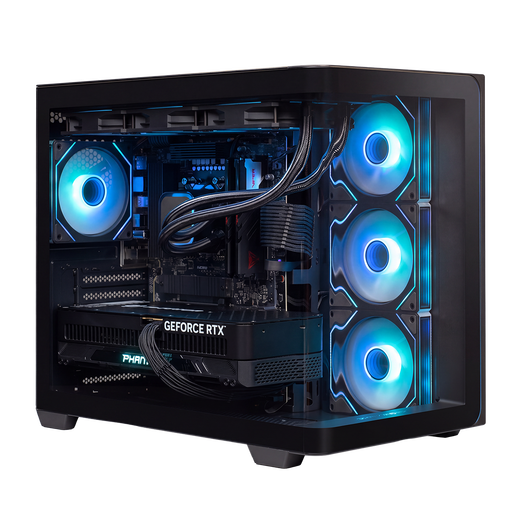 Image unavailable
Almighty Shark R900 Gaming PC, RTX 5090, R9, 32 GB, 2 TB
Compare this desktop with the requirements of the simulator you want to use.
The product name lists an RTX 5090, R9, 32 GB and 2 TB.
View at Joybuy
 Image unavailable
Lenovo Legion T5 30IAX10 Gaming Desktop, Intel Core Ultra 7, 32 GB DDR5, 1 TB SSD, RTX 5070
A desktop to compare if you’re putting together a fixed PC setup for a flight simulator.
The product name lists an Intel Core Ultra 7, 32 GB DDR5, a 1 TB PCIe 4.0 SSD and an NVIDIA GeForce RTX 5070.
View at Joybuy
 Image unavailable
HP OMEN 35L Gaming Desktop GT16-0160nd C2FK7EA#ABH
Check the full configuration of this specific OMEN version before comparing it with your simulator’s requirements.
The product information states that the charger must be purchased separately.
View at Joybuy
 Image unavailable
HP OMEN 16L Gaming Desktop TG03-0057nd C3YP0EA#ABH
Check the full specifications for this version and measure the space available for the desktop in your gaming room.
The product name includes the model designation 16L. The product information states that the charger must be purchased separately.
View at Joybuy
 Image unavailable
Shark Max Bite R501 Gaming PC, RTX 5060, R5, 16 GB, 1 TB
Compare this desktop with the requirements of your chosen simulator and check whether the configuration suits the controls you want to use.
The product name lists an RTX 5060, R5, 16 GB and a 1 TB NVMe SSD.
The product information states that the charger must be purchased separately.
View at Joybuy
Frequently asked questions
Is 16 GB RAM enough for Microsoft Flight Simulator 2024?
The Microsoft Flight Simulator Team lists 16 GB as the minimum and 32 GB as the recommended specification for MSFS 2024. Also assess the CPU, GPU, VRAM and storage of the exact PC; these categories don’t guarantee a particular frame rate.
Do I need to buy rudder pedals to practise virtual taxiing?
No, rudder pedals aren’t a general requirement. The Microsoft Flight Simulator Team lists a gamepad or joystick for flying on PC and describes pedals as a more advanced option for separate foot control of the rudder and brakes.
How can I tell whether a PC is close to the minimum requirements for X-Plane 12?
Compare the PC with the X-Plane 12 system requirements and try the demo if your configuration is close to the limit; that’s what X-Plane recommends. Check Intel graphics cards separately: X-Plane’s system requirements page and demo page give different information about Intel support.
Who can help if a gaming PC bought online develops a fault, and can I cancel the purchase?
According to the Dutch government, if there’s a problem with a product, the retailer is responsible for providing a solution; this is separate from paid extended cover. For online purchases from a business, you’ll often have a 14-day cooling-off period, although there are exceptions. Check the terms that apply to your specific purchase.
What product safety information should I check for a PC?
Check the product information and the applicable EU conformity information for the specific device. The European Union explains that CE marking applies only to products covered by specific harmonised rules; it is a declaration by the manufacturer, not a certificate issued by a central EU authority.


