
Gamer with a sleeping flatmate
You play while someone else is resting and want to keep noise and heat down without restricting cooling. HP Support explains that fans may spin faster to dissipate heat.


Start with the game you play. For large Factorio factories, simulation performance matters, while Satisfactory also places clear demands on the graphics card. Then choose a case that fits, leaving enough space around the vents. A compact case or a claim about cooling doesn’t, by itself, prove that the complete PC will be quiet while gaming.
You play while someone else is resting and want to keep noise and heat down without restricting cooling. HP Support explains that fans may spin faster to dissipate heat.
You want sprawling factories to remain playable, so you focus on simulation performance rather than just the graphics card. Wube Software explains how growing factories can reach a limit in updates per second.
You build in a 3D game world and compare the processor, memory and graphics card with the game’s requirements and your monitor. The Official Satisfactory Wiki lists requirements including system memory and graphics memory.
| What to consider | What to look for | Who is this important for? |
|---|---|---|
| Noise and heat | Look for measurements of the complete PC under load and check where the air intake and exhaust are. | If someone is sleeping next to me, I want to play without unnecessarily disturbing them or restricting cooling; around 33% of consumers put noise and heat at the top of their list. |
| Simulation performance in large factories | Compare the exact processor and look for tests using large save files if you mainly play Factorio. | With large Factorio save files, I want the factory to remain playable, so I focus on simulation performance; around 25% of consumers give this top priority. |
| Graphics performance | Compare the exact graphics card and amount of video memory with the game and monitor. | For Satisfactory, I want to match the graphics configuration to the game and my monitor; around 25% of consumers put this consideration first. |
| Case space and ventilation | Compare the height, width and depth with the space available, and keep the vents clear. | If space is limited, I want the case to fit without blocking airflow; around 17% of consumers make physical placement their main consideration. |
The graphics card alone doesn’t tell you how a PC will handle the simulation load of a growing factory. Wube Software explains that large factories can reach a limit in updates per second.
Base your choice on the game you play, and look for tests involving a similar simulation load when considering large save files.
The external dimensions and a claim about cooling don’t tell you how much noise the complete PC will make while playing your game.
Check the dimensions and allow space for ventilation. Where available, look for independent noise measurements of the complete PC under load.
If the vents are blocked, the PC may not be able to dissipate heat as effectively, and the fans may spin faster. HP Support also warns about heat and dust building up around vents.
Measure the space in advance and keep the air intake and exhaust of your chosen model clear.
A manufacturer’s warranty isn’t the same as your legal rights against the retailer. ACM ConsuWijzer distinguishes between statutory guarantees and additional warranty terms.
Read the warranty terms as a supplement to your legal rights, and check with the retailer what applies to your purchase.
The Predator Orion 3000 is a range worth comparing if available case space is a factor.
The Legion Tower 5 Gen 10 offers configurations you can compare side by side for processor, graphics card, memory and case space.
The OMEN 35L is a larger desktop range to consider if you have the space and are looking at a more powerful graphics configuration.
The MAG Infinite S3 is a desktop range worth looking into if adjustable cooling and performance are important to you.
These Joybuy products are gaming desktops to compare for factory-building games, taking into account the space available, ventilation and your game’s requirements.
 Image unavailable
The 16-litre case makes this an option worth comparing if case space is limited; its size doesn’t tell you how noisy it is.
Leave at least 10 cm of space on all sides and don’t use the PC in an enclosed cabinet.
 Image unavailable
A configuration worth comparing if you want to weigh up the graphics requirements of your factory-building game against the space available.
The product name lists an RTX 5060, Ryzen 5, 16 GB and a 480 GB SSD. Keep the vents clear.
 Image unavailable
This desktop is worth comparing if you’re looking for a PC with the listed processor and graphics configuration for a factory-building game.
The product name lists an RTX 5060, Ryzen 5, 16 GB, a 480 GB SSD and Wi-Fi. Use the PC in a well-ventilated place and don’t block the vents.
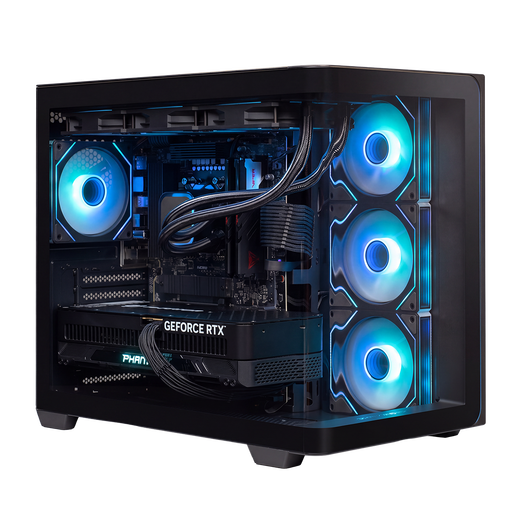 Image unavailable
Worth comparing if you want to weigh up a listed Ryzen 9 and RTX 5090 configuration against your games’ requirements; that doesn’t automatically make this the right choice for every factory.
The product name lists 32 GB of memory and 2 TB of storage. Make sure there’s enough airflow and don’t block the vents.
 Image unavailable
A configuration worth comparing if you want to consider both the processor and graphics card for a 3D factory-building game.
The product name lists a Ryzen 7 9800X3D, Radeon RX 9070 XT with 16 GB, 16 GB DDR5, a 1 TB NVMe SSD and 240 mm liquid cooling. Use the PC in a well-ventilated place and keep the vents clear.
No. General recommended system requirements don’t guarantee that every large factory will run smoothly. Wube Software explains that growing Factorio factories can reach a limit in updates per second; for large save files, compare tests using a relevant gaming workload. The Official Satisfactory Wiki also notes that system requirements don’t guarantee a configuration that will work in every situation.
Position the PC so that the vents remain clear. HP Support recommends ensuring adequate ventilation and cleaning the vents regularly. HP says that fans may run faster and become more audible when they need to dissipate extra heat. Switch off the PC and unplug it before cleaning.
No. The statutory guarantee doesn’t automatically have a fixed term of exactly two years. ACM ConsuWijzer makes it clear that your statutory rights exist alongside a retailer’s or manufacturer’s warranty. Check the terms for your specific purchase, and don’t treat a manufacturer’s warranty as a replacement for your statutory rights.
For a standard online consumer purchase, you generally have a 14-day cooling-off period from delivery, according to ACM ConsuWijzer. There are exceptions, including certain made-to-order products, so check the terms if the PC has been specially configured for you.
No, not automatically. According to the European Commission, for products covered by the applicable EU rules on CE marking, the manufacturer is responsible for the conformity of the whole product, including any supplied components or systems. The requirements that apply depend on the product and the relevant rules.