Start by matching your gaming PC to the resolution, graphics settings and system requirements of the games you want to play. Assess the complete configuration, not just the name of the graphics card. Also consider SSD capacity, case dimensions, connections and Windows activation. The system requirements published by Nixxes and PlayStation Blog in March 2024 for Horizon Forbidden West Complete Edition show that the target performance level depends on resolution and settings, but they don’t predict how another PC will perform.
Who is this buying guide for?
Visuals-focused explorer
You want to explore worlds at your preferred resolution and graphics settings. Compare the requirements of the games you play with your monitor and the complete PC configuration. The system requirements published by Nixxes and PlayStation Blog in March 2024 for Horizon Forbidden West Complete Edition show why resolution and settings matter.
Budget-conscious home gamer
You’re looking for a configuration that suits your games and want to know exactly how much storage it has and whether Windows is activated. Check the precise model and which Windows licence is included.
Gamer with limited workspace
You also use the room as a workspace, so the case dimensions, connections and where the PC will sit matter. Dimensions and ports vary depending on the exact model.
What should you look for when choosing?
Start with the requirements of the games you play and the graphics settings you want. Then check that the precise case, storage and Windows installation suit your home office and how you plan to use the PC.
| What to consider |
What to look for |
Who should consider this? |
| Visual quality and gaming goals |
Compare your games’ system requirements for each resolution and setting with the exact processor, graphics card and amount of RAM. |
If you want to play your games at a specific resolution and with particular graphics settings, compare the complete PC with the requirements first. Around 33% of consumers say visual quality is their main concern when buying. |
| Windows and power consumption |
Check whether Windows is activated and which licence is included. If you like, measure actual power consumption with an energy meter. |
If you want to know the Windows status in advance and how the PC performs during your use, check the licence and power consumption separately. Around 27% of consumers give these considerations priority. |
| Space and connections |
Compare the case dimensions with the space available and check the connections for your monitor and peripherals. |
In a home office, the case needs to fit in the available space and connect to your screen and equipment. An estimated 20% of consumers say this is their main concern when buying. |
| Storage and upgrades |
Check how much SSD storage is available and which memory and storage upgrades are possible for the exact model. |
If you want to install several games or upgrade components later, check the available storage and upgrade options for this precise model. Around 20% of consumers prioritise storage and expandability. |
Pitfalls to avoid
-
Assuming a graphics card name guarantees a certain level of performance
The system requirements for Horizon Forbidden West Complete Edition vary by resolution and settings. They aren’t a performance test of a complete PC.
Compare the requirements of your games with the components in the exact configuration. If a particular frame rate is essential, look for a test of that configuration under similar conditions.
-
Assuming Windows is activated because it’s pre-installed
Having Windows installed doesn’t automatically mean it’s activated. For example, a Dutch PC listing states that Windows 11 is not activated.
Before buying, get confirmation of which licence comes with the exact model and check its activation status.
-
Assuming every model in a PC range has the same components
A product range may include different processors, graphics cards and storage configurations. The range name alone won’t tell you which components are in the model being offered.
Make a note of the full product or part number and compare the specifications for that exact model.
-
Confusing the power supply’s rated wattage with actual power consumption
A power supply’s rated wattage doesn’t measure how much power the PC uses while you’re using it. Milieu Centraal recommends using an energy meter to check the consumption of household appliances.
Measure the power consumption if you want to estimate what it will be for your own use, taking into account how long you use the PC and your electricity tariff.
Brands to consider as a reference
Lenovo
The Legion Tower 5i Gen 10 range includes configurable gaming desktops. For one model shown, Lenovo Netherlands lists a Core Ultra 5 225, RTX 5060, 16 GB RAM and 512 GB SSD.
- Lenovo lists options for upgrading the memory and storage.
- Specifications vary by model. Check the part number; details for another configuration don’t automatically apply to the one you’re looking at.
Acer
For the Predator Orion 3000 with part number DG.E47EH.006, Acer Netherlands lists dimensions of 175 × 385 × 377 mm and, among other specifications, an RTX 4060 Ti, 32 GB RAM and a 1 TB SSD.
- The listed dimensions and ports give you specific details to compare with your workspace.
- The Orion 3000 range name doesn’t refer to one fixed configuration. Check the part number of the model you choose.
HP
The OMEN 35L GT16-0606nd, with part number B9FM9EA#ABH, is one listed model with an RTX 5070 Ti, 32 GB RAM and 2 TB SSD.
- HP lists tool-free access to components for upgrades.
- HP listed this specific model as unavailable. Check whether the exact model is in stock; features of other OMEN models aren’t necessarily the same.
MSI
The MAG Infinite S3 14th range includes various processor and graphics card configurations. MSI also publishes information about ports, dimensions and expansion slots.
- The product specifications can help you check connections and upgrade options.
- The range includes a variety of models. Check the full product code to confirm which components are included in a specific listing.
Gaming PCs on Joybuy
These ready-to-use gaming desktops are options to compare with your games’ requirements, the space you have available and your storage needs.
 Image unavailable
OMEN 35L Gaming Desktop GT16-0162nd D49NFEA#ABH
This ready-to-use gaming desktop is an option to compare with the requirements of your games.
View on Joybuy
 Image unavailable
Shark Bloodlust R500 Gaming PC RTX5060TI/R5/16GB/1TB, Powered by MSI
This ready-to-use gaming PC is one option; compare its listed components with your games’ requirements.
The product name lists RTX5060TI, R5, 16 GB and 1 TB. The product description says the ‘charger’ isn’t included as standard and must be bought separately. Check this before buying.
View on Joybuy
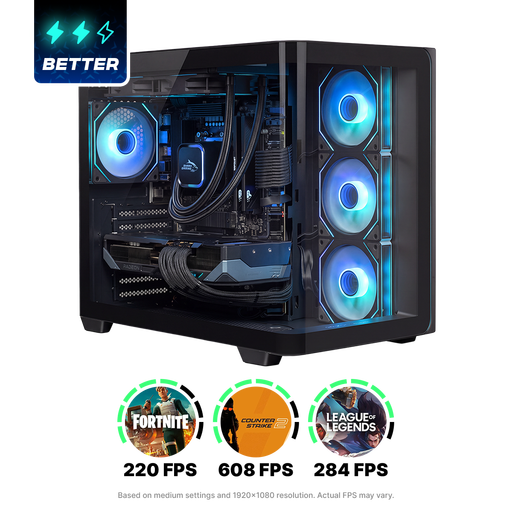 Image unavailable
Shak RGBeast R700 Gaming PC RX9070XT/R7/16G/1TB
This ready-to-use gaming PC is an option to compare with the games and settings you want to use.
The product name lists RX9070XT, R7, 16G and 1TB.
View on Joybuy
 Image unavailable
Lenovo Legion T5 30IAX10
This Legion gaming desktop is an option if you want to compare the listed configuration with your games’ requirements and the space available.
Intel Core Ultra 7, 32 GB DDR5, 1 TB PCIe 4.0 SSD, NVIDIA GeForce RTX 5070, Wi-Fi 7 and Windows 11 Home.
View on Joybuy
 Image unavailable
Lenovo Legion T5 30AGB10 AMD Ryzen5
This Legion gaming desktop is an option to compare with your games and the space available.
The product name lists 16 GB, 1 TB and RTX 5060. The product description says the power cable isn’t included and must be bought separately.
View on Joybuy
Frequently asked questions
Is 16 GB RAM enough for your exploration games?
It depends on the game and the settings you choose. In March 2024, Nixxes and PlayStation Blog listed 16 GB RAM for the published configurations of Horizon Forbidden West Complete Edition. This isn’t a guarantee for other games or PC configurations. Check the requirements for the games you want to play.
What should you consider when setting up your PC in a home office?
Compare the dimensions and connections of the exact model with the space available, your monitor and your peripherals. Leave room around the air vents and follow the manufacturer’s setup instructions.
Does having Windows 11 installed mean it’s activated?
No. Installation and activation aren’t the same thing. Check whether a product key or digital licence is included and whether Windows is activated. Microsoft explains how to check your activation status; one Dutch PC listing explicitly states that Windows 11 is not activated.
What cooling-off period and legal protection apply to online purchases in the Netherlands?
When you buy online from a business as a consumer, you usually have 14 days to change your mind, subject to legal exceptions. The Dutch government states that you’re entitled to a product that works properly and that there’s no fixed statutory warranty period in the Netherlands. A manufacturer’s warranty or separately purchased warranty is in addition to your statutory rights.


