What should you look for when buying?
First check that the PC suits your games and how you want to play them. Then look at the video connection, controls and full configuration.
| What to consider |
What should you check? |
Who is this important to? |
| Suitability for your games |
For each game you’ve chosen, compare its operating system, memory and graphics requirements with the specifications of the exact PC model. Don’t treat minimum requirements as a promise of 4K performance. |
If I mainly play a few specific board game adaptations, I don’t want to choose a PC based only on the ‘gaming PC’ label. Around 34% of consumers prioritise suitability for the games they’ve chosen. |
| TV picture and connection |
Check the PC’s video output and the TV’s input and picture mode. For a planned 4K/120Hz connection, HDMI recommends using a certified Ultra High Speed HDMI cable. |
When playing from the sofa, I want to know in advance whether the PC and TV support the picture mode I want. Around 25% of consumers prioritise the TV picture and connection. |
| Playing together and controls |
For each title, check for hot-seat or split-screen play, the number of players, and full or partial controller support. |
If we’re playing together on one TV, I want to know whether taking turns and using controls work properly in the game. Around 25% of consumers put local play options and controls first. |
| Overall value and service |
Compare the full configuration with your games’ requirements and check who the seller is. Distinguish your statutory rights from any additional warranty. |
I don’t want to pay for capability my chosen games don’t need, and I want to know who to contact if something goes wrong. Around 16% of consumers prioritise overall value and after-sales support. |
Gaming desktop
A good fit if: the PC will usually stay by the TV and you want to consider a range of games or future upgrades.
Bear in mind: a desktop takes up space of its own; extra graphics capability won’t necessarily make a noticeable difference with less demanding board games.
Gaming laptop
A good fit if: you’ll use the same computer elsewhere too, and want to connect it to your TV at home.
Bear in mind: you’re also paying for portability and a built-in screen that may go unused when connected to a TV; don’t judge TV performance by the laptop screen specifications alone.
Compact PC
A good fit if: space by the TV is important and your chosen games are within the specifications of the particular mini PC.
Bear in mind: a 4K video output doesn’t tell you what gaming performance to expect at 4K; check the output and graphics capability separately.
Joybuy product picks
These Joybuy product picks are aimed at a gaming set-up by the TV, with desktop PCs and a compact mini PC.
 No image available
MSI MAG Infinite S3 14NVM7-3002EU
A desktop PC for a permanent gaming set-up; check that it connects to your TV and meets your chosen games’ requirements.
Intel Core i7, RTX 5060 Ti, 16 GB memory and 1 TB SSD.
HDMI and DisplayPort outputs.
Joybuy
 No image available
MSI MAG Infinite S3 14NVM5-2873EU
A desktop PC for a permanent gaming set-up; choose a configuration that suits your games and TV connection.
Intel Core i5, RTX 5060 Ti, 16 GB memory and 1 TB SSD.
HDMI and DisplayPort outputs.
Joybuy
 No image available
Shark Ultimator R700
A desktop PC for a permanent set-up; the product description also mentions gaming at 1440p and 4K for many modern titles.
Ryzen 7 7800X3D, RTX 5070 with 12 GB of video memory, 16 GB memory and 1 TB SSD.
Windows 11 Home.
Joybuy
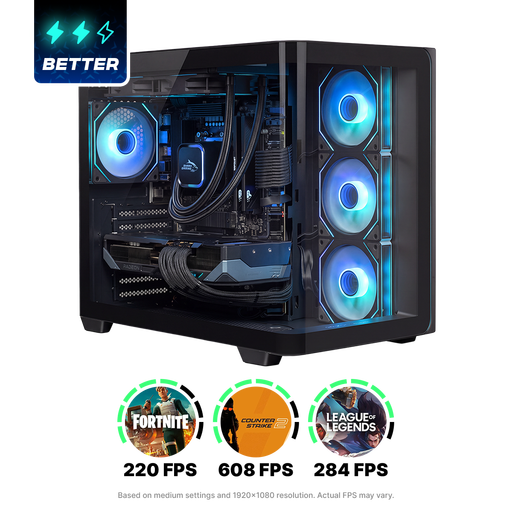 No image available
Shak RGBeast R700
A desktop PC for a permanent gaming set-up; compare the configuration with your games’ system requirements.
Ryzen 7 9800X3D, Radeon RX 9070 XT, 16 GB memory and 1 TB SSD.
Windows 11 Home.
Joybuy
 No image available
FIREBAT Mini PC AM02L
A compact option for a set-up where space is limited; check that its graphics capabilities suit your chosen games.
AMD Ryzen 5 6600H, Radeon 660M graphics, 16 GB LPDDR5 and 512 GB M.2 NVMe storage.
Windows 11 Home, HDMI 2.1, DisplayPort 1.4 and 4K output.
A 4K output alone doesn’t tell you how well games will run at 4K.
Joybuy
Frequently asked questions
Can everyone play the same digital board game adaptation on one TV?
That depends on the game, not just the PC. The developer of Tabletop Simulator mentions local hot-seat play; Steam lists split-screen play and partial controller support for Wingspan. Check how turns, players and controls work for each title.
Do I always need HDMI 2.1 and a powerful graphics card for board games on a 4K TV?
No, not necessarily. First decide which picture mode you want and check your games’ requirements. For a 4K/120Hz connection, HDMI describes using a certified Ultra High Speed HDMI cable; the devices involved must also support the chosen mode. The cable won’t make a less powerful PC run games faster.
How can I make my TV set-up easy to use?
Match the PC’s video output, the TV input and the picture settings. Tabletop Simulator offers 4K, full-screen and controller settings, among others; choose settings supported by your TV and the game.
What do the cooling-off period and warranty mean when buying online in the Netherlands?
According to ACM ConsuWijzer, when you buy a product online as a consumer, you generally have a statutory cooling-off period of up to 14 days after delivery, with some exceptions. Your statutory guarantee rights are separate from the manufacturer’s warranty; if there’s a fault, contact the seller for an appropriate solution.
What should I look for when buying an electric PC on the Dutch market?
The Dutch government states that electronic devices placed on the EU market must carry a CE marking. Check the product information for the exact PC you’re considering; a general statement about a product range doesn’t confirm that every unit supplied complies with the requirements.


