
Vandaag of morgen in huis

Kwaliteit gegarandeerd

Welkomstaanbiedingen ontgrendelen: GRATIS bezorging | Tot 80% korting | Gratis 30 dagen JoyPlus-proefperiode
Download de app
Buying a gaming PC seems straightforward until you start comparing specifications. An eye-catching case, RGB lighting and terms such as “AI performance” tell you little about the practical experience if the storage fills up quickly, the power supply is unsuitable or the keyboard does not match your layout.
The most common purchasing mistakes are:
The graphics card largely determines how a game is displayed on your screen. A gaming PC with RTX 5060 is often designed for 1080p and 1440p according to its product specifications. For example, the Shark Max Bite R500 has a Ryzen 5 5500, RTX 5060 8GB, 16GB DDR4 and a 500GB NVMe SSD. The R501 uses the same processor, graphics card and amount of memory, but has a 1TB NVMe SSD.
If you want more scope for 1440p, demanding graphics settings or creative software, consider a gaming PC with RTX 5060 Ti or gaming PC with RTX 5070. The MSI MAG Infinite S3 combines an Intel Core i5-14400F with an RTX 5060 Ti 8GB, 16GB DDR5 and 1TB of storage. The Shark Ultimator R700 uses a Ryzen 7 7800X3D, RTX 5070 12GB, 16GB DDR5 and a 1TB NVMe SSD.
According to the product descriptions, these graphics cards support features such as ray tracing and DLSS. Actual performance depends on the game, resolution, settings, drivers and the screen you choose.
A multi-core processor is relevant for gaming, streaming, video editing and multitasking. In addition to the name, check the number of cores and threads. The Ryzen 7 7800X3D in the R700 has 8 cores and 16 threads; the Ryzen 5 5500 in the R500 and R501 systems has 6 cores and 12 threads.
16 GB RAM is a common starting point for gaming and everyday use. For content creators who game, stream and use demanding programmes at the same time, more memory may be more practical in the long term. Also check the memory type: DDR4 and DDR5 are not interchangeable.
When it comes to storage, pay attention to both capacity and type. An NVMe SSD boots quickly and loads applications swiftly, but 480 or 500 GB offers less space than 1TB. If you install several large games, a model with 1TB or expansion options is a better choice.
A powerful gaming PC needs a power supply that matches its components. For example, the Gigabyte RTX 5080 Gaming OC specifies a recommended power supply of at least 850W 80+ Gold. The card is 340 mm long, four slots wide and uses a 12+4-pin connector. Measure the available space in your case beforehand.
The RTX 5080 has 16GB GDDR7, a 256-bit memory bus and three fans. This makes this type of graphics card an interesting option for demanding games and creative workflows, but higher power consumption, more heat and a higher purchase price also come with the territory.
A mini PC works differently. The FIREBAT F1 has a Ryzen 5 7640HS, 24GB LPDDR5, a 512GB PCIe 4.0 SSD and Radeon 760M graphics. With an Intel N100, 4GB RAM and a 128GB SSD, the MSI Cubi N ADL S-078EU is more geared towards office work, working from home and lighter applications. So do not just look at the word “gaming” in a title; check the graphics chip and cooling system.
A mechanical gaming keyboard uses individual switches beneath the keys. Hot-swappable models, such as the AJAZZ AK820, allow you to replace compatible switches without soldering. This 75% model has a volume knob, PBT keycaps, RGB lighting and a USB-C cable.
A wireless mechanical keyboard gives you greater flexibility at your desk. According to the product information, the AULA F75 MAX supports wired connection, Bluetooth and 2.4 GHz. With wireless models, always check the battery, included receiver and connection modes.
A compact gaming keyboard saves space, but a 60% model usually has no function row, arrow keys or numeric keypad. The MageGee TS91 has 61 keys and a QWERTY US layout. The product description calls it a membrane keyboard with a mechanical feel, so it is not the same as a full mechanical model.
Finally, pay attention to the layout. On a QWERTY US keyboard, the Enter key, Shift key and symbols, among others, may be positioned differently from those on a Dutch ISO layout.
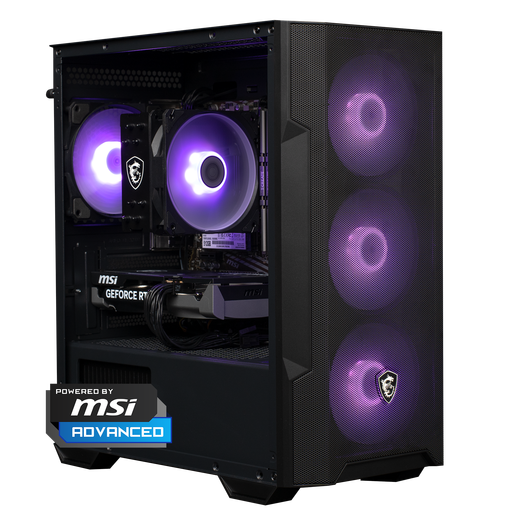
Why it suits this profile: The combination of a Ryzen 5 5500, RTX 5060 8GB, 16GB DDR4 and a 500GB NVMe SSD provides a straightforward starting point for gamers looking for a ready-to-use system.
The key components are listed, so you do not have to rely solely on RGB lighting or the case. However, check the currently included accessories beforehand.
RTX 5060 8GB, 16GB RAM, NVMe storage and Windows 11 Home.
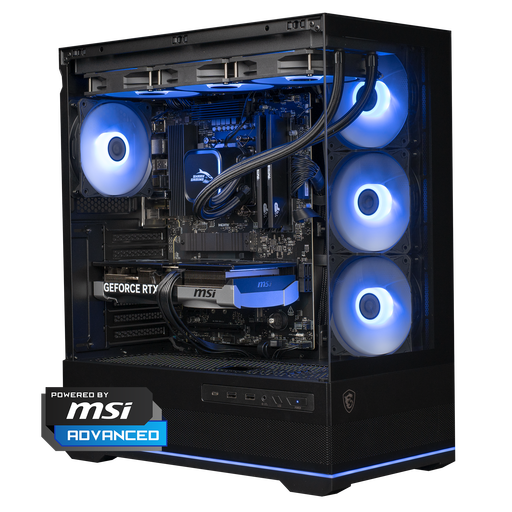
Why it suits this profile: The Ryzen 7 7800X3D, RTX 5070 12GB, DDR5 memory and 1TB NVMe SSD are well suited to gamers and creators with higher demands from their system.
The specifications list the processor, graphics card, memory, power supply and cooling separately. However, check that the dimensions suit your desk.
RTX 5070 12GB, Ryzen 7 7800X3D, 1TB NVMe and 360mm liquid cooling.
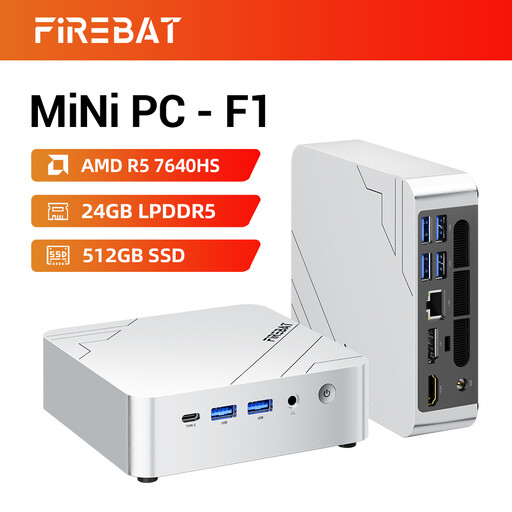
Why it suits this profile: This compact system with 24GB LPDDR5, a 512GB PCIe 4.0 SSD, Wi-Fi 6E and support for three 4K displays is well suited to home workers, business users and light gaming.
The compact case is not presented as a full desktop gaming solution; check whether the Radeon 760M graphics are suitable for your games.
24GB LPDDR5, 512GB SSD, USB 4.0, HDMI 2.1 and 2.5G Ethernet.
We have put together a complete, up-to-date list of products that fully meet these strict selection criteria and the applicable European safety regulations.
For many games and everyday multitasking, 16 GB is a useful amount. If you stream, edit video or keep many programmes open at the same time, it is worth checking whether the memory can be expanded. Also check whether the PC uses two memory slots and what maximum capacity the manufacturer specifies.
You can get started with 480 or 500 GB, but the available space will decrease after installing Windows, updates and several games. A gaming computer with 1TB NVMe storage offers more practical space. Also check whether an additional M.2 slot or 2.5-inch drive bay is available.
Power consumption depends on the processor, graphics card, power supply, settings and length of use. An RTX 5080 system generally requires more power than a PC with integrated graphics or an RTX 5060. So check the recommended power supply, use a suitable 80 Plus power supply and switch off the PC when you will not be using it for an extended period.
