
Vandaag of morgen in huis

Kwaliteit gegarandeerd

Welkomstaanbiedingen ontgrendelen: GRATIS bezorging | Tot 80% korting | Gratis 30 dagen JoyPlus-proefperiode
Download de app
Buying a gaming PC seems straightforward until you start comparing specifications. A graphics card name, RGB lighting and terms such as “next-gen” say little on their own about the performance you will actually get at home. Even a powerful gaming PC can disappoint if the processor, storage or power supply is not well matched to how you use it.
The most common pitfalls:
The graphics card largely determines how much graphical detail and how many frames you can expect in games. A gaming PC RTX 5060 is particularly appealing for Full HD and light to medium 1440p settings. Product information for various systems mentions support for ray tracing and DLSS. These features only work in games that support them, and the practical results vary depending on the title and settings.
A gaming PC RTX 5060 Ti offers more graphical headroom on paper than an RTX 5060. This may be relevant for 1440p, higher settings and creative applications. RTX 5070 systems are aimed at users who prioritise higher frame rates and 1440p gaming, and who want to move towards 4K in suitable games.
Do not focus only on the GPU name. Also check:
The processor affects games involving extensive calculations, esports and background tasks. A Ryzen gaming PC with, for example, a Ryzen 5 5500 is suitable for a practical entry-level configuration. A Ryzen 7 5700X or Ryzen 7 7800X3D offers more processor cores or a different level of performance for demanding games, streaming and creative work.
For most new gaming desktops, 16 GB RAM is a useful starting point. If you game, stream, use lots of browser windows or edit video at the same time, it is worth checking whether the memory can be upgraded. DDR4 and DDR5 are different generations of memory; they are not interchangeable and depend on the motherboard.
An NVMe SSD will generally start Windows and games quickly thanks to PCIe’s high transfer speeds. Do pay attention to capacity:
Also check the power supply. A 550W power supply in an RTX 5060 system and a 750W model in an RTX 5070 configuration are specific details from the product information. Also look at the certification, available connections and the amount of space inside the case. RGB lighting is primarily a design choice; airflow, fans and maintenance are more important for long-term use.
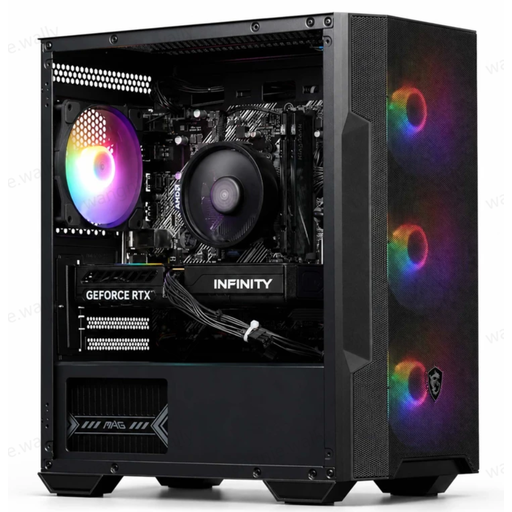
Why it suits this profile: This combination is aimed at gamers looking for a ready-to-use PC for 1080p gaming, with wireless networking and a compact case.
The product information lists not only the RTX 5060, but also a Ryzen 5 5500, 16 GB DDR4, a 480 GB PCIe 4.0 SSD and a 550W 80+ Bronze power supply.
RTX 5060 with 8 GB GDDR7, 16 GB memory, four ARGB fans and a USB Wi-Fi AC600 adapter included.
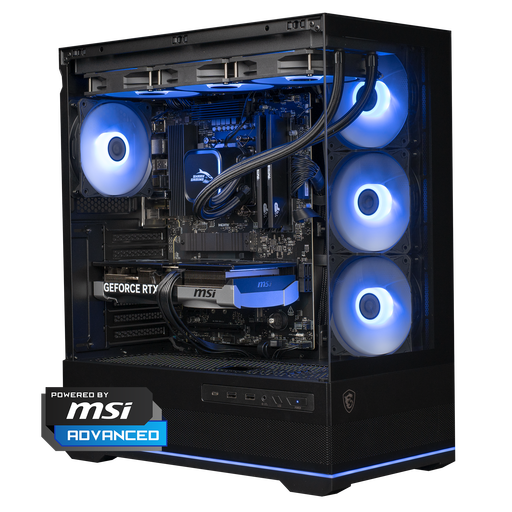
Why it suits this profile: This gaming desktop is aimed at players with a 1440p monitor, a high refresh rate and an interest in streaming or creative applications.
The configuration lists the complete combination of Ryzen 7 7800X3D, RTX 5070 with 12 GB, 16 GB DDR5, 1 TB NVMe storage and a 750W power supply.
12 GB of graphics memory, 1 TB NVMe, DDR5 memory and a 360mm liquid cooler according to the product specifications.
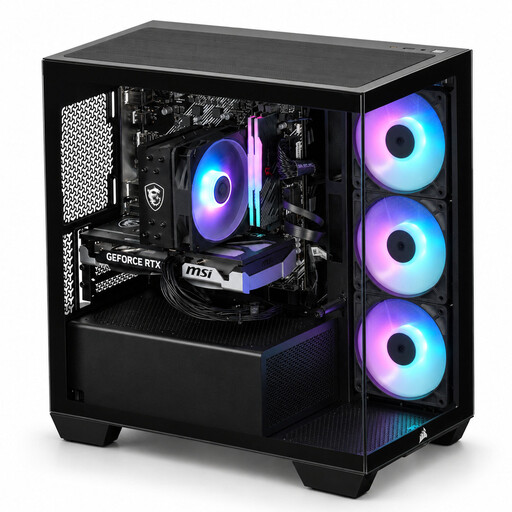
Why it suits this profile: An option for users who want to stream, render, use CAD or edit photos and videos as well as game.
The product page specifies both the Ryzen 7 5700X with 8 cores and 16 threads and the RTX 5060 Ti with 8 GB, rather than relying solely on general performance claims.
Corsair 2800X case, 16 GB DDR4 RGB, NVMe storage and three RGB case fans.
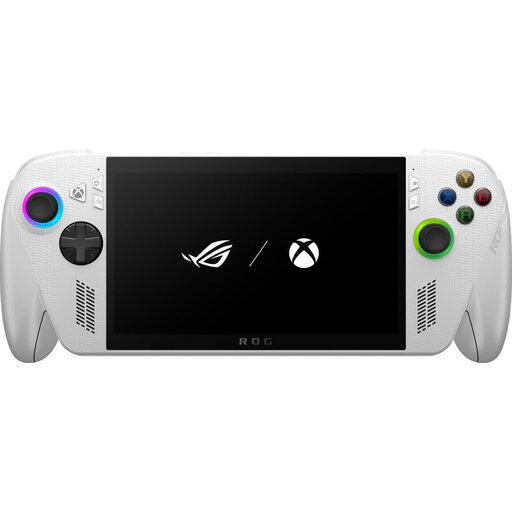
Why it suits this profile: This portable games console runs on Windows 11 Home and is ideal for anyone who wants to use PC games, Xbox Remote Play and cloud features while on the move.
The product specifications list the operating system, storage, connections and screen refresh rate. However, check in advance that the charger must be purchased separately.
7-inch Full HD touchscreen with 120 Hz, 16 GB LPDDR5, 512 GB PCIe 4.0 NVMe SSD and Wi-Fi 6E.
We have put together a complete, up-to-date list of products that fully meet these strict selection criteria and the applicable European safety regulations.
A gaming desktop generally offers more room for cooling, connections and future upgrades. However, you will need a monitor, keyboard and mouse. A portable games console combines the screen and controls in one device. The trade-off is that storage, battery life and thermal capacity may be more limited.
The Nintendo Switch 2 is a different category from a Windows 11 gaming PC. This model has 256 GB of internal storage, a 7.9-inch screen and TV, tabletop and handheld play modes. If you mainly want to play Nintendo games, you can compare the Nintendo Switch 2 Console (EU) with a gaming PC. Always check which games and platforms you use before making your choice.
For gaming, everyday use and light multitasking, 16 GB is often a practical starting point. For streaming, demanding mods, video editing or running lots of programmes at once, upgradeability is important. So check how many memory slots are available and which type of RAM the motherboard supports.
Its lifespan depends on the games, settings, resolution, cooling and maintenance. Dust-free ventilation and plenty of free storage can help with everyday use. A system with upgradeable RAM, additional SSD space and a suitable power supply can be adapted more easily later on.
Power consumption depends on the power supply, graphics card, processor and how long you play. The wattage shown on the power supply is not a constant consumption figure, but a maximum design rating. A gaming PC with a more powerful RTX card may draw more power under load than an entry-level model. So look at actual usage in your own situation and switch the PC off when you are not using it.
