
Vandaag of morgen in huis

Kwaliteit gegarandeerd

Welkomstaanbiedingen ontgrendelen: GRATIS bezorging | Tot 80% korting | Gratis 30 dagen JoyPlus-proefperiode
Download de app
Buying a gaming PC may seem straightforward: choose a powerful RTX graphics card, plenty of RAM and a striking RGB case. However, individual specifications do not tell the whole story. An inexpensive configuration may pair a powerful graphics card with an older processor, limited storage or a power supply that leaves little room for upgrades.
This buying guide helps you choose a gaming computer based on verifiable specifications. You’ll learn what to look for when gaming at 1080p and 1440p, streaming, multitasking and creating content. We’ll then highlight several popular options for different user profiles.
An RTX 5060, RTX 5060 Ti or RTX 5070 naturally attracts attention, but the processor, memory and cooling also determine how the PC performs in real-world use. A configuration with a fast graphics card but limited processing power may become unbalanced at high frame rates.
Always consider the combination of:
A gaming PC with RGB lighting looks impressive, but illumination does not automatically reduce temperatures. Check the number of fans, their placement and whether the case includes a dust filter. A mesh front generally supports a different airflow pattern from a completely enclosed front panel.
For example, the Shark Max Bite R500 models use an MSI MAG FORGE M100R case with a mesh front, tempered-glass side panel and ARGB lighting. According to the product description, the lighting and system functions can be adjusted through MSI Center. This confirms the available features, but does not automatically indicate the noise level in every situation.
A pre-built gaming PC with 500 GB of storage can fill up quickly once you install several large games. Don’t just look at SSD capacity; also check for free M.2 slots, 2.5-inch and 3.5-inch drive bays, and the number of available RAM slots.
Also verify that the power supply provides sufficient wattage and the right connectors. A system with a 650W power supply may offer a practical foundation, but its suitability depends on the complete hardware configuration and any future upgrades.
For Full HD gaming, the RTX 5060 and comparable cards in many pre-built systems are designed to deliver high frame rates. When choosing a gaming PC for 1080p and 1440p, the settings you use also matter: high graphical details, ray tracing and a high refresh rate place greater demands on the hardware.
On paper, an RTX 5060 Ti offers more performance headroom than an RTX 5060. An RTX 5070 system is aimed at users who play more frequently at 1440p and may want to move towards 4K. According to NVIDIA and manufacturer product information, DLSS and ray tracing can affect image quality and performance in supported games. Results vary depending on the game, resolution and settings.
A Ryzen gaming PC is not automatically suitable for every application; the same applies to an Intel gaming PC. Pay attention to the number of cores and threads, the generation and the platform.
16 GB of RAM is a practical minimum for many modern games and everyday multitasking. For streaming, video editing or long-term use, 32 GB may be the more practical choice. Also check whether the memory consists of one or two modules. Two modules can be relevant for dual-channel operation, provided the motherboard and configuration support it.
A gaming PC with Windows 11 is easier to use from the outset because the operating system is pre-installed. Pay close attention to the exact wording, however: the Panoramic Gaming PC is described as including an evaluation version of Windows 11, while several Shark and MSI systems list Windows 11 Home. Confirm this before purchasing.
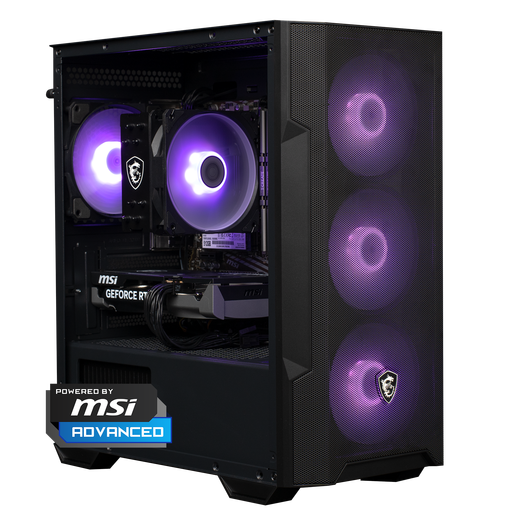
Why it fits: This configuration is designed for gamers looking for a ready-to-use desktop for Full HD and selected 1440p scenarios. The PC includes a Ryzen 5 5500, RTX 5060, 16 GB DDR4, 500 GB NVMe SSD and Windows 11 Home.
The key components are clearly listed, so you don’t have to rely solely on the RGB case or the marketing name.
RTX 5060 8 GB, 16 GB DDR4, NVMe storage and four ARGB fans according to the product information.
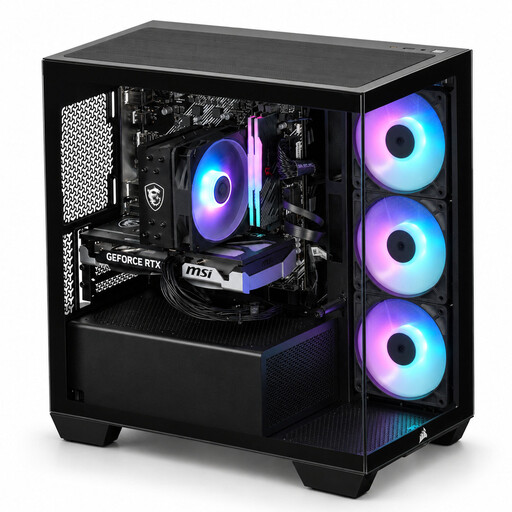
Why it fits: The Ryzen 7 5700X with 8 cores and 16 threads is designed for gaming, streaming and multitasking. The RTX 5060 Ti 8 GB, 16 GB DDR4 and 480 GB NVMe SSD provide a well-balanced foundation.
The processor receives as much attention as the graphics card, which is helpful for workloads that run multiple processes simultaneously.
8 cores, 16 threads, RTX 5060 Ti and three RGB case fans according to the product specification.
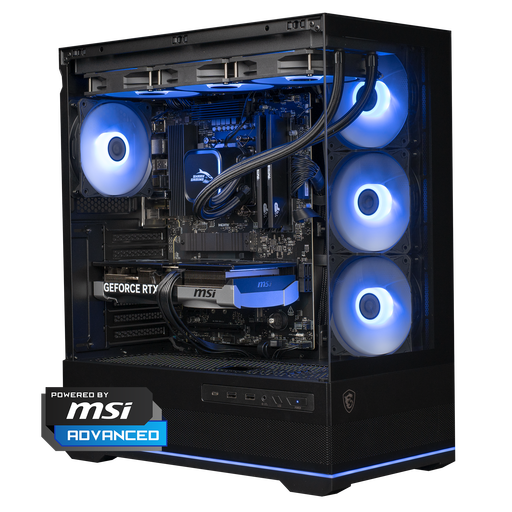
Why it fits: This Ryzen gaming PC combines a Ryzen 7 7800X3D with an RTX 5070 12 GB, 16 GB DDR5 and 1 TB of NVMe storage. The configuration is designed for demanding games, high refresh rates and creative workloads.
The storage capacity exceeds that of many entry-level configurations, while the cooling is separately specified as 360 mm liquid cooling.
RTX 5070 12 GB, Ryzen 7 7800X3D, DDR5 and 1 TB NVMe according to the listed configuration.
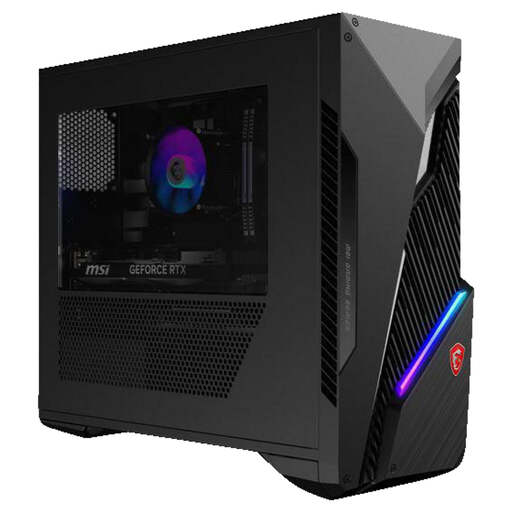
Why it fits: This Intel gaming PC features a Core i7-14700F, RTX 5060 Ti 8 GB, 16 GB DDR5 and a 1 TB SSD. It is well suited to users who combine gaming with multitasking and productivity.
The product page lists the processor, threads, storage, power supply and expansion capacity, allowing you to compare the configuration in concrete terms.
20 cores, 28 threads, 1 TB SSD, Wi-Fi 6E and two free RAM slots according to the specifications.
Browse a current selection of PC hardware and digital products with specifications for gaming, multitasking and everyday use.
For many games, 16 GB is a practical starting point. If you stream while gaming, keep numerous browser tabs open or edit video, 32 GB may be a better choice. Check whether the PC has free memory slots and whether it uses DDR4 or DDR5.
Service life depends on the games you play, resolution, settings, maintenance and upgrades. Keep the ventilation unobstructed, remove dust regularly and install updates. A PC with free RAM or storage capacity can be upgraded more easily later on.
Power consumption varies significantly depending on the processor, graphics card, power supply and usage time. Consumption is usually higher while gaming than during word processing. You can measure real-world usage with a plug-in energy meter. When purchasing, also check the stated wattage and efficiency rating of the power supply.
