
Vandaag of morgen in huis

Kwaliteit gegarandeerd

Welkomstaanbiedingen ontgrendelen: GRATIS bezorging | Tot 80% korting | Gratis 30 dagen JoyPlus-proefperiode
Download de app
Buying a gaming PC seems straightforward until you start comparing specifications. A powerful graphics card might be paired with little memory, a small SSD or a power supply that leaves little room for upgrades. Terms such as “AI”, “future-proof” and “extreme performance” also tell you little about how a PC will perform for your everyday needs.
As a Joybuy Product Recommendation Officer, I focus on specifications you can verify. This helps you avoid paying for lighting or marketing claims when the components don’t suit your games, monitor or creative work.
The graphics card has a big impact on graphical performance, but the processor still matters for esports, simulations, streaming and high refresh rates. An RTX 5060 gaming PC with a suitable Ryzen 5 or Intel Core processor can be a sensible choice for Full HD. For more demanding 1440p or 4K settings, you’ll also want more graphics memory and a more powerful GPU.
Be sure to check the difference between a desktop card and a laptop card, too. An RTX 5060 Laptop GPU isn’t automatically equivalent to a desktop RTX 5060. Manufacturers can adjust the power consumption and clock speed.
A gaming PC with 16GB RAM is suitable for many games and everyday use. However, streaming, video editing, CAD and running several programmes at once can make 32 GB a better option. Check the number of memory slots and the maximum capacity before you buy.
For example, the Lenovo Legion T5 comes with 16 GB DDR5 and can be upgraded to 32 GB. That’s more specific than simply saying a system is “ready for the future”.
Not every computer comes with the same Windows licence. Some models have Windows 11 Home, while others are listed with an evaluation version. Check whether a keyboard, mouse, Wi-Fi adapter and power cable are included, too. Some product listings state that a charger isn’t included as standard, so check the current box contents before buying.
A gaming PC with a 1TB SSD generally gives you more practical storage than a model with 480 or 500 GB. Modern games can take up a lot of space. An NVMe SSD with PCIe 4.0 is also a clear, verifiable specification for fast system and loading times.
Choose a graphics card to suit your monitor:
The RTX 5060 Ti systems mentioned here have 8 GB of graphics memory. The RTX 5070 configurations in this selection have 12 GB, while the RTX 5080 desktop has 16 GB. These are useful points of comparison, but overall performance also depends on the processor, cooling, game settings and resolution.
A Ryzen gaming PC could be a good choice if you game, stream and use several applications. The manufacturer links the Ryzen 7 7800X3D in some systems to 3D V-Cache. This is a processor feature, not a guarantee of a fixed frame rate in every game.
An Intel gaming PC may suit you better if you’re looking for a combination of gaming, rendering and general productivity. As well as the name, check the number of cores and threads, maximum turbo frequency and motherboard platform. An Intel Core i5-14400F, for example, is in a different class from an Intel Core i7-14700F or Core Ultra 7 265F.
A desktop gaming PC needs to be able to dissipate heat. Check:
An 850W power supply in a more powerful system can leave more headroom for higher-power components. A compact MSI case with a 500W power supply may be a good fit for an RTX 5060 Ti configuration, but leaves less room for demanding upgrades. Always check the full configuration table.
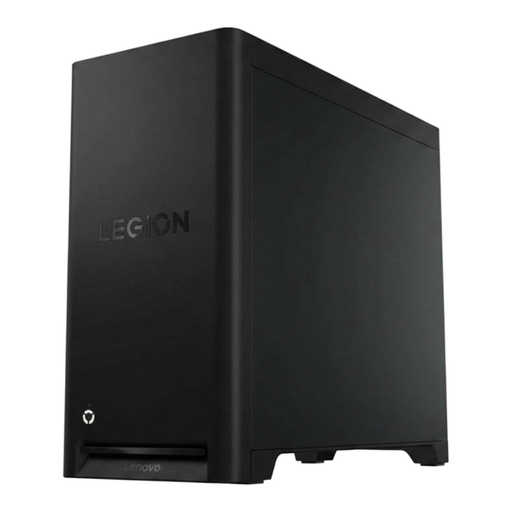
Why it suits this profile: The combination of Ryzen 5, RTX 5060, 16 GB DDR5 and a 1TB PCIe 4.0 SSD makes this a straightforward option if you’re looking for a ready-to-use desktop with Windows 11 Home.
The storage capacity and memory upgrade options are listed. Be sure to check the included accessories and Windows language in the product information beforehand.
RTX 5060, 1TB SSD, Wi-Fi and up to 32 GB of memory.
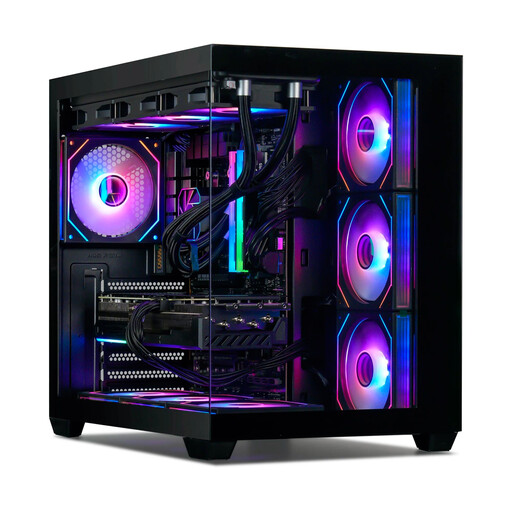
Why it suits this profile: This system is aimed at demanding 1440p and 4K users, with 32 GB DDR5, an RTX 5080 with 16 GB and 360mm liquid cooling.
The key components are clearly specified. Do note that Windows 11 is listed as an evaluation version.
32GB RAM, RTX 5080 16GB, 1TB NVMe SSD and 850W 80 Plus Gold power supply.
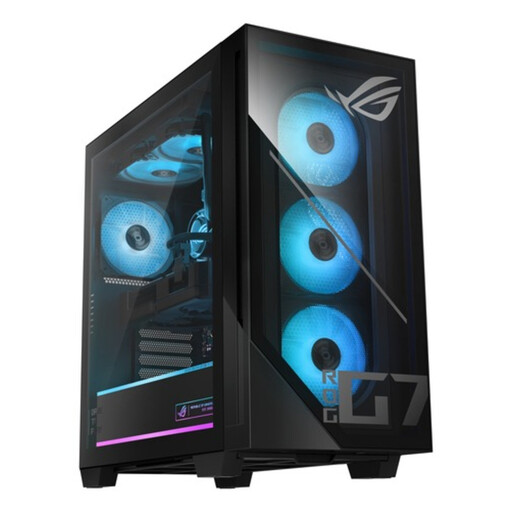
Why it suits this profile: The combination of an Intel Core Ultra 7 265F, RTX 5070, 32 GB DDR5 and liquid cooling is suited to gaming, streaming and more demanding applications.
The power supply, memory and storage are clearly specified. Check that there are enough connections for your monitors and peripherals before buying.
RTX 5070 with 12GB GDDR7, 32GB DDR5, 1TB PCIe 4.0 SSD and 850W 80 Plus Gold power supply.
We’ve put together a complete, up-to-date list of products that meet these strict selection criteria and current European safety regulations.
16 GB of memory is suitable for many games. For streaming, video editing, CAD and intensive multitasking, 32 GB gives you more headroom. Always check whether the system can be upgraded and whether any memory slots are free.
Lifespan depends on the games you play, resolution, settings, ventilation and maintenance. Keeping the ventilation free of dust, installing up-to-date drivers and having enough storage can help keep the system practical to use. When buying, check the warranty period and whether you can upgrade the RAM, SSD or graphics card.
Energy use depends on the power supply, the actual power consumption of the processor and graphics card, and how many hours you play. An 850W power supply doesn’t use 850 watts all the time; that’s its maximum power output. For a more accurate picture, measure consumption with an energy meter plugged in between the mains socket and the PC.
