
Vandaag of morgen in huis

Kwaliteit gegarandeerd

Welkomstaanbiedingen ontgrendelen: GRATIS bezorging | Tot 80% korting | Gratis 30 dagen JoyPlus-proefperiode
Download de app
Buying a gaming PC may seem straightforward until you compare the specifications side by side. A low price can be tempting, but a limited power supply, insufficient storage or an outdated platform could lead to extra costs later on. Terms such as “powerful gaming computer” and “ready for all games” also mean very little without specific details.
The main pitfalls are:
For 1080p gaming, a mid-range graphics card is often sufficient, depending on the game settings and desired frame rate. For 1440p, more graphics capability is preferable. Do not just look at the model; also consider:
A gaming PC with a powerful graphics card but only 16 GB of RAM may reach its limits more quickly when multitasking or streaming.
The processor helps determine how well your PC handles high frame rates, simulations, streaming and productivity tasks. A Ryzen processor such as the Ryzen 5 5500 is aimed at affordable systems, while an AMD Ryzen 7 5700X with 8 cores and 16 threads offers more scope for streaming and content creation.
When buying a standalone CPU, pay particular attention to the socket:
Also check that the motherboard offers the connections, Wi-Fi, storage ports and memory capacity you need.
For a new gaming PC, 32 GB of RAM is a practical choice if you also stream, browse or edit content while gaming. A 2 x 16 GB kit generally uses dual-channel operation. Always check that the memory is compatible with the motherboard:
An NVMe SSD via M.2, such as the Lexar NM620 with a stated capacity of 512 GB, can provide short loading times. According to the product information, its sequential read speed is up to around 3,300 MB/s. This is a product specification, not a guarantee of identical loading times in every game.
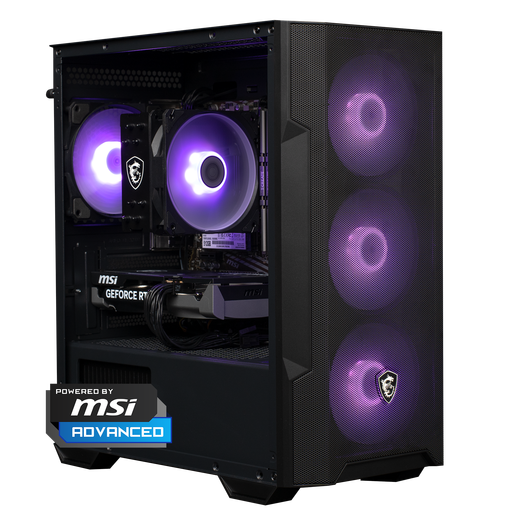
Why it suits this profile: A complete desktop PC with Ryzen 5 5500, RTX 5060, 16 GB DDR4, 500 GB NVMe SSD and Windows 11 Home. This reduces the amount of choice and assembly work required for beginners.
The product description lists the processor, graphics card, RAM, SSD, power supply and case separately. This means you do not have to buy based on the RTX 5060 alone.
Complete configuration; NVMe storage; 16 GB DDR4; integrated Wi-Fi adapter according to the product information.
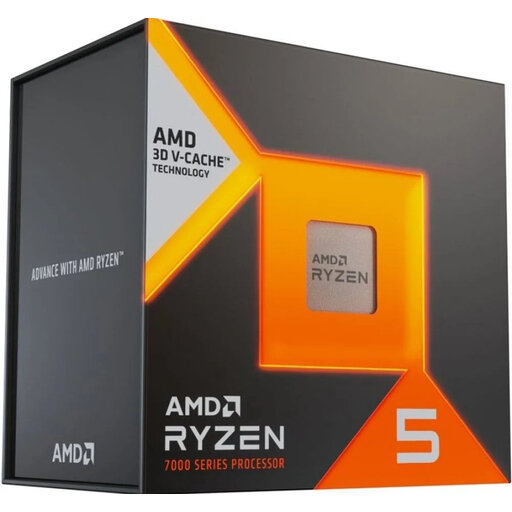
Why it suits this profile: For anyone looking to build an AM5 platform with a focus on processor performance, upgradability and DDR5 support.
The socket and memory support are clearly stated. However, bear in mind that a heatsink is not included and choose a compatible cooler in advance.
6 cores and 12 threads; AM5 socket; 96 MB L3 cache; support for up to 128 GB DDR5 according to the product specifications.
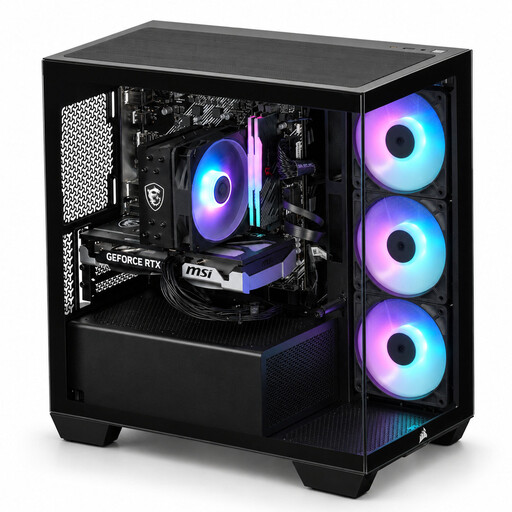
Why it suits this profile: Designed for users who combine gaming with streaming, multitasking or light content creation and are looking for a complete case with a distinctive design.
The configuration lists 8 cores, 16 threads, 16 GB DDR4, a 480 GB NVMe SSD and three RGB fans. However, check that the storage capacity is sufficient for your library.
Ryzen 7 5700X; RTX 5060 Ti with 8 GB; Wi-Fi adapter included according to the product description; suitable for 1080p and 1440p as stated by the supplier.
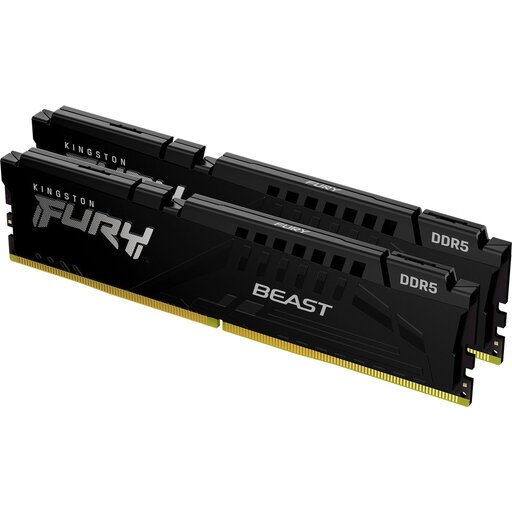
Why it suits this profile: A logical upgrade for a compatible desktop PC that needs more working space for gaming, streaming or demanding applications.
It is a 2 x 16 GB DDR5 kit, so you do not accidentally have to combine a single module with one of a different capacity. Check DDR5 compatibility in advance.
32 GB total; 5600 MT/s; CL36; support for AMD EXPO and Intel XMP according to the product specifications.
Use this short checklist when putting together a gaming PC or comparing a ready-built configuration:
We have compiled a complete, up-to-date list of products that fully meet these strict selection criteria and the applicable European safety regulations.
16 GB is a useful starting point for many games. If you stream, use lots of programmes at the same time or work on content creation, 32 GB may be beneficial. Always check the memory generation and the motherboard’s maximum capacity.
That depends on the hardware, settings and duration of use. A more powerful graphics card and processor may consume more electricity. It is therefore worth checking the power supply’s wattage and efficiency rating, as well as how many hours you actually spend gaming.
The lifespan varies by component and usage. A PC with sufficient cooling, available upgrade options and a suitable power supply can be upgraded gradually. Removing dust regularly and keeping the ventilation openings clear helps the hardware operate within its specified conditions.
