
Vandaag of morgen in huis

Kwaliteit gegarandeerd

Welkomstaanbiedingen ontgrendelen: GRATIS bezorging | Tot 80% korting | Gratis 30 dagen JoyPlus-proefperiode
Download de app
Buying a gaming PC seems straightforward until you start comparing specifications. An eye-catching RGB case, a powerful name on the box or a high storage capacity does not automatically say anything about your gaming experience. With a ready-made gaming PC in particular, the balance between the processor, graphics card, memory, power supply and cooling is important.
The most common pitfalls:
For a gaming PC, the graphics card is usually the first specification to compare. Think about your monitor in advance:
An RTX 5060 Ti is not automatically the right choice if you mainly play esports games at 1080p. Conversely, a cheaper card may be less suitable if you use a 1440p monitor with a high refresh rate.
The processor partly determines how well a system handles gaming, streaming, multitasking and content creation. A Ryzen gaming PC with, for example, a Ryzen 5 5500 is a different configuration from a system with a Ryzen 7 7800X3D. An Intel gaming PC with a Core i5 or Core i7 may use a different platform and offer a different upgrade path.
Also pay attention to:
Standalone memory such as the G.Skill Flare X5 32GB DDR5 is intended for systems with DDR5 support and AMD EXPO. For an older DDR4 platform, a G.Skill AEGIS DDR4 module may be a better fit, but always check the motherboard manual.
An NVMe SSD helps with quick start-up and loading times, but capacity remains important. 1 TB NVMe provides more space than 480 or 500 GB. Also check whether there is a free M.2 slot or an additional 2.5- and 3.5-inch bay.
The power supply also deserves attention. Look at:
When it comes to cooling, note the difference between air cooling and liquid cooling. A larger cooler will not fit in every case. For example, the Corsair 3500X ARGB Midi Tower White supports CPU coolers up to 170 mm and graphics cards up to 410 mm. The Corsair 9000D RGB AIRFLOW Full Tower Black offers more space, with support for ATX, multiple fan sizes, six 2.5-inch bays and five 3.5-inch bays. However, a large case only makes sense if you will actually use the extra space.
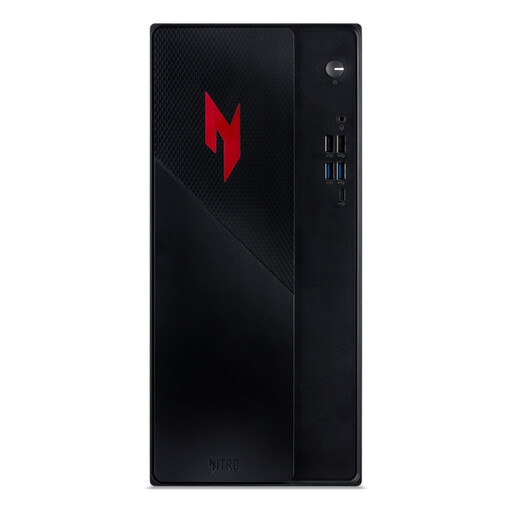
Why it suits this profile: This compact gaming desktop features an Intel Core 5 210H, RTX 5050, 16GB DDR4, 1TB PCIe NVMe SSD and Windows 11 Home. It is a practical choice for anyone who wants to get started without buying individual components.
The configuration clearly lists all the key components. The 1TB SSD means you do not have to start out with very limited storage.
16GB DDR4, 1TB NVMe, Wi-Fi 6E, Bluetooth and Windows 11 Home pre-installed.
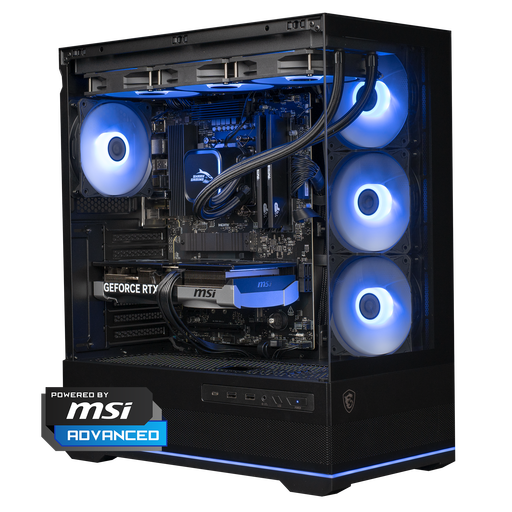
Why it suits this profile: According to the product description, this system combines a Ryzen 7 7800X3D, RTX 5070 12GB, 16GB DDR5 and 1TB NVMe storage. It is suited to users with high demands for 1440p gaming, streaming and demanding applications.
The processor, GPU, DDR5 memory, power supply and 360mm liquid cooler are listed separately, so you do not have to rely on the product name alone.
RTX 5070 with 12GB, Ryzen 7 7800X3D, 1TB NVMe and an MSI B850 motherboard with Wi-Fi 6E.
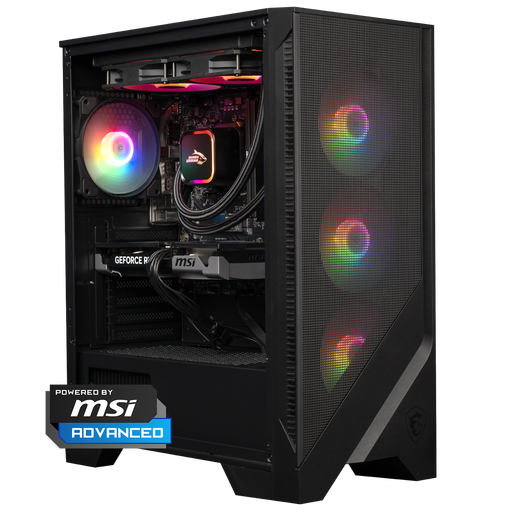
Why it suits this profile: According to the supplied product specifications, this system combines a Ryzen 5 7400, RTX 5060 Ti, 16GB DDR5, 1TB NVMe and a 240mm liquid cooler. This makes it suitable for 1080p and 1440p gaming, as well as intensive multitasking.
The 1TB storage and DDR5 memory reduce the likelihood of needing an immediate storage or memory upgrade. The airflow case and separate cooler are clearly specified.
RTX 5060 Ti 8GB, 16GB DDR5, 1TB NVMe and MSI MAG CORELIQUID A13 240 cooling.
If you are building a system yourself, first check the size and connection of every component. A gaming PC with RGB can look polished, but the lighting must connect to the correct RGB or ARGB header. A mechanical keyboard such as the AJAZZ AK820, with a 75% layout and hot-swappable switches, saves desk space and allows you to replace the switches. For competitive players, the AULA WIN60HE is a compact option with Hall Effect switches. Do check the software and compatibility requirements.
Insert memory modules carefully, work with the power disconnected and check whether DDR4 or DDR5 is supported. When choosing a new case, take account of the motherboard size, maximum GPU length, CPU cooler height, radiator space and number of fans. This helps prevent components from being physically incompatible.
We have put together a complete, up-to-date list of products that fully meet these strict selection criteria and the applicable European safety regulations.
For many games and everyday use, 16 GB RAM can be a suitable starting point. If you stream, edit video or keep many programmes open at the same time, 32 GB may be beneficial. Always check the number of free memory slots and the memory type.
A 1TB SSD provides more practical space than 480 or 500 GB when you install several large games. Choose a system with a free M.2 slot or additional drive bays if you want to expand later.
Power consumption depends on the graphics card, processor, power supply, settings and length of use. A system with an RTX 5070 and powerful CPU will generally require more power than a compact desktop with an RTX 5050. Therefore, check the stated wattage and the power supply’s efficiency, and shut down the PC completely when you are not using it.
