
Vandaag of morgen in huis

Kwaliteit gegarandeerd

Welkomstaanbiedingen ontgrendelen: GRATIS bezorging | Tot 80% korting | Gratis 30 dagen JoyPlus-proefperiode
Download de app
Buying a gaming PC may seem straightforward until you compare the specifications side by side. An eye-catching graphics card, RGB lighting and a long list of technologies do not tell you everything about how suitable a system is for your games. The processor, cooling, power supply and storage all affect how enjoyable a gaming PC is to use every day.
There are three common pitfalls for UK gamers:
For PC gaming at 1080p and 1440p, the graphics card is usually an important starting point. According to the product specifications, the RTX 5060 models in the range have 8 GB of graphics memory and support ray tracing and DLSS. This makes them appealing to players who want to use modern visual technologies, but the final performance also depends on game settings, resolution and processor.
A gaming PC with an RTX 5060 Ti is a sensible choice when you want more graphics headroom in a pre-built configuration. If you play at a high refresh rate or regularly use demanding graphics applications, you could consider a gaming PC with an RTX 5070. For example, the Shark Ultimator R700 has an RTX 5070 with 12 GB of memory, according to the stated product information.
When comparing systems, do not focus solely on the GPU name. Also check:
A Ryzen gaming PC and an Intel gaming PC can both be suitable. Look at the number of cores and threads, the generation, the boost frequency and the motherboard’s upgrade options.
The RGB Gaming PC with Ryzen 5 5500 has 6 cores and 12 threads, 16 GB of DDR4 memory and a 480 GB PCIe 4.0 SSD. This is suitable for gaming, everyday multitasking and getting started with streaming. The Shark Max Bite R501 also uses a Ryzen 5 5500, but has 1 TB of NVMe storage.
For more intensive combinations of gaming, streaming, video editing or rendering, a processor with more cores may be more practical. According to the product description, the Shark Ultimator R700 combines a Ryzen 7 7800X3D, 16 GB of DDR5 and an RTX 5070. However, check whether 16 GB is enough for your software; creative applications may benefit from an upgrade to more RAM.
A gaming desktop produces heat. A compact case can save space, but leaves less room for cables, additional storage and larger coolers. Check the dimensions and available fan positions before ordering.
For basic air cooling, an additional 120mm case fan can help distribute airflow more effectively. According to the product specifications, the Corsair CO-9051005-WW has a diameter of 120 mm, PWM control, a speed range of 480 to 2400 rpm and maximum airflow of 63.1 CFM. Its maximum noise level is listed as 37 dB. Check beforehand that your motherboard has a suitable 4-pin connection and that the case has room for the fan.
An all-in-one liquid cooler requires extra attention to compatibility and installation. The MSI MAG CORELIQUID I360 has a 360mm radiator, three 120mm fans and support for AM4, AM5 and Intel Socket 1700, among others. Always check the socket, radiator space and connections on the motherboard. Follow the included installation instructions and, if you are using a customised liquid-cooling system, carry out a leak test before switching on the PC.
A pre-built gaming PC is convenient if you want to start playing straight away and do not want to work out component compatibility yourself. However, check that Windows is actually installed, which accessories are included and whether the wireless network connection works through built-in Wi-Fi or a USB adapter.
A barebone PC is generally not supplied fully ready to use. For example, the MSI PRO DP180 14A-059BEU supports up to 64 GB of memory and storage via M.2 or SATA, but the product information does not mention a separate graphics card. This type of system is better suited to users who want to add their own RAM, storage and software.
A mini PC such as the MSI Cubi N ADL S-078EU takes up very little space, but according to the specifications, its Intel N100, 4 GB of RAM and integrated graphics are primarily intended for office and general tasks. For modern PC games, a desktop with a dedicated graphics card is generally more suitable.
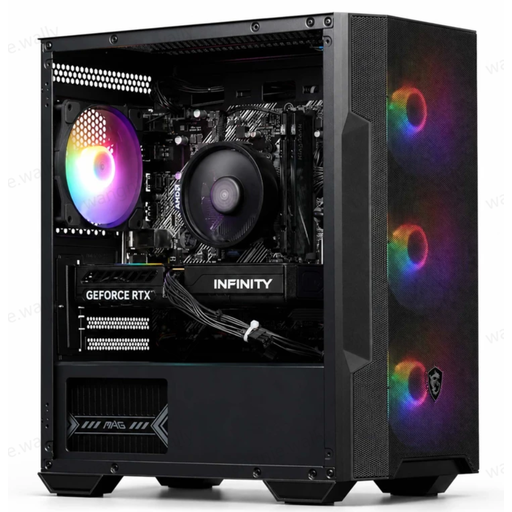
Why it suits this profile: This configuration combines a Ryzen 5 5500, RTX 5060, 16 GB of RAM and four ARGB fans in a desktop that is ready to use for 1080p and 1440p gaming.
The key components and the included USB Wi-Fi adapter are clearly listed. This makes it clear what you will receive.
RTX 5060 with 8 GB GDDR7, 16 GB DDR4, 480 GB PCIe 4.0 SSD and ARGB air cooling.
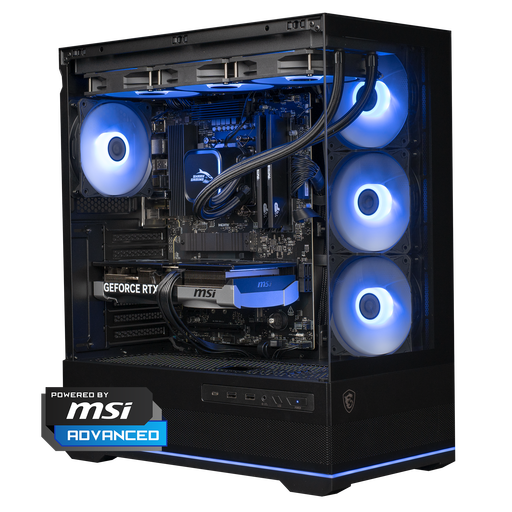
Why it suits this profile: The combination of a Ryzen 7 7800X3D, RTX 5070 and 360mm liquid cooling is designed for demanding games, high refresh rates and creative applications.
The configuration lists the processor, graphics card, power supply, cooler, memory and storage separately. This makes it easier to compare than simply relying on RGB or brand names.
RTX 5070 with 12 GB, 1 TB NVMe, DDR5 memory and an MSI MAG CORELIQUID A13 360 cooler.
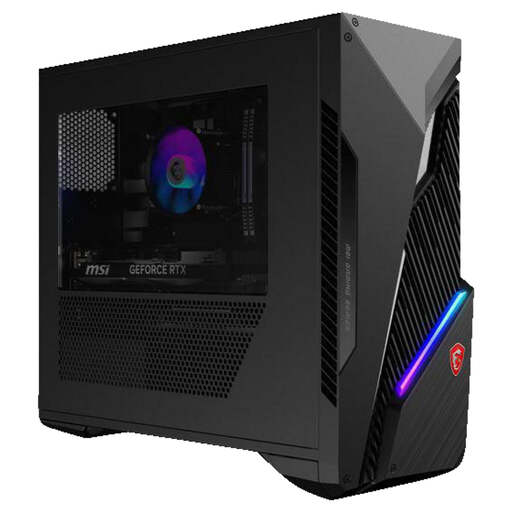
Why it suits this profile: This Intel gaming PC is designed for users who combine gaming with multitasking, streaming or other software and value upgradeability.
Alongside the RTX 5060 Ti, two available memory slots and additional 2.5- and 3.5-inch bays are also specified. However, check the exact upgrade procedure before purchase.
Intel Core i7-14700F, 16 GB DDR5, 1 TB SSD, Wi-Fi 6E and support for Mystic Light RGB.
We have put together a complete, up-to-date list of products that fully meet these strict selection criteria and the applicable European safety regulations.
16 GB of RAM is a common baseline for gaming and everyday multitasking. If you stream at the same time, use demanding creative software or work with large files, more memory may be more practical. Always check the number of memory slots and the motherboard’s maximum capacity.
Its lifespan depends on the games you play, the resolution and the image quality you want. A PC with upgradeable RAM, additional storage space and an adequate power supply can be adapted more easily. Removing dust, keeping ventilation openings clear and avoiding placing the PC in an enclosed cabinet helps keep the components within their intended operating conditions.
Power consumption depends on the power supply’s rating, the actual load and the number of hours you play. The wattage shown on the power supply does not represent constant consumption. For a practical estimate, multiply the measured consumption in kilowatt-hours by your energy tariff. A mini PC generally uses less power, but usually also has more limited graphics capability than a gaming desktop.
