
Vandaag of morgen in huis

Kwaliteit gegarandeerd

Welkomstaanbiedingen ontgrendelen: GRATIS bezorging | Tot 80% korting | Gratis 30 dagen JoyPlus-proefperiode
Download de app
Buying a gaming PC seems straightforward until you start comparing specifications, connections and marketing claims. A case with lots of RGB lighting tells you little about performance. Even a powerful graphics card can disappoint if the processor, power supply or cooling aren’t up to the job.
There are three main pitfalls for gamers in the Netherlands:
Focusing only on the graphics card
An RTX 5060 or RTX 5070 has a big impact on graphics performance, but it isn’t the whole story. A processor that isn’t a good match, too little memory or a small SSD can hold back your experience.
Vague performance claims
Terms such as “suitable for 4K” or “high frame rates” depend on the game, graphics settings, resolution and features used, such as ray tracing or upscaling. Treat these statements as information from the product description, not as a guarantee for every game.
Overlooking upgrade options and connections
Check in advance how much space the case offers, which power supply is fitted and whether there are any free memory slots or storage ports. A cheap gaming desktop may be less flexible than you expect in the long run.
The graphics card, also known as the GPU, processes the visuals in your games. When choosing a gaming PC for 1080p and 1440p, the amount of video memory matters as well as the model.
A gaming PC with an RTX 5060 suits players who mainly game in Full HD and also want to try 1440p. A gaming PC with an RTX 5070 makes more sense if 1440p, high refresh rates or more demanding graphics settings are a priority.
The processor helps determine how well your PC handles game logic, background tasks and streaming. A gaming PC with a Ryzen 5 is a practical choice for many gamers who don’t also run demanding productivity tasks. A gaming PC with a Ryzen 7 offers more processor cores and threads for streaming, video editing and multitasking.
Also look out for:
An NVMe SSD generally provides shorter start-up and loading times than a traditional hard drive. 500 GB can fill up quickly if you install several large games. With 1 TB of NVMe storage, you’ll have more practical space for your game library.
The power supply deserves extra attention. Check its wattage, efficiency rating and the connections available for the graphics card. A more powerful GPU needs a suitable power supply. Also check that the case allows enough airflow and that your PC is placed somewhere stable and well ventilated. RGB lighting is mainly a design choice; it doesn’t replace good airflow.
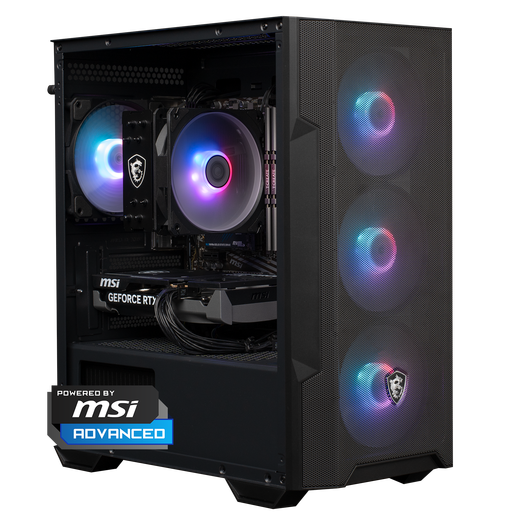
Why it suits this user: This ready-to-go gaming PC combines a Ryzen 5 5500, RTX 5060, 16 GB DDR4 and 1 TB of NVMe storage. It’s a straightforward configuration for Full HD gaming and everyday PC use.
The key components are clearly listed. Be sure to check the included accessories and available upgrade options beforehand.
RTX 5060, 16 GB DDR4, 1 TB NVMe SSD and a case with customisable RGB lighting.
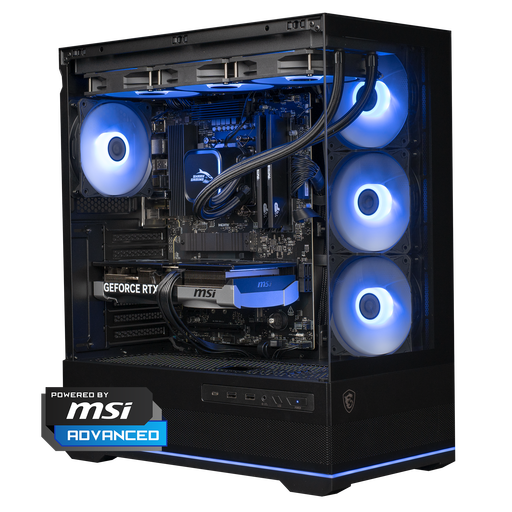
Why it suits this user: The combination of a Ryzen 7 7800X3D, RTX 5070, 16 GB DDR5 and 1 TB NVMe is designed for demanding 1440p gaming and applications that need plenty of processing power.
The configuration lists the CPU, GPU, memory, power supply and liquid cooling. Check that its dimensions of 420 x 225 x 485 mm will fit your desk space.
Ryzen 7 7800X3D, RTX 5070 12 GB, DDR5 memory, 360mm liquid cooler and 1 TB NVMe storage.
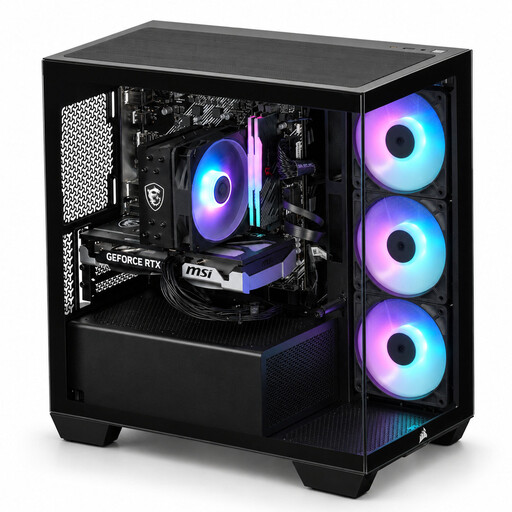
Why it suits this user: With 8 processor cores, 16 threads, 16 GB DDR4 RGB and a Corsair 2800X case, this gaming PC is well suited to multitasking, streaming and creative applications alongside gaming.
The product details list the cooling, number of fans and Wi-Fi adapter. Bear in mind that the listed 480 GB SSD may be limiting if you keep a lot of games installed.
Ryzen 7 5700X, RTX 5060 Ti, three RGB fans, glass side panel and included AC600 Wi-Fi adapter.
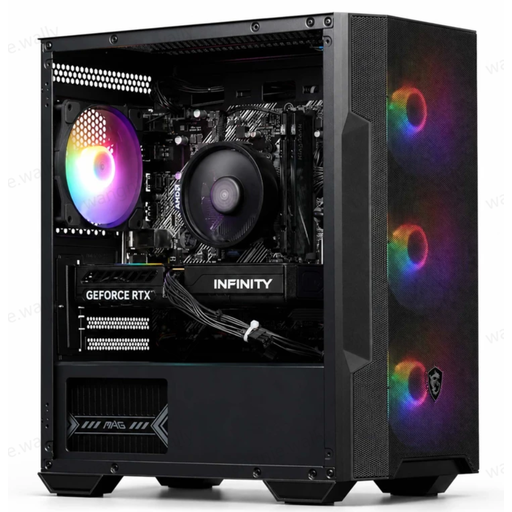
Why it suits this user: This compact gaming desktop combines a Ryzen 5 5500, RTX 5060, 16 GB DDR4 and four ARGB fans. It’s a good fit for gamers who want to combine performance with a setup that makes a statement.
The lighting is backed up by clear details about cooling, the power supply, storage and Wi-Fi. The 480 GB SSD capacity does mean you may need to tidy up regularly or upgrade it.
RTX 5060 with 8 GB GDDR7, 16 GB RAM, ARGB air cooling, USB Wi-Fi adapter and a 550W power supply.
We’ve put together a complete, up-to-date list of products that meet these strict selection criteria and comply with current European safety regulations.
For many games and everyday multitasking, 16 GB is a useful starting point. If you stream at the same time, use lots of browser tabs or edit video, you may benefit from more memory. Check that the motherboard has free memory slots before planning an upgrade.
Power consumption depends on the graphics card, processor, workload and number of hours you play. A PC with a more powerful GPU will generally use more electricity under load than an entry-level model. Check the power supply’s wattage, but don’t confuse it with constant energy consumption: the PC doesn’t use its full rated power all the time.
Its lifespan depends on your resolution, games and preferred settings. A system with a 1 TB SSD, enough memory and an upgradeable case may remain practical for longer. Keep the ventilation openings free of dust, install updates and check over time whether you need to upgrade the storage or RAM.
